Research brief · October 22, 2026
10 Advanced Hermes Tips for November (Pick Your Top 5)
Ten Hermes upgrades past install week: write approval, bundles, /learn, Curator, skill tests, real-profile cron, YOLO denies, goals, steer, and compress.
Skip install and first-week basics. Turn on write approval, stack skills deliberately, pin before Curator runs, measure skill lift, and only then automate signed-in browser work behind a deny list and a completion contract.
November is a good month to stop collecting Hermes features and start operating them. If install week is already done, including what Hermes is, first run, skills basics, and Browser Use setup, the next gains come from gates, bundles, measurements, and boundaries for unattended work.
These are ten tips past that week, so a November video can pick five. Each section says when to use the feature, the commands or config keys from the Superbash lessons and the official Hermes docs, a sequence you can run, and a caveat. The figures are paper-cutout illustrations of each gate. They are not screenshots from a live session. Run /version before you copy a slash command. Release notes still move.
The bar for this list
- Not how to install Hermes.
- Not the five-skill starter stack already covered in the starter stack and the broader toolkit.
- Reversible gates, a measured result, and consent that still holds when nobody is at the keyboard.
1. Gate every skill write
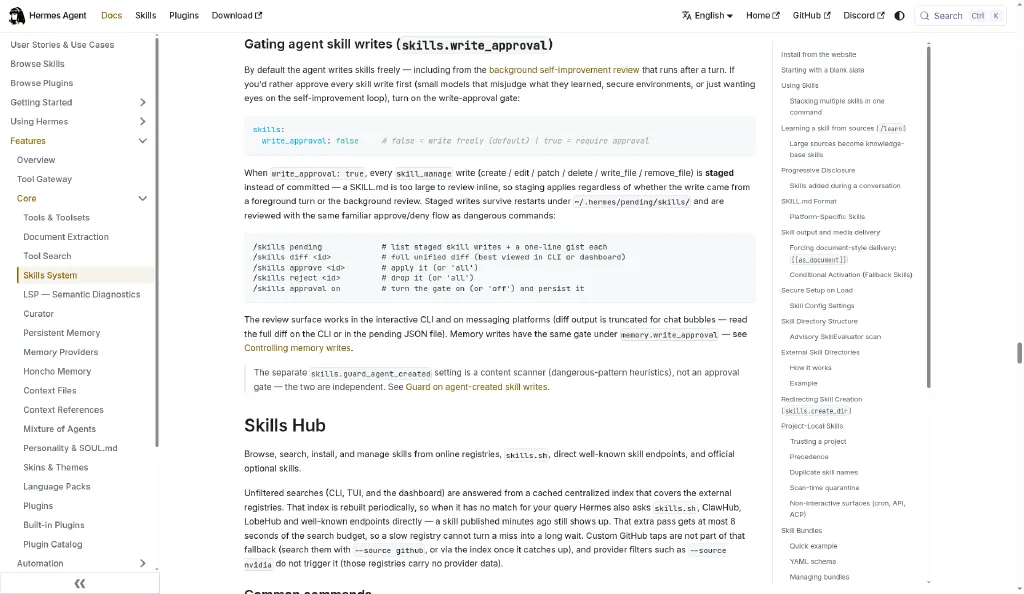
Self-improving Hermes is useful until an overnight review quietly invents a “better” procedure that deletes your boundaries. The write-approval gate stages every skill_manage write (create, edit, patch, delete, write_file, and remove_file) so you approve the diff before it becomes global procedural memory.
When to use it
Use when a small model learns aggressively, you share a profile, or a background refine runs after sessions.
Skip when you are alone on a disposable profile and every skill is hand-authored under version control. The default write_approval: false is fine there.
Config and commands
From the official Skills guide, under gating agent skill writes:
# ~/.hermes/config.yaml
skills:
  write_approval: true   # false = write freely (default)
/skills approval on
/skills pending
/skills diff
/skills approve
/skills rejectStaged writes land under ~/.hermes/pending/skills/ and survive restarts. Pair this with the memory consent desk in L22: memory and skill approval (/memory approval on) so facts and procedures both require review.
Steps
- Set
skills.write_approval: true(or/skills approval on) and start a fresh session. - Ask Hermes to save a non-critical workflow as a skill, or trigger a refine that proposes a skill change.
- Run
/skills pendingand open/skills diffin the CLI or Desktop. Chat truncates large diffs. - Approve only if the name, triggers, steps, and boundaries match what you want repeated.
- Reject anything that embeds secrets, temporary project status, or “always” permissions.
- Confirm with
/skills inspect <name>in a new session.
Caveat
skills.guard_agent_created is a content scanner, not this gate. They are independent. A clean scanner result is not an approval. Batch skill_manage operations stage as one pending record. Confirm that your build renders a diff per operation. September 2026 fixes landed for batch diff rendering, so check that on the build you are running.
2. One slash, five skills
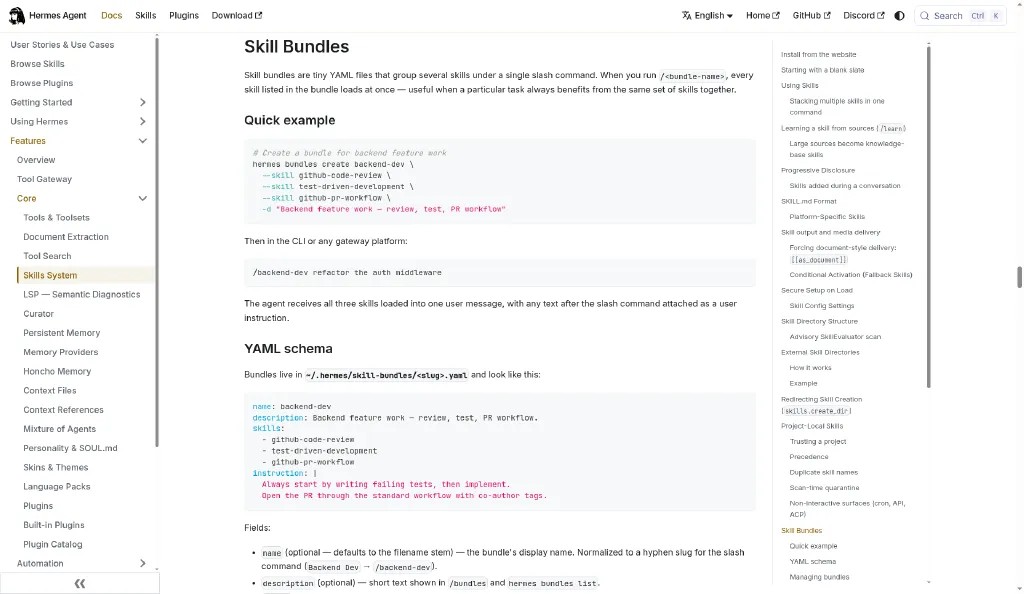
Recurring work rarely needs one skill. PR review wants tests, a security checklist, and a PR workflow in the same turn. Hermes lets you stack up to five leading /skill tokens, or wrap the set in a YAML bundle under one short command.
When to use it
Use when the same three to five skills always travel together and each already works alone (L04, L15).
Skip when you are still debugging a single procedure. Stacking amplifies a bad skill.
Commands
Official stacking, from the skills guide:
/github-pr-workflow /test-driven-development fix issue #123 and open a PRParsing stops at the first token that is not an installed skill, so paths starting with / stay arguments.
Bundle creation:
hermes bundles create backend-dev \
  --skill github-code-review \
  --skill test-driven-development \
  --skill github-pr-workflow \
  -d "Backend feature work — review, test, PR workflow"

hermes bundles list
hermes bundles show backend-dev
/backend-dev refactor the auth middleware
/bundlesBundles live in ~/.hermes/skill-bundles/<name>.yaml with skills: and an optional instruction:. A bundle slug wins over a same-named skill. Missing skills are skipped with a note. The bundle does not install them for you.
Steps
- Prove each skill alone with
/<skill> …in a fresh session. - Stack two skills once by hand and check the combined behavior.
- Create a bundle with
hermes bundles create … --skill …. - Invoke
/<bundle>with a real task and confirm every listed skill loads. - Add a short
instruction:only for durable handoff rules, such as “write failing tests first.” - Document the bundle in team dotfiles if more than one profile needs it.
Caveat
Loading a group of instructions is not evidence that every step ran correctly. Inspect the sources and the final artifact the same way you would for a single skill (L04).
3. /learn into a knowledge base
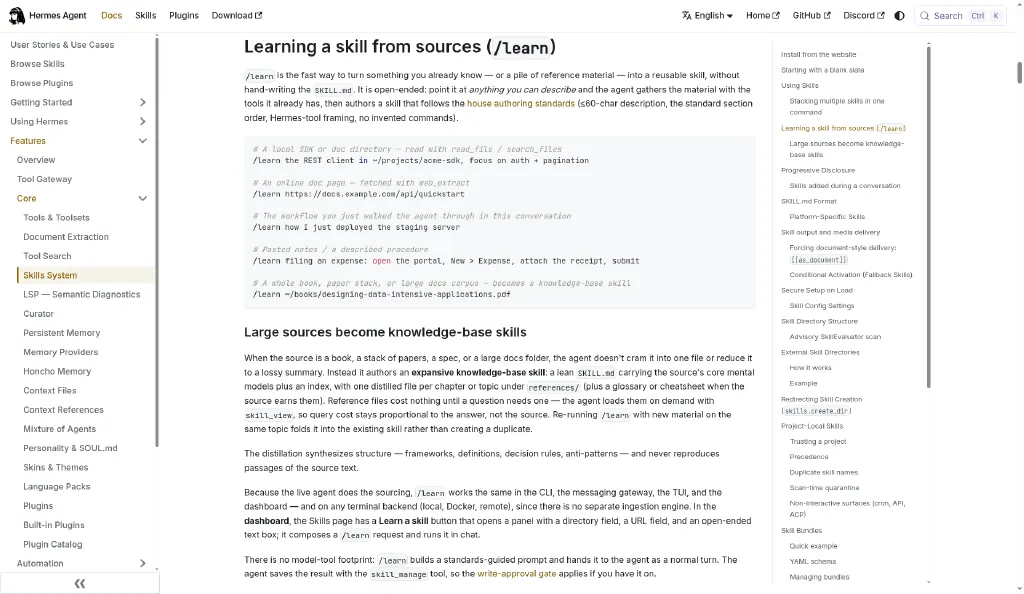
/learn turns a file, URL, folder, pasted notes, or the current conversation into a skill without hand-writing SKILL.md. Large sources become a knowledge-base skill: a lean SKILL.md plus references/ loaded on demand. Query cost stays proportional to the answer, not the book.
When to use it
Use when you already know what good looks like and the workflow will repeat (L15: /learn workflows).
Skip when the source is untrusted marketing copy, or you only needed a one-off answer. Prefer a project file over a skill.
Commands
/learn ./meeting-notes-method.md
/learn ./meeting-notes-method.md https://example.com/team-decisions-guide
/learn
/learn ~/books/designing-data-intensive-applications.pdf
/skills list
/skills inspect weekly-competitor-brief
/weekly-competitor-brief Research these three companies for this week: …
/source-check /weekly-competitor-brief Compare Company A and Company BThe official skills docs say /learn saves through skill_manage, so write approval applies if the gate is on. Re-running /learn on the same topic should update the matching skill instead of spawning a …-v2-final copy.
Steps
- Run the task once manually and save the method that actually worked.
- Point
/learnat that method file, a URL, or the chat itself. - Read the proposed name, description, triggers, steps, and boundaries before approving.
- For a large corpus, open
references/and confirm the chapters are distilled, not pasted verbatim. - In a fresh session, invoke
/<skill-name>explicitly. Auto-routing can miss it. L15 covers that. - If the command is missing, start a new session or run
/reload-skillson a surface that supports it.
Caveat
A source is input, not proof. /learn does not train model weights. It creates local instructions. Factual errors in the PDF survive unless you review them. Keep secrets out of skill text. Use the credential vault or env setup path instead.
4. Pin before you curate
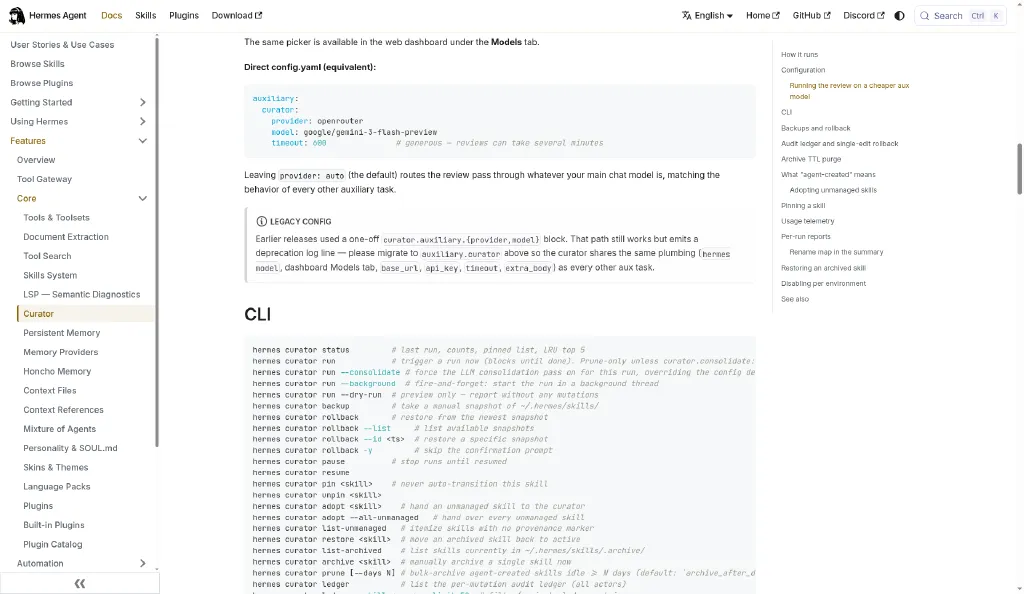
Curator stales and archives long-unused managed skills. That is healthy until it archives the skill your Friday cron still names. Pin first. Prune second.
When to use it
Use when the library is crowded with experiments and near-duplicates (L13: Curator).
Skip consolidation on day one. Deterministic prune-only is the default and costs no auxiliary-model tokens.
Commands and config
hermes curator status
hermes curator list-unmanaged
hermes curator pin deployment-checklist
hermes curator backup --reason "before-first-curator-run"
hermes curator run --dry-run
hermes curator run
hermes curator list-archived
hermes curator restore <test-skill>
hermes curator ledger --limit 20
/curator status
/curator run --dry-run
/curator pin deployment-checklistThe default lifecycle in the official Curator docs and in L13 is active, then stale after 30 unused days, then archive after 90. Restore returns it. A background pass wants 168 hours since the last run and 2 hours idle.
curator:
  enabled: true
  interval_hours: 168
  min_idle_hours: 2
  stale_after_days: 30
  archive_after_days: 90
  consolidate: false
  prune_builtins: true
Skills listed in a cron job’s skills: field get similar protection from automatic transitions. Still pin them if tool-driven deletion must also be blocked.
Steps
- Run
hermes curator statusandlist-unmanaged. Note the managed and unmanaged counts. - Pin every skill used by release, deploy, or paid automation.
- Take a named backup.
- Run
run --dry-runand read~/.hermes/logs/curator/<timestamp>/REPORT.md. - Run prune-only with
hermes curator run. - Restore a disposable archived skill once so recovery is proven.
Caveat
Hand-written and foreground-created skills are usually unmanaged until you adopt them. Hub and external skills stay off-limits. purge is manual and confirmed. Automatic maintenance archives. It does not silently delete. LLM consolidation (--consolidate) can cost 50 to 100 API calls. Treat it as an explicit refactor.
5. A/B your skills first
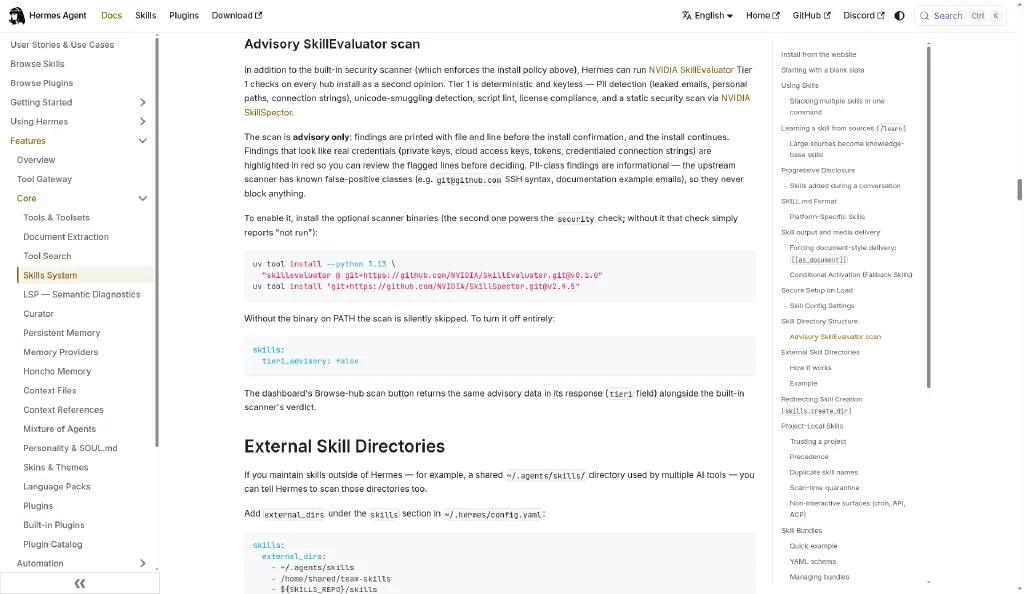
NVIDIA’s catalog headline of +41 correctness points is not a promise for your SKILL.md. The useful method is Tier-1 validation, positive and negative cases, then a with-skill run against a without-skill run, read as Skill Lift (L14: NVIDIA SkillEvaluator).
When to use it
Use when you are about to publish, schedule, or give a skill credentials.
Skip full Tier-3 for a throwaway personal checklist. Still run Tier-1 locally.
Commands
uv tool install --python 3.13 \
  "skillevaluator @ git+https://github.com/NVIDIA/SkillEvaluator.git@v0.1.0"
uv tool install \
  "git+https://github.com/NVIDIA/SkillSpector.git@v2.9.5"

# Hub install shows advisory findings when the binary is on PATH
hermes skills install openai/skills/k8s

# Local mirror of Hermes' install-time subset
skillevaluator validate ~/.hermes/skills/my-skill \
  --checks pii,unicode,lint,license,security \
  --no-dedup

skillevaluator create-eval-dataset ~/.hermes/skills/my-skill --full
skillevaluator doctor --agents codex --env-mode docker
skillevaluator tier3 evaluate ~/.hermes/skills/my-skill \
  --agents codex \
  --env-mode docker \
--n-attempts 3skills:
tier1_advisory: true # default; silent no-op until binary is installedHermes’ built-in guard still makes the allow or block decision. SkillEvaluator is advisory. The install-time subset is pii, unicode, lint, license, and security.
Steps
- Install the scanners and confirm
skillevaluator --helpin the same shell that launches Hermes. - Inspect, then install, or validate a local skill, and disposition every material finding.
- Author explicit, implicit, contextual, and negative cases with observable assertions.
- Run a small Docker Tier-3 on a supported harness (Codex, Claude Code, or OpenCode, per the NVIDIA docs).
- Compare correctness, discoverability, tokens, time, and the worst single regression.
- Re-run one bounded task inside Hermes before scheduling. A Codex lift is not a Hermes lift.
Caveat
A missing SkillSpector means the security check did not run. Never call that clean. Token use can rise even when correctness rises. Do not rewrite the evals after a bad score just to green the chart.
6. Real profile, cron-safe
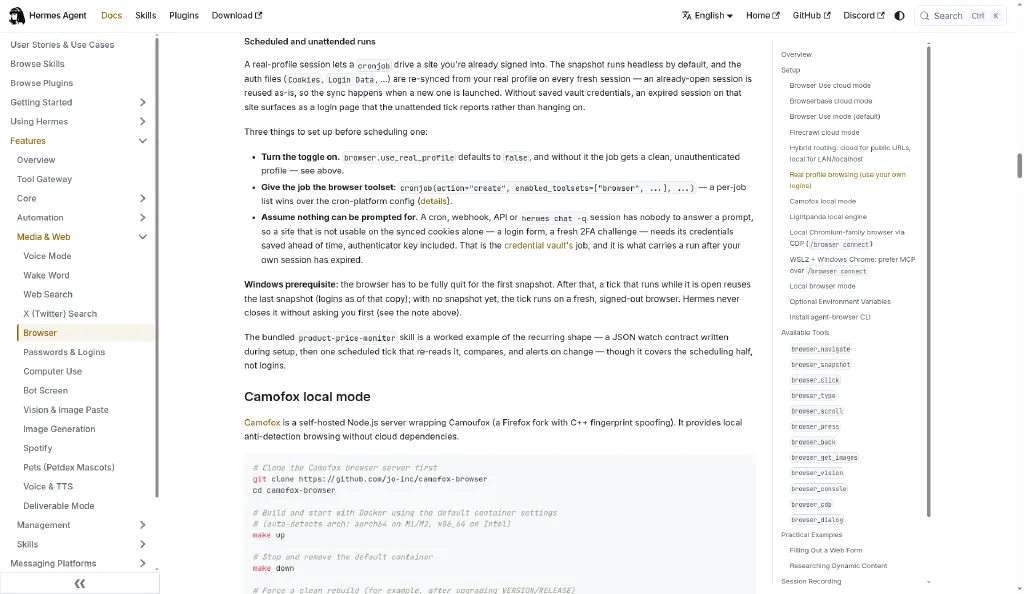
Default local browsing is a clean, logged-out profile. Real-profile mode snapshots your active Chromium profile so Hermes can act with your cookies, including on scheduled ticks. That is past L12 Browser Use week-one setup.
When to use it
Use when a recurring job must hit a site you already use, such as a price monitor or an internal wiki, and you accept consent-gated “act as me.”
Do not use it for hostile pages, payment changes, or anything you would not click yourself while signed in.
Config and patterns
From the official Browser guide, under real profile browsing and scheduled runs:
# ~/.hermes/config.yaml
browser:
  use_real_profile: true
  # optional: pin a specific Chrome profile directory name
  # real_profile_pin: "Profile 2"
  # headed: true   # watch the window; servers stay headless
/browser statusCron-shaped requirements from the official docs:
browser.use_real_profile: true- Give the job the browser toolset.
enabled_toolsetsincludingbrowserwins when the job sets its own list. - Assume nobody can answer a prompt. Vault credentials, and authenticator material, ahead of expiry. A login wall becomes a reported failure, not a hang.
# verify after a config change
hermes # then inside the session:
/browser status
Auth files re-sync from your real profile when a fresh session launches. Turning the toggle off deletes ~/.hermes/browser-profile/ on the next browser use.
Steps
- Enable
use_real_profile. In Desktop that is Capabilities, then Browser, then Use My Real Browser Profile. - Confirm
/browser statusand run a read-only signed-in check with a clear success condition and “do not submit forms.” - Pin
real_profile_pinif the last-used profile is the wrong identity. - Create a cron job with the browser enabled and a narrow prompt. Dry-run it once while watching.
- Vault any credential the site will need after the cookie expires.
- Keep payment, account, and destructive actions behind a person. Never put them in the cron prompt.
Caveat
This is convenience, not isolation. On Windows, the first snapshot may need the browser fully quit. If the copy fails, Hermes opens a fresh signed-out browser and reports real_profile_unavailable. Do not assume you are logged in. Pair this with the deny list in the next tip before leaving YOLO on overnight.
7. YOLO with a deny list
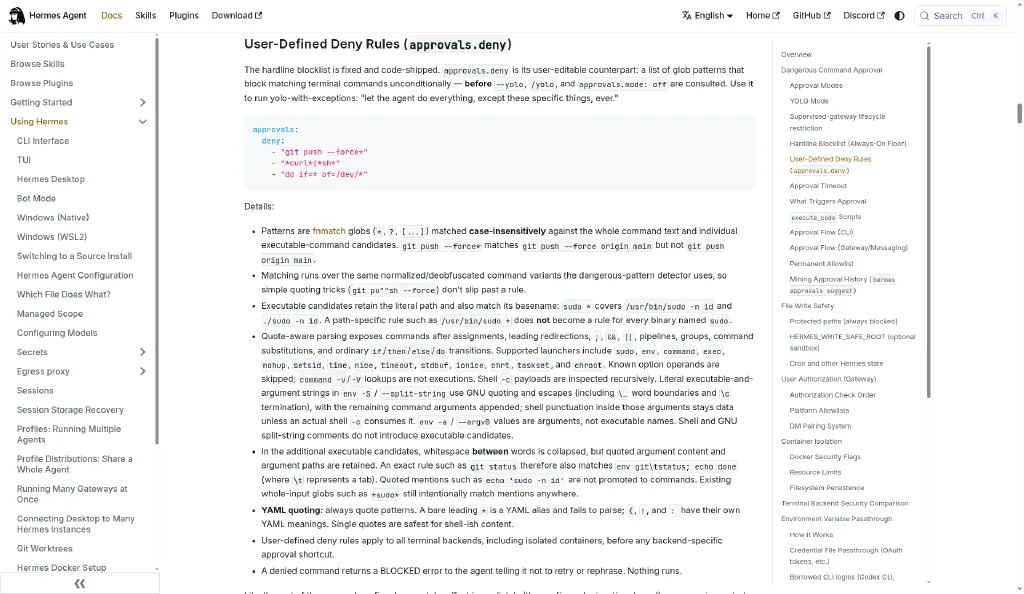
/yolo, hermes --yolo, or HERMES_YOLO_MODE=1 bypasses dangerous-command prompts for the session. That is reasonable in a disposable sandbox. It is reckless on a laptop with git remotes and cloud CLIs. approvals.deny is the user-editable floor that still blocks patterns even under YOLO.
When to use it
Use when you want fast iteration locally and absolute “never” rules for force-push, curl-pipe-shell, or raw disk writes (official Security guide).
Do not set approvals.mode: off on a machine with production credentials. L07: Security essentials covers Tailscale and scoped keys. This tip is the command-policy layer on top.
Config and commands
# ~/.hermes/config.yaml
approvals:
  mode: smart          # smart | manual | off
  deny:
    - "git push --force*"
    - "*curl*|*sh*"
    - "dd if=* of=/dev/*"
Always quote the patterns. A bare leading * is a YAML alias error.
/yolohermes approvals suggest # dry run: numbered proposals
hermes approvals suggest --apply 1,3 # merge picks into command_allowlist
hermes approvals suggest --jsonhermes approvals suggest only proposes commands you previously approved. Destructive classes are never proposed. Nothing applies without --apply.
The hardline blocklist (rm -rf /, fork bombs, and the rest of that class) stays above YOLO. There is no override.
Steps
- Add deny globs for the three commands you never want on this machine.
- Toggle
/yoloon in a throwaway session and confirm the YOLO banner. - Attempt a command that matches a deny pattern. Expect BLOCKED, not a prompt.
- Run
hermes approvals suggestand review the proposals. Apply only boring, frequent, non-destructive patterns. - Keep
cron_modeandunattended_modeatdenyunless the job is truly disposable. - Restart after shrinking
command_allowlistso live sessions drop old always-approves.
Caveat
Deny rules are shell-command policy, not an OS sandbox. Renamed binaries, scripts, and interpreters can bypass basename globs. For real containment, use Docker or SSH backends and narrow credentials. YOLO is per session and can persist across resume. /new on messaging resets approvals.
8. Goals that self-judge
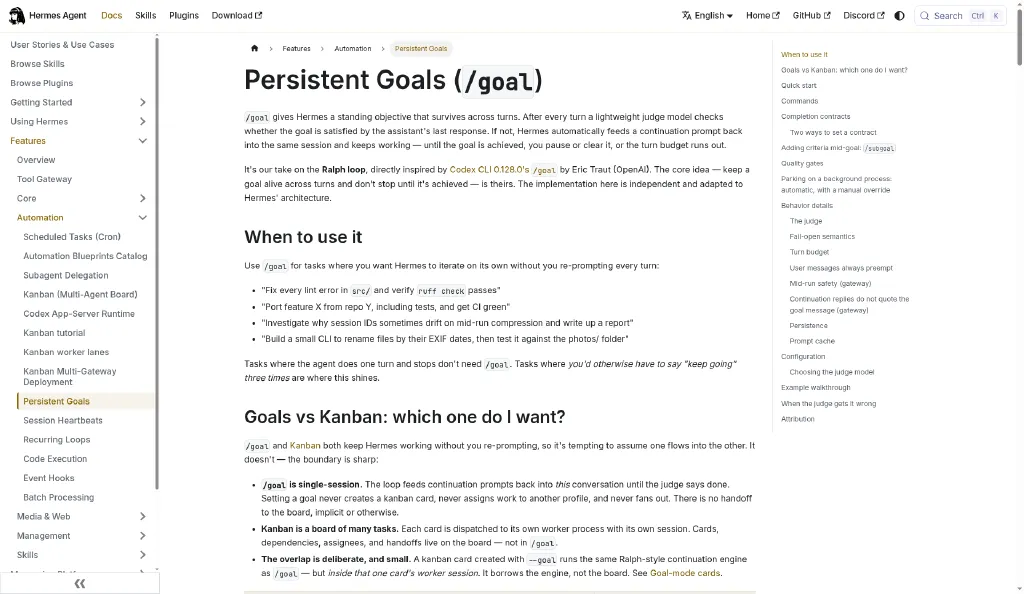
“Keep going” is not a plan. /goal adds a judge after every turn: done, continue, or wait. You write a completion contract (outcome, verification, constraints, boundaries, and a stop condition) and Hermes continues until the contract is met, blocked, or the turn budget hits (L17: persistent goals).
When to use it
Use when research, troubleshooting, or coding needs multi-turn persistence with a measurable finish line.
Skip when a single answer is enough. A goal spends an extra judge call per turn.
Commands
/goal draft Compare five coworking day passes in Central or Sheung Wan.
Verify today's price and opening hours from official sources.
Produce a dated comparison table with links.
Do not make a booking.
Stop and ask me if official information conflicts or requires an account.

/subgoal Include at least one option open after 8pm.
/goal status
/goal show
/subgoal
/goal pause
/goal resume
/goal clear
/goal gate add npm test
/goal gate
/goal wait 12345 Waiting for the build to finish
The default continuation budget is 20 turns. /goal resume keeps the goal and resets the counter. Goals are single-session. They are not a Kanban board.
Steps
- Draft with
/goal draftand rewrite fuzzy verbs into checkable deliverables. - Add
/subgoalcriteria instead of restarting. - For code, attach a deterministic
/goal gate(tests or lint). That is stronger than “looks good.” - Watch
/goal statuswhile it runs. Pause if the scope drifts. - On a block, read the reason yourself before accepting “impossible.”
- Clear the goal when you are finished so the next chat does not inherit it.
Caveat
A judge is still a model. False positives happen. Do not combine a beginner /goal loop with /yolo and broad tools. Prefer primary sources, links beside claims, and hard boundaries around purchases, messages, and credentials.
9. Steer live, background the rest
When Hermes is busy, a second request means three different things. Use the command that matches the intent (L16: background, queue, and steer).
| Meaning | Command | What happens |
|---|---|---|
| Do this separately now | /background or /bg | Isolated session. It cannot see the foreground chat |
| Do this after the current answer | /queue or /q | Next full user turn, FIFO |
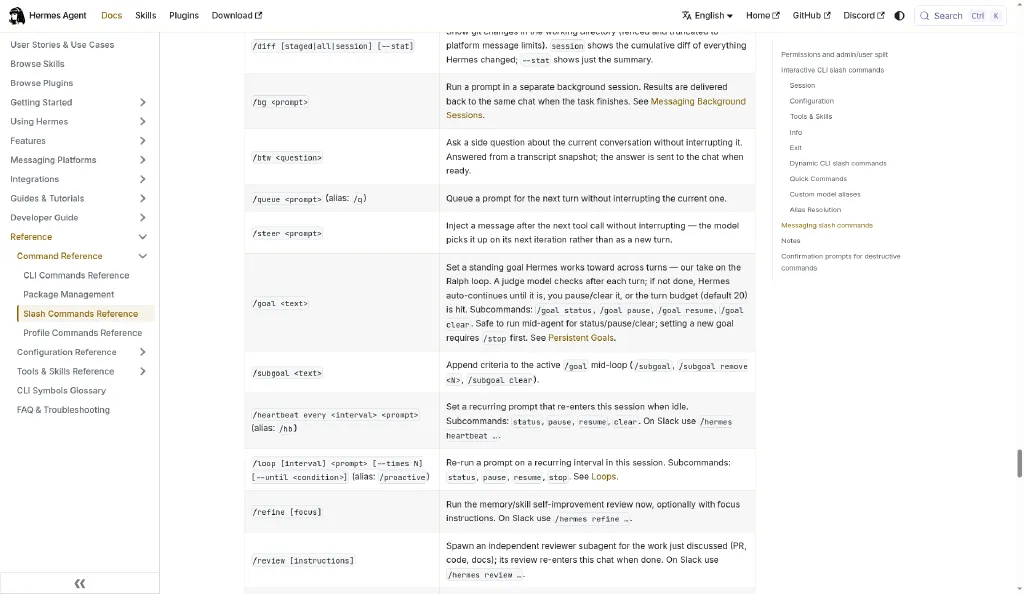
| Change the job in progress | /steer | Injects at the next safe tool-result boundary |
| What is active? | /agents or /tasks | Status view, not a canceller |
When to use it
Use /steer for scope, format, budget, audience, or safety corrections mid-run.
Use /background for independent research that must not muddy the main thread.
Avoid piling speculative /queue prompts. Stable v0.20.5 lacked selective queue cancel. Check that on your build.
Demo sequence
Plan a three-day Hong Kong itinerary for a first-time visitor.

/background Compare five rainy-day activities in Hong Kong using current official prices and opening hours. Return a sourced table.

/queue When the itinerary is complete, turn it into a one-page packing and booking checklist.

/steer Keep every journey MTR-friendly and avoid days costing more than HK$500 per person.

/agents
Steps
- Start one foreground task with a clear deliverable.
- Background only work that carries all needed context in its own prompt.
- Queue the follow-up that depends on the foreground result.
- Steer with one short correction when the active run drifts.
- Check
/agents. Do not expect cancel controls there. - Bound background permissions the same way you bound the foreground. Isolation of context is not isolation of tools.
Caveat
/steer does not abort a running shell command. It waits for a safe boundary. If the run finishes first, steer text may fall through as a queued turn. CLI steer is text-only. Attached images queue normally.
10. Compress with focus
Long sessions fill the working desk: system prompt, tools, skills, memory, and chat. /context shows what is consuming space, with no LLM call. /compress turns older turns into a handoff summary and keeps recent exchanges verbatim (L19: context compress).
When to use it
Use when you are about to start a demanding phase and headroom is low.
Skip it if you still need every citation word for word. Save those to a file first. Compression is lossy for the active context. It is not a privacy delete of the transcript.
Commands
/context
/context all
/compress here 4 --preview
/compress here 4
/compress focus preserve the agreed budget, source rules, rejected options, and remaining questions
/compress --preview
/compress --dry-run
/compress --keep 4
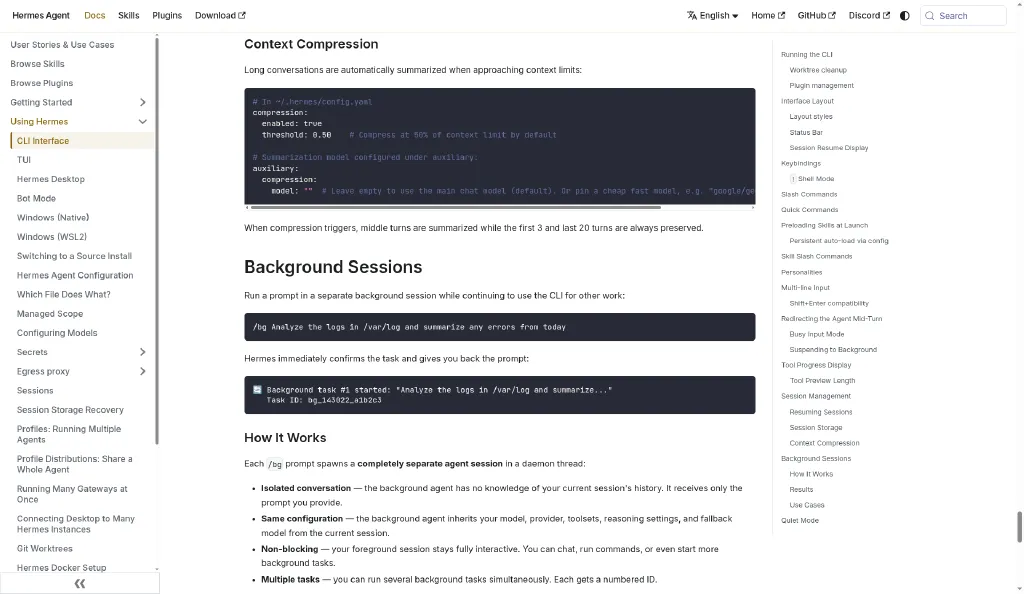
/compact is an alias. The default keep for here is 2. The accepted keep count is 1 to 100. /compress --aggressive was not supported in v0.20.5. Check that on your build.
If a local model reports a nonsense window, set model.context_length using the official FAQ.
Steps
- Run
/context allbefore a long next phase. - Save exact requirements, figures, and citations to a durable file.
- Run
/compress here 4 --previewand inspect the boundary. - Compress, then ask Hermes to restate the preserved requirements.
- Prefer
/compress focus …when one decision must survive. - Budget the summarizer call. You pay once for a shorter briefing.
Caveat
Compression breaks the existing prompt-cache prefix and costs a summarizer call. Soft-archived pre-compression turns may remain searchable under the same session, depending on config. Export anything legal or compliance-sensitive yourself.
The five to film in November
If the November video can hold five, this is the cut we would make unless a demo changes the story:
- Gate every skill write. The approve/diff desk is visual, and self-improvement does not drift in silence.
- One slash, five skills. Stack or bundle. The payoff is a command you would actually type again.
- Real profile, cron-safe. This is past L12. It shows unattended signed-in work done with a boundary.
- Goals that self-judge. It replaces “keep going” with a completion contract you can read on camera.
- A/B your skills first. Measurement, with Skill Lift and without the catalog headline.
Strong swaps: pin before you curate, or YOLO with a deny list. Both demo cleanly.
Hold for a shorter cut: /learn knowledge bases, steer versus background, and compress with focus.
Where to go next
- Browse the Superbash skills directory for Hermes-tagged additions.
- Level up browser basics in L12: Browser Use, then apply the real-profile tip.
- Measure before you scale with L14: SkillEvaluator.
- Build a small shelf, not a pile, with the Hermes skills toolkit and the five-skill starter stack.
Sources
Commands and defaults in this piece come from the Superbash Hermes lessons and the official docs those lessons cite:
- Lessons: L04, L07, L12, L13, L14, L15, L16, L17, L19, and L22
- Official: Skills, Curator, Browser, Security, and Goals (the stable tree cited in L17)
Check on your build: your exact /version, whether a batch /skills diff shows one diff per operation, whether you can cancel a single queued prompt, and whether /compress --aggressive exists.
Put this to work
Treat each tip as a reversible experiment: enable the gate, run one bounded demo, then decide whether it earns a permanent place.
Try
Pick three tips this week. Capture a before/after for one skill write, one multi-skill command, and one /goal with a verification gate.
Prove it worked
Keep a tip only if it cuts review time, reduces accidental skill drift, or improves a measured with/without result without widening credentials.
Keep in view
- Self-improving agents need an approve/diff desk before skill writes go global.
- Stack up to five /skill tokens or ship a YAML bundle as one slash command.
- Real-profile browser plus cron is useful only with vaulted credentials and a deny list under YOLO.