Research brief · October 22, 2026
A 5-skill Hermes starter stack (research to review)
Five Hermes skills for one weekly brief: research, clean extraction, an edit pass, a done-check, and one review loop.
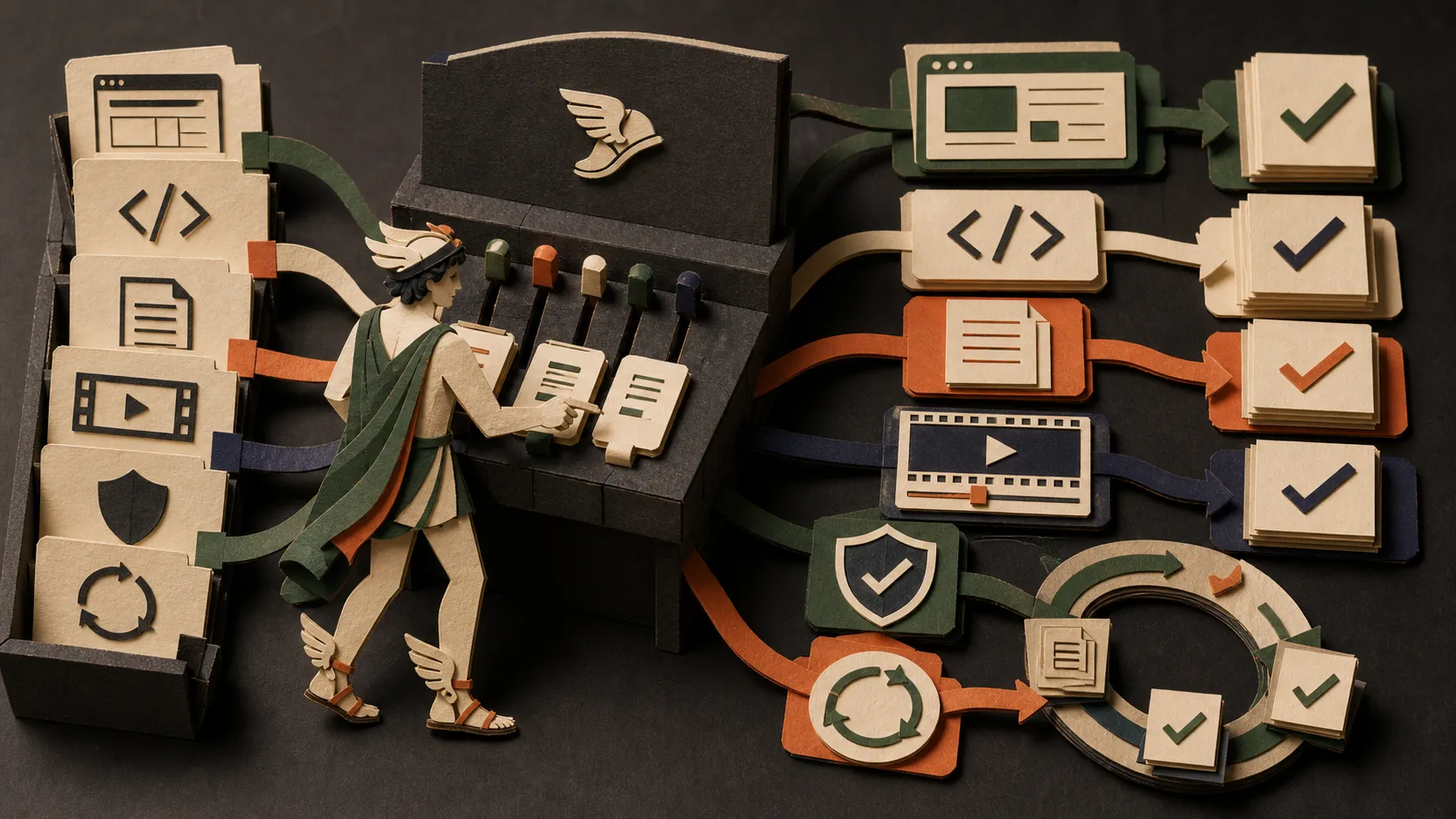
Install at most five skills. Prove each on one reversible weekly brief before adding browser access or app integrations.
The 17-item Hermes toolkit is a map of skills, CLIs, MCP servers, and production systems people add around Hermes Agent. Installing the map is how a first week turns into a permission problem.
This article is the smaller shelf: five roles for one weekly research brief. Research finds public sources. Extract keeps the page without the chrome. Write cleans the draft after the facts are locked. A guardrail defines done. One review loop checks the result. Stop there.
We re-checked every install line against site/src/data/skillsCatalog.json on October 22, 2026. Where that file has an empty command, this page does not invent one.
| Role | Skill | Catalog command | Hermes tag |
|---|---|---|---|
| Research | Agent Reach | None listed | Yes |
| Extract | Defuddle | npm install -g defuddle | Yes |
| Write | Humanizer | npx skills add blader/humanizer | Yes |
| Guardrail | verification-before-completion | npx skills add obra/superpowers --skill verification-before-completion | No |
| Review | Loopy | npx skills add Forward-Future/loopy --skill loopy | Yes |
Oh My Hermes can take the review seat instead of Loopy. It is Hermes-tagged, and the catalog lists no install command. Pick one review path on day one.
Why a stack of five, not seventeen
Every addition is a dependency. Some are a single SKILL.md. Some are CLIs that read accounts. Some are browsers, app tokens, or systems that rewrite skills from your sessions. The toolkit article already separates those shapes. Use it when you need the long map. Use this page when you need a first keep list.
Hermes can search and install skills with hermes skills. The skills documentation describes a security scan on hub installs, and an optional NVIDIA SkillEvaluator pass. That scan is a gate. It is not a review of whether the skill’s instructions match your task, and it is not a promise about every script in the bundle. Read the source. L14: SkillEvaluator shows one way to test a skill before you rely on it. L07: Security essentials is the boundary for credentials and an always-on host.
The skills directory is the full shelf, including the Hermes filter. This article does not replace it.
The job this stack is for
Use the five skills on one recurring brief you can throw away:
Find three official AI product announcements published this week.
For each item, return the title, publisher, date, URL, and one-sentence summary.
Save the brief under ./output.
Do not sign in, message anyone, pay, delete, or publish.
The run passes when the file exists, every URL opens, every date matches the page, and each summary matches its source. A confident paragraph with no URL fails. That is the same bar as the Browser Use first-week checklist. Browser access is optional here. Add it in week two with L12: Browser Use mode, not as skill number six on Monday.
Skill 1: Research with Agent Reach
Agent Reach is the public-web and social research layer from the toolkit. The catalog describes a command-line layer for web pages, social posts, video, GitHub, RSS, and regional sources. Its whenToUse line says to start with the read-only environment check and add authenticated sources only when the job requires them.
The catalog command field is empty. Do not guess an npx skills add line. Open the repository and follow the installer documented there. Keep the first run on the environment check. Skip cookies, proxies, and signed-in platforms until a real brief needs that source and you know where the credential will live.
Fail modes to write down:
- the tool returns a page you cannot open yourself;
- an authenticated source was enabled without a reason;
- a session cookie appeared in the prompt or the saved brief.
If the brief only needs pages you can already open, skip Agent Reach for that run. An empty research seat is better than a credential you do not need.
Skill 2: Extract with Defuddle
Defuddle turns a page’s main content into clean HTML or Markdown. It cuts navigation, ads, and cookie banners that waste context. It does not discover sources, and it does not make a weak page true.
The catalog command, copied exactly, is:
npm install -g defuddleThat is a global CLI install, not an npx skills add line. Treat it as a machine dependency. The repository is the place to confirm library and npx options if you do not want a global package. Pair it with whatever found the URL: Agent Reach, a normal search, or a later Browser Use run. Keep the URL, publisher, and date next to the extracted text.
Skill 3: Write with Humanizer
Humanizer is an editorial pass for common English AI-writing patterns: inflated claims, promotional filler, formulaic contrast, and stiff rhythm. The catalog says to use it after the facts, argument, and voice are already correct. It is Hermes-tagged.
npx skills add blader/humanizerRun it on a copy of the brief. Freeze titles, dates, numbers, URLs, and quoted lines before the rewrite, then check the revision against the sources. Humanizer is not a citation tool. The Humanizer video walkthrough shows the same order: lock the claims, then edit the language.
If the draft is still missing a date or a URL, do not polish it. Fix the source step.
Skill 4: Guardrail with verification-before-completion
verification-before-completion forces a fresh check before any claim that the work is done, fixed, or passing. The catalog command is:
npx skills add obra/superpowers --skill verification-before-completionThis skill is not Hermes-tagged. It comes from the Superpowers pack, which is widely used with Claude-compatible agents. On Hermes, treat it as a definition of done you still have to adapt: the skill can demand a verification command, and you still decide what that command is for a research brief. For this stack, done means the output file exists and every URL and date was opened again after the draft was written.
For a coding repository, git-guardrails-claude-code is a different tool. The catalog describes a PreToolUse hook that blocks dangerous git commands, and the install line is npx skills add mattpocock/skills --skill git-guardrails-claude-code. That hook is aimed at Claude Code. Do not add it to a research brief just to fill the guardrail seat.
Hermes still needs your own approval rule for anything that sends, pays, deletes, or publishes. A skill does not replace that. L04: Skills and skill bundles is where a tested procedure becomes a skill you keep.
Skill 5: Review with Loopy or Oh My Hermes
Choose one.
Loopy is an installable skill plus a public loop library. The catalog says to use it when each pass can be measured and rejected, and to define the success check, resource cap, and human handoff before starting. It is Hermes-tagged.
npx skills add Forward-Future/loopy --skill loopyFor the weekly brief, the loop is small: one pass writes the file, the next pass re-opens the URLs, and a mismatch stops the loop. Set a maximum of two passes. An unbounded loop multiplies cost.
Oh My Hermes is the Hermes-native pack for deep research, requirements interviews, adversarial planning, implementation, and verification. The catalog lists no command. Use L11: Oh My Hermes setup and the repository when the job is multi-stage and one agent should not grade its own plan. That is a heavier install than Loopy. It is the right review seat when the work is larger than a three-item brief, and the wrong one for the first afternoon.
Do not install Loopy and Oh My Hermes on the same day. Two review systems means you no longer know which instruction fired.
Install order and stop conditions
For the first real task, add at most three:
- Agent Reach, and only if you need sources you cannot already open. Follow the repository, not a made-up command.
- Defuddle, using the catalog’s global install or a repo-documented alternative you have read.
- verification-before-completion, with the done check written down before the run.
Then stop. Read the output. If the URLs check out on two more runs, add Humanizer. Add Loopy or Oh My Hermes only when you can say what the loop is allowed to repeat.
Remove anything that never triggers. Record credentials, background processes, and global packages you added.
Browser Use, if you want it, is a Hermes mode with its own lesson. It is not a sixth starter skill. The setup page is L12. The day-by-day version is the first-week checklist. A separate catalog skill for the Agent Browser CLI is tools L05.
What to leave out until month two
These are in the toolkit and the directory. They are not part of this stack:
| Leave out | Why it waits |
|---|---|
| Browser Harness | Logged-in browser execution. The catalog has no install command. Week one stays on public pages. |
| Composio Skills | Authenticated app access. Add it when a real task needs an account, with scopes written down. |
| OpenMontage | A video production repository, not a research brief. |
| SkillClaw | Rewrites skills from sessions. Prove a manual library first. |
| Anthropic Cybersecurity Skills | A large community library, not an official Anthropic product. Pick one authorized review later, not the whole pack. |
Where this sits in the Hermes lessons
| Question | Open |
|---|---|
| What is Hermes? | L01: Hermes Agent explained |
| How do I install a skill I wrote? | L04: Skills and skill bundles |
| How do I test a third-party skill? | L14: SkillEvaluator |
| When is a browser worth it? | L12: Browser Use mode |
| What stays human? | L07: Security essentials |
FAQ
skills.sh, the Skills CLI, or hermes skills?
Use the command in the catalog row for that skill. npx skills add installs an Agent Skills package. npm install -g defuddle installs a CLI. hermes skills is Hermes’s own hub and installer. An empty catalog command means the directory does not endorse a one-liner; use the upstream repository and L04 or L11 when those lessons cover the install.
Does a Hub scan mean the skill is safe?
No. Hermes documents a scan and can add a SkillEvaluator pass. You still read SKILL.md and any scripts, and you still run one reversible task. L14 is the evaluation lesson.
Will a Claude skill work on Hermes?
Some will. The directory includes skills that assume Claude Code hooks, tool names, or plugin layouts. verification-before-completion and git-guardrails-claude-code are examples to read before you trust them on Hermes. Prefer a Hermes-tagged card when the job is the same, and adapt the done check in your own words.
Start here
Open the skills directory and filter to Hermes if you want the wider tagged set. Install from L04. If the next question is the browser, use the first-week checklist and L12 before any catalog browser skill.
Sources
- Hermes Agent skills
- 17 Hermes Agent skills and tools
- Catalog entries linked above, checked October 22, 2026
- Upstream repositories linked in each skill section
Put this to work
Match each skill to one step of a weekly research brief, then read the catalog command, tags, and source before you install it.
Try
Run one reversible weekly brief with at most three installs: Agent Reach, Defuddle, and verification-before-completion. Add Humanizer and one review skill only after the brief has URLs you can open.
Prove it worked
Keep a skill only if the same brief is easier to check on the next two runs, and you can name the extra dependency, credential, or maintenance it added.
Keep in view
- The 17-item Hermes toolkit is a map. This stack is the week-one keep list: research, extract, write, verify, review.
- Three of the five are Hermes-tagged. The verification skill is not, and two of the five have no catalog install command.
- The first real task should add at most three items. Humanizer and the review skill wait until the brief has sources.