Hermes Agent · Tutorial 11
Install Oh My Hermes and Run a Verified Workflow
Add Oh My Hermes to an existing Hermes Agent setup, verify the local integration, run a first evidence-aware workflow, and recover cleanly.

0 of 1 complete
Reference guide · Read when needed · View the route
Last tested and updated: August 12, 2026, against Oh My Hermes 1.0.5 from repository commit 79da09b. This project is moving quickly; check the linked installation guide if a command has changed.
Oh My Hermes (OMH) is an operating layer for Hermes Agent. It adds routing, planning, research, coding handoffs, project memory, quality gates, and evidence-aware status. It does not replace Hermes, patch Hermes core, or secretly run a coding agent on its own.
That distinction is the reason to install it: Hermes remains the assistant you talk to. OMH helps that assistant turn a loose request into a named workflow, a responsible owner, a useful next action, and a clear statement of what has—or has not—actually happened.

Figure 1: OMH sits above the Hermes conversation: clarify the request, choose the capability and owner, then keep the final claim behind a verification gate.
What you will finish
By the end of this tutorial you will have:
- installed the isolated
omhmaintenance command; - registered the default core workflow pack with Hermes;
- used
omh doctorto separate local readiness from live Hermes use; - restarted Hermes and tried one bounded, evidence-aware task; and
- learned how to update, repair, or remove the integration without guessing.
This is an add-on lesson. Complete L02: Install Hermes Agent first. You should already be able to open Hermes and complete a basic chat.
What OMH adds—and what it does not
The public project site currently presents 103 installable skills, 11 ulw-* long-horizon workflows, seven capability families, and routing for eight languages. Treat those counts as a fast-moving snapshot, not a compatibility promise; the installed manifest and omh doctor are the local source of truth.
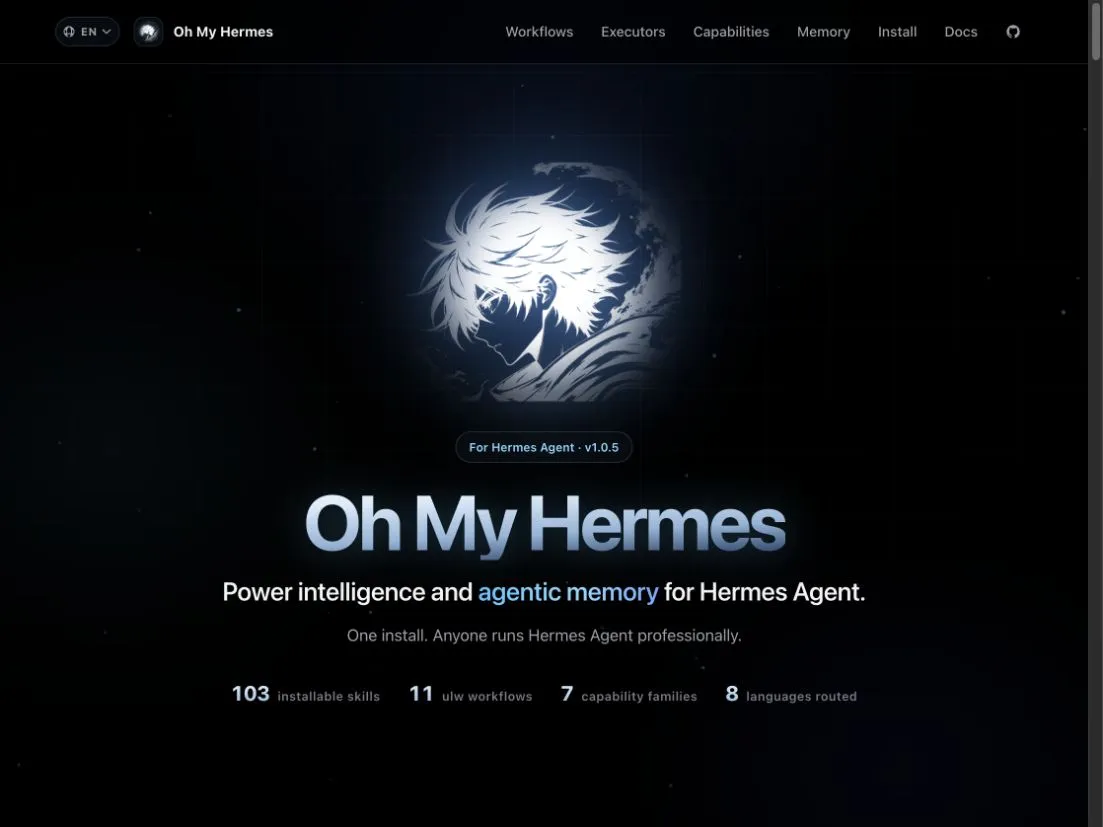
Figure 2: The official project page on August 12, 2026. This is documentary evidence of the current public positioning, not a restyled mockup.
The useful mental model is four layers:
| Layer | Owns | What counts as evidence |
|---|---|---|
| Hermes Agent | Chat, clarification, tools, skills, and the host session | A response or tool event you actually observe in Hermes |
| OMH | Workflow selection, plans, handoff contracts, local status, and project-memory policy | A local OMH record such as setup, routing, or a prepared handoff |
| Coding or specialist executor | Implementation, review, image work, deployment, or other specialist execution | Output and logs produced by that executor |
| Verification gate | Tests, review, CI, visual QA, deployment checks, or another explicit proof step | A named check that was observed passing |
OMH can prepare a coding handoff for Codex, Claude Code, or another executor. A prepared handoff is not proof that the executor ran. An executor saying “done” is not proof that tests passed. This boundary is the product’s most important idea.
Before installing
Check the prerequisites in the same terminal where Hermes runs:
python3 --version
hermes version
OMH requires Python 3.11 or newer. Git is needed for source-based installation and development paths. On native Windows, the installer requires Windows PowerShell 5.1 or newer and a Python 3.11+ launcher.
Decide where the skills should live:
- User scope is the normal choice for one person using the same Hermes setup across projects. It writes OMH state under
~/.omhand updates the Hermes configuration under~/.hermes. - Project scope keeps one repository’s OMH skills and setup isolated. Choose it when a project needs different workflows, memory policy, or configuration from your other Hermes work.
The default setup uses review-first project memory. OMH may collect local memory candidates, but reviewed records are required before recall enters a later coding handoff. This is OMH memory under .omh/memory/; the setup does not pretend to edit opaque Hermes memory.
Choose core or full before you install
Use the default core profile first. It installs the routing and health floor plus the essential chat, plan, status, handoff-readiness, and observability skills. In my isolated test, the current core profile produced nine installed OMH skill directories and a healthy doctor result.
The full profile installs the much wider specialist catalog. Every installed skill contributes guidance that Hermes may carry in its routing context, so full trades more up-front context for immediate access to more workflows.
| Choose | When it fits | Command |
|---|---|---|
| Core (recommended) | First install; ordinary planning, status, and coding handoffs | omh setup |
| Full | You already need the wider research, specialist-review, creation, or operations catalog | omh setup --full |
Do not install full because the bigger count sounds better. Start core, complete one useful task, and expand only when a missing workflow blocks real work.
Install the command
The official macOS/Linux installer is:
curl -fsSL https://raw.githubusercontent.com/rlaope/oh-my-hermes/main/install.sh | shOn Windows PowerShell 5.1 or newer:
irm https://raw.githubusercontent.com/rlaope/oh-my-hermes/main/install.ps1 | iexThe installer creates an isolated virtual environment and exposes an omh command. On macOS and Linux it normally links the command into ~/.local/bin. On Windows it creates an omh.cmd shim under %LOCALAPPDATA%\omh\bin and normally adds that directory to the user PATH.
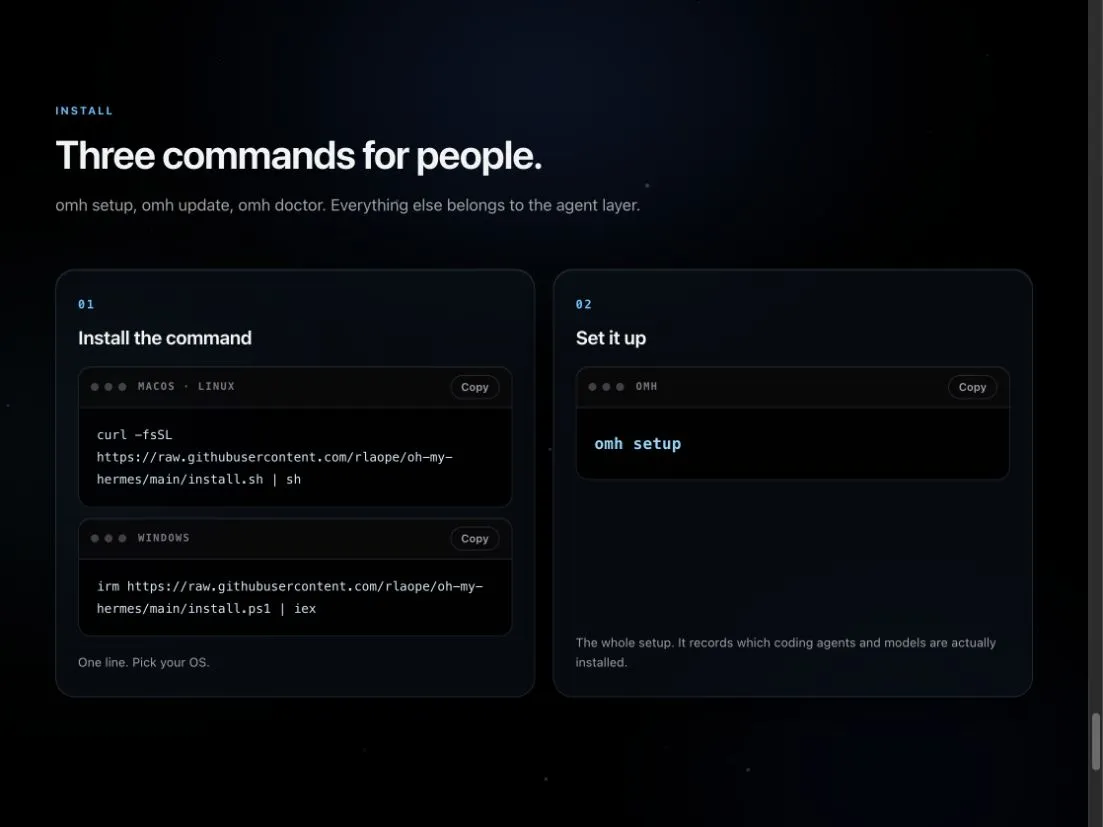
Figure 3: The official install page separates command installation from omh setup. That boundary is intentional: downloading the command does not yet register skills with Hermes.
Confirm the command is available:
omh --versionIf the shell says omh: command not found, do not reinstall immediately. Use the absolute command path printed by the installer or add the printed bin directory to PATH, open a new shell, and try again.
Connect OMH to Hermes
Run setup explicitly:
omh setupIn a real terminal, setup asks whether to use user or project scope. The normal user-scope result is:
- generated managed skills under
~/.omh/skills; - that directory registered in Hermes
skills.external_dirs; - a managed plugin bridge under
~/.hermes/plugins/omh; and - local setup and memory-policy records under
~/.omh.
For a repository-specific installation, run:
omh setup --scope project
omh --scope project doctor
Setup does not need Discord, Slack, GitHub, deployment, or model-provider credentials. Do not paste unrelated secrets into the install flow.
Verify the local integration
Run:
omh doctorIn an isolated macOS profile, I installed OMH 1.0.5, applied the generated Hermes registration, and reproduced this result:
OMH doctor complete.
Summary
  Status: ok
  Checks: 34/34 passing
  Issues: 0 blocking, 1 warning(s)
  Command availability: ok (1/1)
  Managed skills: ok (11/11)
  Runtime state: ok (3/3)
  Hermes registration: ok (4/4)
  Hermes targets: ok (2/2)
The remaining warning said the plugin bridge was ready locally but live Hermes plugin use had not yet been observed. That is an honest warning, not a failed install. Restart or reload Hermes before claiming the chat session can see OMH.
Restart Hermes and run the first task
Close and reopen Hermes Agent, or restart the hosted wrapper or bot process that owns the Hermes session. Then start with a small repository task whose result is easy to inspect:
I want to add CSV export to this repository.
First clarify the acceptance criteria, then prepare a plan.
Tell me what is ready, what has actually run, and what still needs verification.
You should see a workflow recommendation, a responsible role or owner, a next action, and an evidence boundary. You should not assume code has been written merely because a plan or handoff exists.
If your wrapper needs an explicit trigger, the current quickstart suggests:
Use OMH request-to-handoff for: I want to safely add a feature to this repo.After setup, omh quickstart prints locally appropriate first-task ideas and the current readiness boundary. It is a useful maintenance card; normal work still happens in Hermes chat.
Use the workflow family without memorizing a command dump
The current project groups work by the job to be done. These representative ulw-* workflows are useful after you opt into the broader catalog:
| Say this in Hermes | Workflow idea | Use it when |
|---|---|---|
| “Interview me one question at a time until the brief is clear.” | ulw-interview | The request is ambiguous or expensive to get wrong |
| “Compare options, name risks, and give me acceptance criteria.” | ulw-plan | You need a reviewed plan before execution |
| “Research this from primary sources and keep unresolved uncertainty visible.” | ulw-research | The answer depends on current external evidence |
| “Split the accepted plan into disjoint work lanes.” | ulw-work | Parallel work can avoid overlapping files and ownership |
| “Attack the result with hostile scenarios and repair failures.” | ulw-qa | A release or workflow needs adversarial verification |
| “Keep this long goal checkpointed across lost context.” | ulw-goal | The work will outlive one conversation window |
The natural-language request is the front door. Exact workflow names are escape hatches for operators and wrappers, not vocabulary every learner must memorize.
Keep prepared, running, and verified separate

Figure 4: Prepared work, active work, and checked work are different states. The finished tray sits after inspection, not beside the plan.
Use this language when reviewing OMH status:
- Plan · not run: a useful plan exists, but nothing has executed.
- Code · running: an executor has started, and the run is being observed.
- Code · reported done: the executor claims completion; nobody has verified the result yet.
- Test · verified: a named test, review, CI, or other gate was observed passing.
That vocabulary prevents the most expensive agent mistake: treating fluent status copy as proof.
Troubleshooting
| Symptom | What it means | Fix |
|---|---|---|
omh is not found | The isolated command exists, but its bin directory is not on this shell’s PATH | Use the absolute path printed by the installer or add that bin directory, then open a new shell |
| Doctor says the Hermes config or external directory is missing | The workflow files exist, but Hermes discovery registration is incomplete | Run omh setup, then omh doctor; if the diagnostic specifically names registration, advanced operators can run omh apply |
| Doctor is healthy but Hermes does not show OMH | The running Hermes process has not reloaded its config and skills | Restart or reload Hermes, then try a small natural-language task |
plugin_runtime_observed remains a warning | Local import/register smoke passed, but no active Hermes plugin event has been observed | Use OMH from a restarted Hermes session before claiming native runtime use |
| User scope works but project scope looks empty | The command is reading a different OMH/Hermes home | Run the scope-qualified doctor: omh --scope project doctor |
| Full was installed and core setup still feels heavy | Setup is non-destructive; full-only managed skills remain on disk | Run omh skill-profile status, then preview omh skill-profile reconcile --to core --dry-run before applying |
| Hermes is not installed or not reachable | OMH can prepare local files, but Hermes-visible readiness cannot be proved | Install or repair Hermes first; do not report the integration as live |
Do not use --force because a normal repair failed. Read the blocking check, preserve local edits, and use the narrowest repair command it recommends.
Update without rebuilding the setup from scratch
The normal update path is:
omh update
omh doctor
When omh came from the official isolated installer, update refreshes both the command package and managed workflows. A pip, pipx, distro, or custom Python installation may refresh workflows but report that the command package itself was not updated. In that case, follow the specific installer instruction it prints.
Run setup again only when doctor reports that Hermes registration needs repair. Restart Hermes after a registration or plugin change.
Remove OMH cleanly
Preview the cleanup first:
omh uninstall --dry-runThen remove OMH-managed state and integration files:
omh uninstallThe documented uninstaller unregisters the managed skill directory, removes managed OMH state and the managed plugin bundle, and removes the installer-managed command environment when it can identify it safely. It does not delete unrelated Hermes files, unrelated plugins, or Python environments it does not own.
Your completion gate
Do not mark this tutorial complete when the installer exits. Mark it complete when all four statements are true:
omh --versionreturns a version.omh doctorhas zero blocking checks.- Hermes has been restarted or reloaded after setup.
- One small Hermes task produced an OMH-aware response whose prepared, executed, and verified states were clearly separated.
That is the difference between “files were installed” and “the workflow is usable.”