Research brief · August 25, 2026
17 Hermes Agent skills and tools: what to install first
A source-checked guide to 17 skills, apps, and agent tools for Hermes: what each adds, what it costs in complexity, and what to install first.
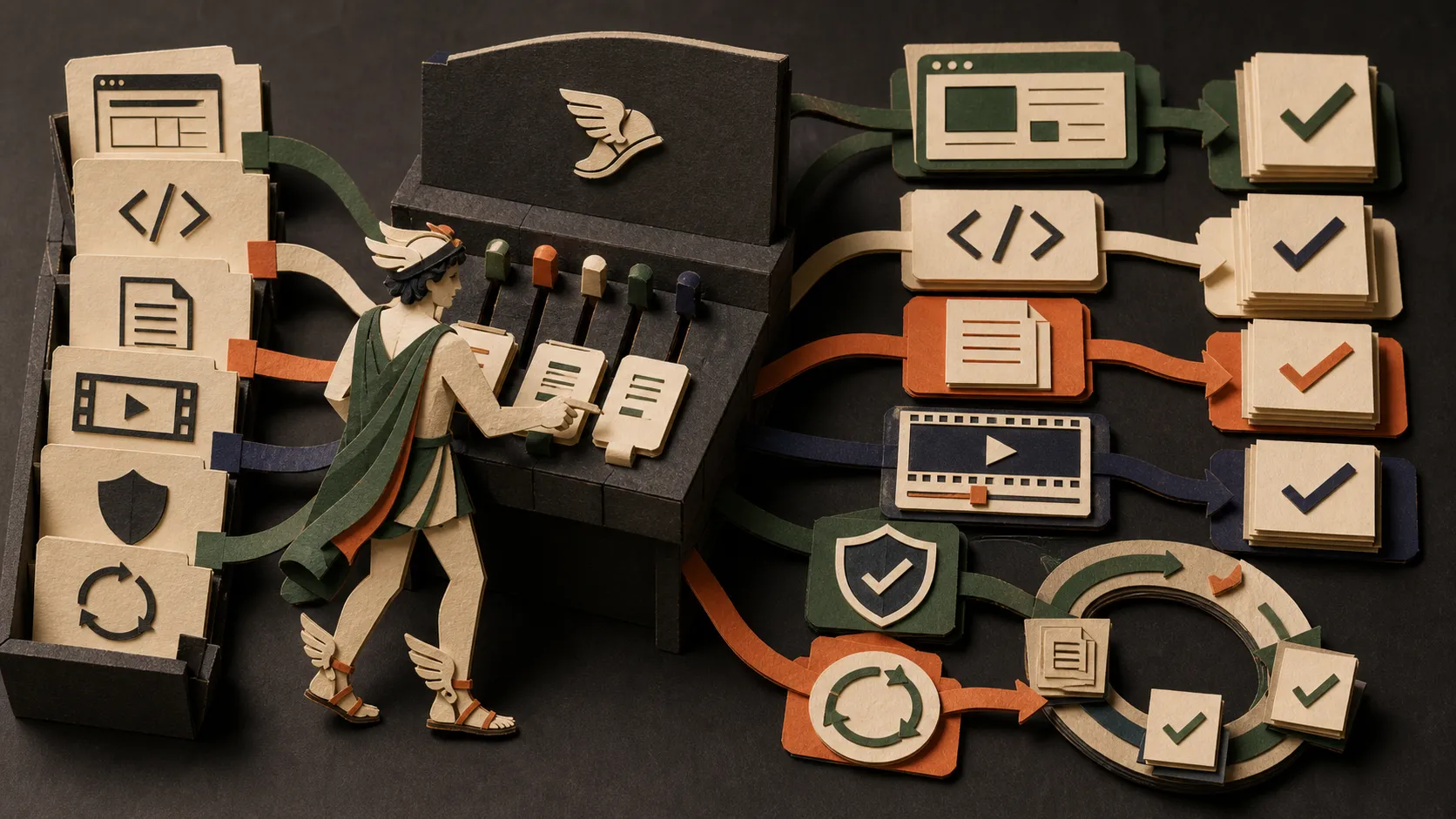
Do not install all 17 at once. Start with one research skill, one output-quality skill, and one workflow control; add the heavier systems only when a real task exposes the need.
Farea’s 17-skill Hermes setup is a useful map of what people are adding around Hermes Agent. The word around matters here. The list includes genuine SKILL.md packages, but it also includes command-line tools, an MCP server, a Kanban application, browser infrastructure, and a complete video-production repository.
The mixture gives a better picture of how capable agent systems are assembled. A reusable instruction file can improve an agent’s process. A supporting tool can give it access to a new kind of input. An operations layer can make long-running work reviewable. They solve different problems and should not be installed as if they were interchangeable plugins.
The 17-item source and fit review below dates to August 25, 2026. On October 30, 2026, we checked the official Hermes skills documentation and Defuddle repository to add the install-review exercise and recovery guidance below. This refresh does not re-certify all 17 integrations. We did not run their installers or test the exercise on a live Hermes session.
The shortlist
| Addition | What it adds | What it actually is |
|---|---|---|
| Agent Reach | Public-web and social research | CLI plus agent setup |
| Make Interfaces Feel Better | Frontend polish | Installable skill |
| Oh My Hermes | Multi-agent planning and verification | Hermes skill pack and optional plugin |
| Anthropic Cybersecurity Skills | Security playbooks | Community skill library |
| OpenMontage | Video production | Full production repository |
| Minions | Task supervision | Hermes control application |
| Resemble AI Detect | Synthetic-media risk signals | API-backed skill |
| Addy Osmani’s Agent Skills | Engineering lifecycle | Skill pack |
| Composio Skills | Authenticated app integrations | Integration skill pack |
| YouTube Full | Video transcripts and discovery | Hermes-compatible skill |
| Humanizer | Editorial cleanup | Installable skill |
| Defuddle | Clean page extraction | Library and CLI |
| Matt Pocock Skills | Small engineering workflows | Skill pack |
| SkillClaw | Skill evolution from sessions | Client plus optional service |
| Browser Harness | Logged-in browser execution | Browser harness plus skill |
| Codebase Memory MCP | Persistent repository graph | Native MCP server |
| Loopy | Bounded iterative workflows | Skill plus public loop library |
Hermes itself can browse, search, and install skills through hermes skills. The current documentation says Hub installs run a security scan, and custom GitHub skill repositories can be added as taps. That scan is a useful gate, not a substitute for reading a skill’s instructions and scripts. Several items below have their own installer because they are larger than a Hermes skill.
Research and source handling
1. Agent Reach
Agent Reach gives an agent a common command-line layer for web pages, YouTube, RSS, GitHub, X, Reddit, Bilibili, Xiaohongshu, and other sources. Some surfaces work without an account; others require a browser session, cookies, a proxy, or an upstream tool.
This is useful when research keeps failing at the access step. It is also the item most likely to grow into a collection of credentials and platform-specific dependencies. Its current installer defaults to an environment check and requires an explicit system-install option before modifying system dependencies or registering its skill. Start there. Enable authenticated sources one at a time, and never paste session cookies into a prompt or shared log.
2. YouTube Full
YouTube Full focuses on transcripts, search, channels, and playlists. The repository provides a Hermes-specific install target for youtube-full, making this one of the cleanest direct additions in the list.
Use it if videos are regular source material for lessons, competitor analysis, or research notes. It relies on an external transcript API with account credits, so check the current limits and data policy before treating it as infrastructure. A retrieved transcript is source material; it still needs attribution, fact checking, and a check for missing or mistranscribed passages.
3. Defuddle
Defuddle extracts the main content of a page as clean HTML or Markdown. It removes navigation, advertisements, cookie chrome, and other clutter that wastes context. It can be used as a Node library, a global CLI, or through npx.
Defuddle is not a discovery tool and it does not make a weak source trustworthy. Pair it with search or browser access: the research layer finds a relevant page, Defuddle cleans it, and the agent keeps the page URL and publication context with the extracted text.
4. Resemble AI Detect
Resemble AI Detect teaches an agent to submit audio, images, or video to Resemble’s detection API and poll for a result. It is most useful as a checkpoint in media moderation, brand-safety review, or a research workflow that may encounter synthetic evidence.
The detector needs an API key, and private media may be uploaded to a third-party service. Confirm that transfer before it happens. Treat the result as a risk signal, not a verdict: detector performance varies by media type, transformation, and generation method, and a high-stakes authenticity claim still needs provenance and human review.
Coding and product quality
5. Make Interfaces Feel Better
Make Interfaces Feel Better is a focused design-engineering pass for typography, icons, hover states, animation, optical alignment, hit areas, radii, and shadows. It solves the last-mile problem common to generated frontends: the page works but feels slightly careless everywhere.
Run it after the product flow, responsive structure, and accessibility basics work. It should refine a coherent design, not cover up missing hierarchy or turn every element into an animation. Because it is a small skill with a standard Skills CLI install, it is a sensible early addition for people who regularly ship interfaces.
6. Addy Osmani’s Agent Skills
Addy Osmani’s Agent Skills is a production-engineering pack that moves work through definition, planning, implementation, testing, review, performance, and release. Its value is not a magic coding prompt. It is the sequence of gates that prevents a model from jumping from a vague request to an unverified claim of completion.
The repository supports installing the whole pack or choosing individual skills. Browse first. Install the smallest path that matches your team’s process, because overlapping specification, testing, and review skills can create duplicate instructions and slower sessions.
7. Matt Pocock Skills
Matt Pocock’s Skills takes a more composable approach: smaller workflows for requirements, debugging, test-driven development, architecture, code review, writing, and other daily jobs. The files are copied into the project and can be edited rather than silently updating behind your back.
Choose this pack when you want individual tools you can adapt. The repository warns against installing both its managed Claude plugin and its editable Skills CLI copy because that creates duplicates. For Hermes, use the editable skill route, include its setup skill, then remove anything that overlaps with your existing process.
8. Codebase Memory MCP
Codebase Memory MCP is not a prompt pack. It is a native MCP server that indexes code into a persistent knowledge graph, then answers structural questions such as where a symbol is used, what calls it, and which dependencies a change may affect.
That can reduce repeated repository exploration on medium and large codebases. It also adds a native executable and generated client configuration. Review the release artifact and installer before running it, start with one non-sensitive repository, and verify important graph answers against source before changing code. An index improves navigation; it does not replace reading the implementation you are about to edit.
Planning, control, and repeatable execution
9. Oh My Hermes
Oh My Hermes is the most Hermes-native orchestration pack in the list. It separates deep research, a Socratic requirements interview, planner, architect, and critic deliberation, implementation, and verification into named workflows. Its suggested path moves from understanding the domain to a reviewed plan and then a verified execution loop.
Use it when the task is genuinely too large or unfamiliar for one uninterrupted pass. Do not wrap every edit in a multi-agent ceremony. The repository uses a Hermes tap and then installs several related skills; read the list and optional plugin requirements before adding the whole flow.
10. Minions
Minions is a mission-control application for Hermes rather than a skill. It provides a Kanban board, persistent task sessions, live activity, scheduled jobs, per-task model controls, a file browser, and a review state that still requires a human to mark work done. The local option uses SQLite and stores metadata under the user’s machine.
This earns its place when you are managing several Hermes jobs and terminal tabs no longer give you an honest view of what is running, waiting, or ready for review. If you usually run one task at a time, the extra control plane is overhead.
11. Loopy
Loopy combines an installable skill with a public library of agent loops. A useful loop makes one change, measures it, keeps or rejects the result, and stops when a target or resource boundary is reached. That structure fits performance work, flaky-test repair, repeated research, and maintenance tasks where the first pass is rarely enough.
Set the stop rule before running a loop. Define the metric, maximum iterations or budget, what gets reverted after a failed pass, and when judgment returns to a person. An unbounded loop multiplies unattended cost and risk.
12. SkillClaw
SkillClaw aims to turn real sessions into improved skills. Its client can use a Hermes skills directory, while an optional evolution service can digest experience, deduplicate material, and share results through local or remote storage.
This is power-user infrastructure, not a first-day install. Session-derived evolution raises questions about what is collected, which model sees it, where it is stored, and how generated skill changes are reviewed. Prove a manual skill library is useful first. Then introduce SkillClaw in a local-only test with sensitive repositories and conversations excluded.
App connections, browsers, security, and media
13. Composio Skills
Composio Skills covers Tool Router, authenticated sessions, triggers, and integration patterns for connecting agents to real applications. This becomes relevant when Hermes must do more than read local files, such as working with email, issue trackers, CRMs, or team tools.
Every new capability expands the risk surface. Before enabling actions, decide which user identity a session represents, what scopes it receives, which events can trigger work, and which actions require approval. A skill can teach correct integration code; it cannot decide which third-party account access is appropriate for you.
14. Browser Harness
Browser Harness connects an agent to a real browser and can write reusable helpers when the harness lacks a required operation. It is designed for logged-in and repetitive browser work where static scripts break as sites change.
That makes it powerful and invasive. Follow the upstream setup guide, use a separate browser profile for experiments, keep recordings disabled unless you need and understand them, and restrict consequential actions. Browser access should not turn a research request into permission to send messages, publish, buy, delete, or expose private session data.
15. Anthropic Cybersecurity Skills
Anthropic Cybersecurity Skills is a large community library mapped to security frameworks including MITRE ATT&CK and NIST. Despite the name, the repository states that it is a community project, not an official Anthropic product. Its contents span defensive, investigative, and dual-use workflows.
Do not install hundreds of security instructions merely because the collection is large. Select the domain and skill needed for an authorized review, keep the target and permission boundary explicit, and have a qualified person verify consequential findings. A framework mapping can improve coverage; it does not turn a general agent into a senior incident responder.
16. OpenMontage
OpenMontage is a full agentic video-production system. It combines production pipelines, skill and knowledge files, media providers, narration, subtitles, a Remotion composer, review checks, and a backlot-style view of production runs. Installation requires Python, Node.js, FFmpeg, a repository checkout, and provider decisions.
Use it when video is the deliverable and you want a production environment, not when you only need one caption or a quick cut. Start with a contained project and verify source licensing, provider cost, narration, subtitle timing, audio levels, and the final render. The repository can organize the process; the editor remains responsible for the result.
17. Humanizer
Humanizer reviews English drafts for common AI-writing patterns: inflated claims, promotional filler, formulaic contrasts, repetitive structures, excessive dashes, and other tells. It is a useful final editorial pass for articles, documentation, email, and launch copy.
Use it after the research and argument are correct. It should not erase necessary technical language, fabricate personality, or disguise unreviewed machine output. The best input is a fact-checked draft plus examples of the actual author’s voice. The current Skills CLI install can be project-local or global; start local if you are still evaluating it.
Inspect one addition before installing it
Start with a working Hermes installation, a disposable practice folder, and one candidate whose job you can describe in a sentence. Save any existing skill edits. This is an authored evaluation exercise; its pass conditions are checks for you to perform, not reported test results.
The official Skills System guide documents these discovery, inventory, and update checks (checked October 30, 2026):
hermes skills search humanizer
hermes skills list --source hub
hermes skills check
Copy the source-qualified identifier from the result and use hermes skills inspect IDENTIFIER. Replace IDENTIFIER with the actual result. Match its repository to the intended author and read the instructions and referenced scripts before using hermes skills install IDENTIFIER.
Record your decision in a local note:
| Record | What you should be able to explain |
|---|---|
| Source | Repository URL, inspected revision if available, and date checked |
| Job | The single failure this addition should fix |
| Access | Files, network destinations, accounts, and allowed actions |
| Dependencies | Required runtime, CLI, server, or API account |
| Exit plan | Saved local edits and a way to remove the trial addition |
A missing dependency is a reason to read the upstream setup instructions. For example, Defuddle’s README, checked October 30, 2026, documents a CLI and a Node.js library. Record that executable separately instead of assuming a skill install supplied it.
Compare a baseline with one skill-assisted run
For a writing skill such as Humanizer, save this fictional draft and request an edit without the candidate first:
Our groundbreaking prototype unlocked seamless exports for everyone.
In two practice tests, both participants found Export.
The prototype has not shipped. No further test is booked.
Use this task for both runs:
Edit the supplied draft to fewer than 60 words.
Preserve the two-person sample, prototype status, and missing next test date.
Remove unsupported claims. Do not add facts, browse, or publish.
Return the edited paragraph and a short list of removed claims.
Save the baseline. After reviewing and installing the candidate, start a separate conversation with the same input and explicitly request that skill. Save the output and visible evidence that its instructions loaded. An assertion that “I used it” is insufficient on its own.
Check both outputs yourself: neither may generalize to all users, claim a release, invent a date, or lose the sample size. Record corrections and review time without guessing missing measurements. If the baseline is equally good, there is no demonstrated benefit yet. Try two further harmless drafts before making the skill part of recurring work.
Recover from a failed trial
| Symptom | Next check |
|---|---|
| Several similar search results | Match the repository owner and instruction file. |
| Output looks unchanged | Check whether the skill loaded and whether it addresses this task. |
| An unexpected account or upload request | Stop and compare the request with your access note. |
| An invented result in the edited draft | Reject it and keep the failing example to improve the procedure. |
For Hub-installed trials, the documented removal command is hermes skills uninstall NAME; substitute the installed name and save local edits first. The documentation says --force can bypass caution-level install policy blocks but cannot bypass a dangerous verdict. Do not make it a routine troubleshooting step. Source: Hermes Skills System, checked October 30, 2026.
Removing instructions does not revoke external account access or uninstall a separate CLI. Review those against your inventory before calling the cleanup complete.
For a smaller selection exercise, use the five-skill Hermes starter stack. Keep only what your own trials justify.
A better install order
Do not reproduce the whole list on a new machine. Build a stack around the work you already do.
For a first week with Hermes:
- Add one input tool: YouTube Full if video is a regular source, or Agent Reach if you genuinely need several public platforms.
- Add one cleanup step: Defuddle for web research or Humanizer for public writing.
- Add one delivery discipline: a small Matt Pocock workflow or one Addy Osmani engineering skill, not both packs at once.
- Add visibility only when needed: Minions after simultaneous jobs become hard to supervise.
- Add higher-risk capability last: Browser Harness, Composio, cybersecurity libraries, SkillClaw, and authenticated Agent Reach sources should follow a permission and data review.
For every addition, run the same real task three times. Keep it only if the result is easier to verify, not merely more elaborate. Record the extra dependencies, credentials, services, background processes, and maintenance it introduced. Then remove the skills that never trigger.
A good Hermes setup gives every installed addition a known job, a visible result, and a clear reason to remain.
Continue with Hermes Agent skills and skill bundles, Oh My Hermes setup and verified workflows, and the Hermes-filtered skills directory.
Sources
Refresh sources checked October 30, 2026:
- Hermes Skills System: discovery, inspection, lifecycle, and scan policy
- Defuddle: CLI and library setup
Original review sources (August 25, 2026; not all rechecked in this refresh):
- Farea: 17 Skills I Would Install on a Fresh Hermes Setup
- Hermes Agent: skills quickstart and security-scanned installs
- Hermes Agent: custom skill taps
- Source repositories are linked in every numbered section and on each directory card.
Put this to work
Choose Hermes additions by the bottleneck in a real workflow, then inspect the source, permissions, dependencies, and stop conditions before installation.
Try
Inspect one candidate skill, record its source and dependencies, then compare a harmless task before and after installation.
Prove it worked
Keep a useful addition only if it improves output quality, completion rate, review time, or repeatability across three real runs without creating hidden access or maintenance work.
Keep in view
- The list mixes installable skills with CLIs, MCP servers, dashboards, and full production systems; the distinction matters before installation.
- The fastest useful starter stack is research access, clean source extraction, one writing or engineering workflow, and visible human review.
- Browser access, app integrations, security playbooks, and self-evolving skills expand the risk surface as well as capability.