Hermes Agent · Tutorial 01
Hermes Agent Explained
Understand what Hermes adds to a language model, when to use it, and how to verify a first installation.

0 of 8 complete
Essentials · Step 1 of 8 · View the route
Hermes Agent is an open-source agent harness from Nous Research. It connects a language model to files, commands, memory, reusable skills, schedules, and messaging channels. It can run on a laptop or an always-on server.
Hermes is not a model. You choose a supported model provider, then Hermes supplies the working environment around it.
What the harness changes
A language model accepts input and returns output. A harness lets that model act inside a controlled environment.
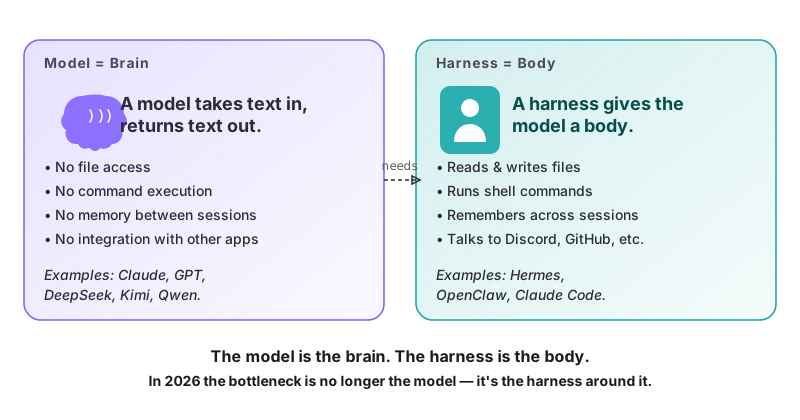
Hermes can:
- read and write files in an allowed working directory;
- run commands and inspect their output;
- keep selected memory across sessions;
- package repeatable instructions as skills;
- run scheduled jobs;
- connect to supported messaging channels and external tools.
The model decides what to do. The harness provides the context, permissions, tools, and execution path. A stronger model cannot repair a workflow that has the wrong tool, excessive access, or no verification step.
When Hermes is the right choice
| Job | Start with | Reason |
|---|---|---|
| Change and test code in one repository | Claude Code, Codex, or another coding agent | Repository context, diffs, and tests stay close to the work |
| Deliver a brief to Discord every morning | Hermes | The workflow needs a schedule and messaging channel |
| Keep an assistant available while your laptop sleeps | Hermes on a VPS | The runtime stays online |
| One-off research or writing | A chat assistant may be enough | No persistent runtime is required |
| A workflow that combines code and recurring operations | A coding agent plus Hermes | Build in the repository, then run the bounded automation in Hermes |
What the command line looks like
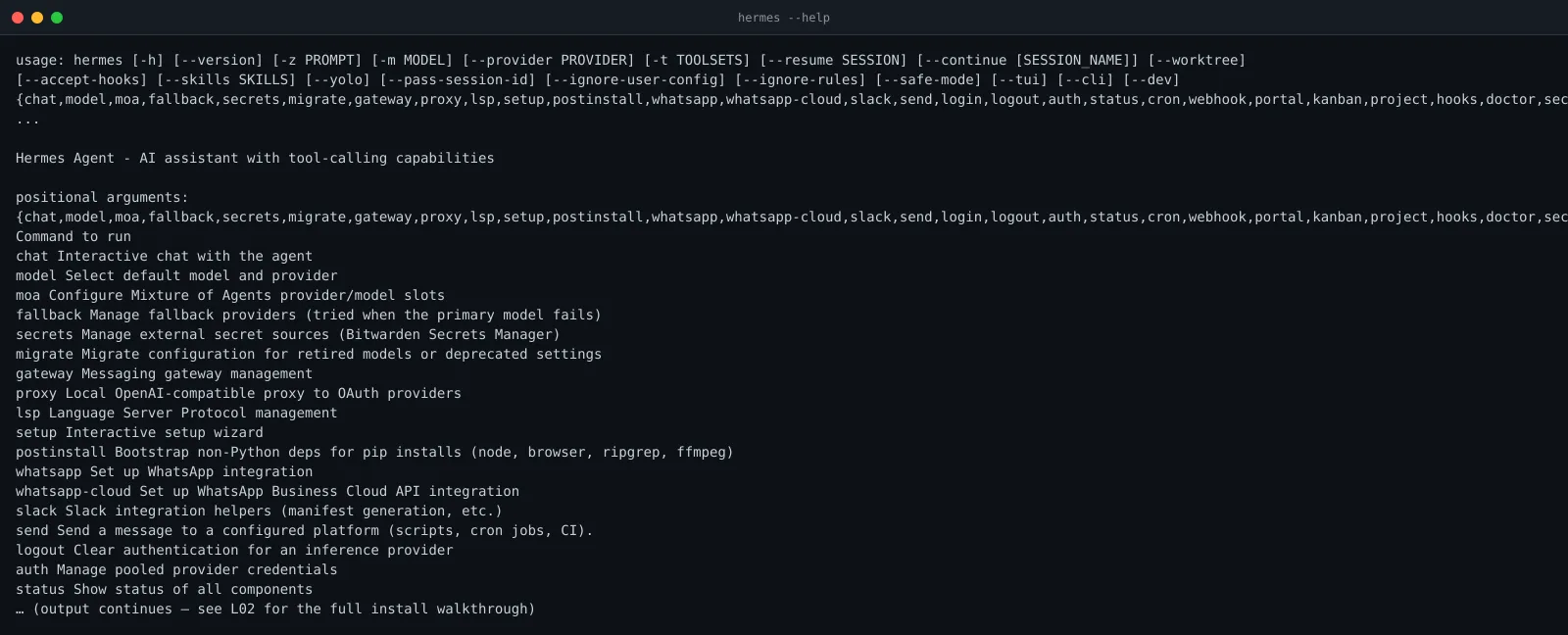
After installation, hermes --help shows the available commands:
Run hermes status for a one-screen health check:
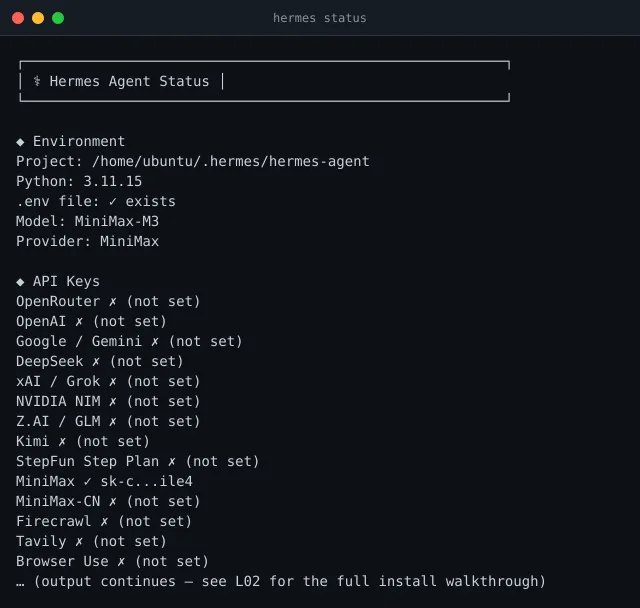
These screenshots are examples, not a promise that every version has identical output. Trust the commands and documentation shipped with your installed release.
A safe first workflow
Use a reversible task with a result you can inspect:
Find three official AI product announcements published today.
For each item, return the title, publisher, date, URL, and one-sentence summary.
Write the brief to today's file in ./output.
Do not message anyone, sign in, or publish it.
The run passes only if the file exists, every URL opens, every date is correct, and each summary matches its source. Once the manual run is reliable, you can add a schedule and a private delivery channel.
Common questions
Does Hermes need a VPS?
No. Use a local machine while learning. A VPS is useful only when the workflow must remain available after your computer sleeps or disconnects.
Does Hermes work without an API key?
Hermes needs access to a model. Authentication depends on the provider you choose. Keep credentials out of prompts, repositories, screenshots, and shared shell scripts.
Is Hermes the same as Claude Code or Codex?
No. Coding agents focus on repository work. Hermes focuses on persistent workflows that may span files, schedules, messaging, and other tools. They can be used together.
What should a beginner automate first?
A private, read-only research brief is a good first job. Avoid production changes, deletion, payments, and public publishing until the workflow has passed repeatable tests.
Next step
Continue with L02: Install Hermes Agent, then use L08: Automation only after one manual workflow passes.