Decodo Web Scraping · Tutorial 03
Scrape any public page as Markdown or a screenshot
Use Decodo's universal web tools, choose rendering and geography only when needed, and return compact evidence your assistant can review.
0 of 11 complete
Use scrape_as_markdown when the assistant needs page text. Use screenshot when layout, visual state, charts, or evidence of what a visitor sees matters.
Do not request both by habit. Each call should answer a clear question.
Tool 1: scrape_as_markdown
Best for:
- articles and documentation;
- pricing or policy pages;
- extracting headings, links, tables, and lists;
- giving an LLM clean, low-noise page content.
First prompt:
Use Decodo's scrape_as_markdown tool on [PUBLIC URL].
Return: page title, canonical source URL, observed date, and five findings.
Quote no more than one short sentence per finding.
Set tokenLimit to 6000. Use one request and no fallback tool.
tokenLimit protects the assistant’s context window. It does not make a long page complete. If a needed section is missing, narrow the target or raise the limit deliberately.
Tool 2: screenshot
Best for:
- confirming a rendered layout;
- recording a visual price, banner, chart, or error state;
- comparing desktop and mobile presentation;
- preserving visual evidence alongside extracted text.
Prompt:
Use Decodo's screenshot tool on [PUBLIC URL].
Render JavaScript. Emulate a mobile device from Hong Kong.
Return the PNG plus source URL, observed time, geo, and device type.
Use one request.
A screenshot is evidence of a rendered moment, not proof that the page is correct or complete.
Step-by-step: choose only needed parameters
- Try the default request on a public page.
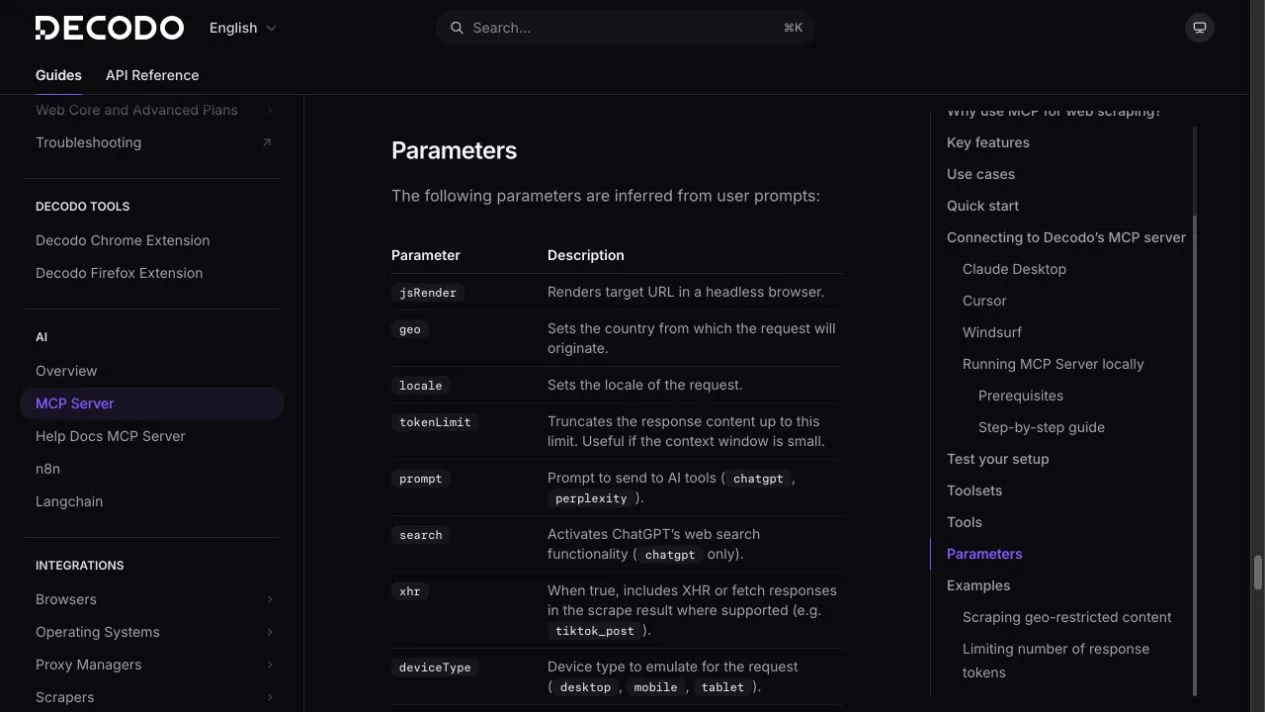
- Add
jsRender: trueonly if important content loads through JavaScript. - Add
geoonly when region changes the answer. - Add
localewhen language or regional formatting matters. - Add
deviceTypewhen mobile, tablet, and desktop differ. - Add
tokenLimitwhen Markdown output could flood the context window.
A useful two-call pattern
For a visual pricing page:
- Call
scrape_as_markdownto extract plan names, amounts, billing units, and caveats. - Call
screenshotonly if visual placement or selected state matters. - Ask the assistant to compare extracted values against the image.
- Keep conflicts visible instead of silently picking one value.

Output checklist
Accept the result only when it contains:
- source URL;
- observed date/time;
- requested geography and device when relevant;
- requested fields in a stable structure;
- explicit
nullor “not found” values; - tool name and request count;
- no unsupported inference.
Common failure modes
Blank or thin Markdown: retry once with jsRender: true.
Wrong regional content: set both geography and a sensible locale; verify the page itself supports that region.
Huge output: lower tokenLimit and request named sections or fields.
Consent banner blocks screenshot: do not assume the hidden page content. Record the visible state or use an authorized browser-action workflow covered next.
Page requires login: stop. This course covers public or authorized data, not bypassing access controls.