Decodo Web Scraping · Tutorial 02
Connect Decodo to an AI assistant with MCP
Create the right token, add Decodo's hosted or local MCP server, enable narrow toolsets, and verify one harmless scrape.
0 of 11 complete
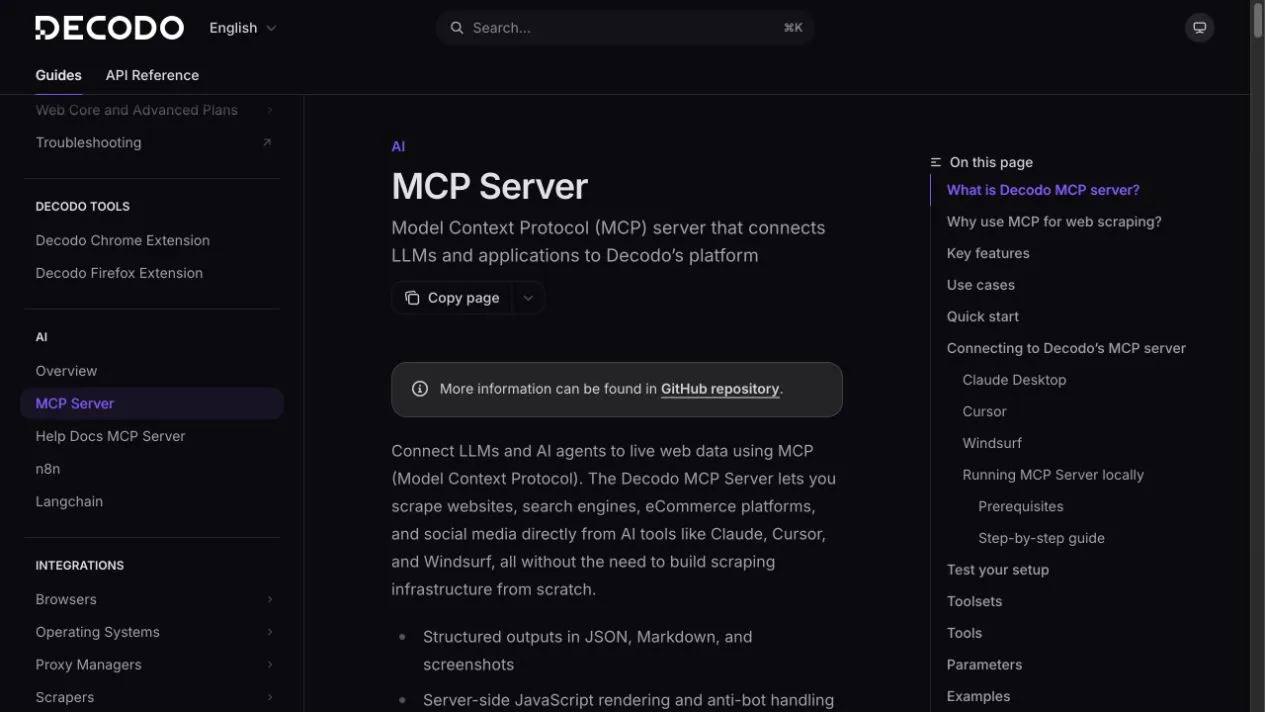
MCP lets a compatible assistant discover and call Decodo tools without you writing the HTTP request by hand. Connection is not the final test. The final test is seeing a named Decodo tool run and return the expected fields.
Before you start
You need:
- A Decodo Web Scraping API account.
- Its Basic authentication token. This is not a proxy username/password and not a Bearer token.
- An MCP client such as Claude Desktop, Cursor, Windsurf, Hermes, or another client that supports remote or stdio servers.
- Node.js 18 or newer if you use the local npm package.
Use Ron’s Decodo partner link if you want to support Superbash Learn. Plan details change; verify current allowance and price in your dashboard.
Step 1: copy the correct token
Open Decodo Dashboard, enter Web Scraping API, and copy the Basic authentication token from the API area.
Do not paste it into:
- a chat prompt;
- a screenshot;
- a public repository;
- a shared Skill file.
If exposed, rotate it. Deleting a committed token does not make the old token private again.
Step 2A: add the hosted MCP server
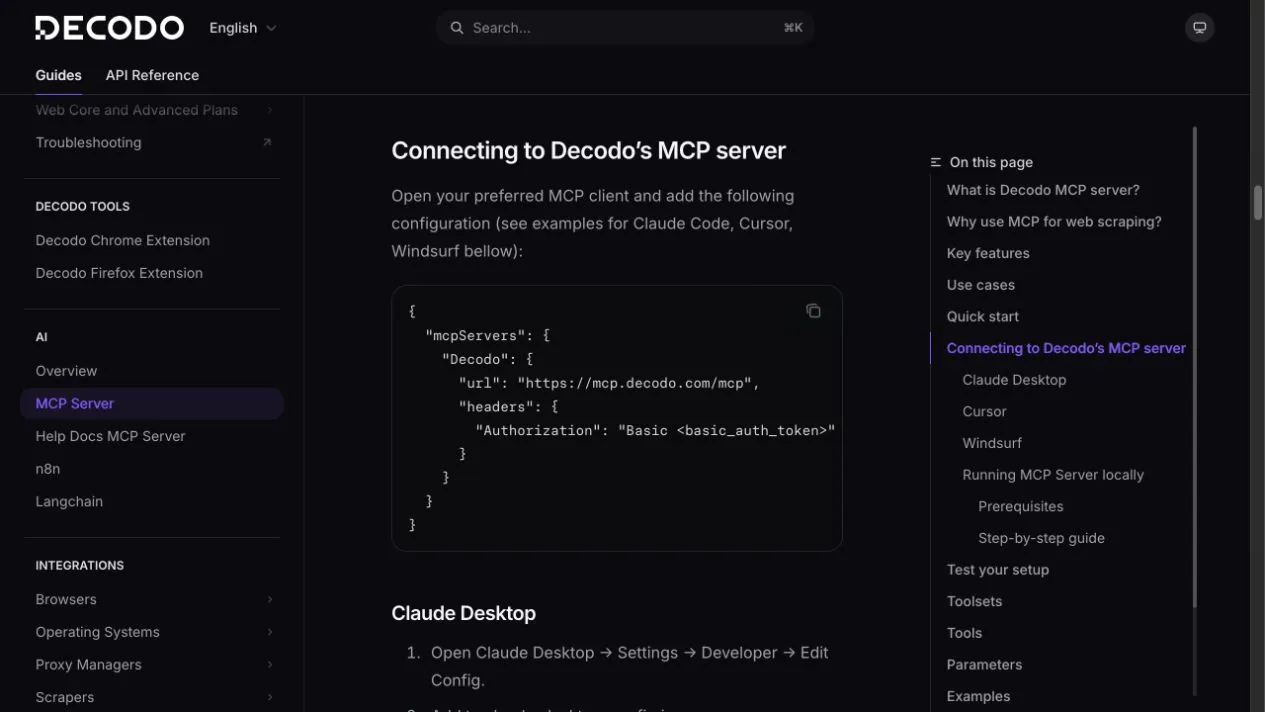
Clients that support remote MCP servers can use:
{
  "mcpServers": {
    "Decodo": {
      "url": "https://mcp.decodo.com/mcp?toolsets=web,search",
      "headers": {
        "Authorization": "Basic <basic_auth_token>"
      }
    }
  }
}
Replace only <basic_auth_token>. Keep Basic and one space before the token.
Step 2B: add the local npm server
For clients that launch stdio MCP servers, use Decodo’s official package:
{
  "mcpServers": {
    "Decodo": {
      "command": "npx",
      "args": ["-y", "@decodo/mcp-server"],
      "env": {
        "SCRAPER_API_TOKEN": "<basic_auth_token>",
        "TOOLSETS": "web,search"
      }
    }
  }
}
Save the file, then restart or reload MCP in the client.
Step 3: keep the tool catalog small
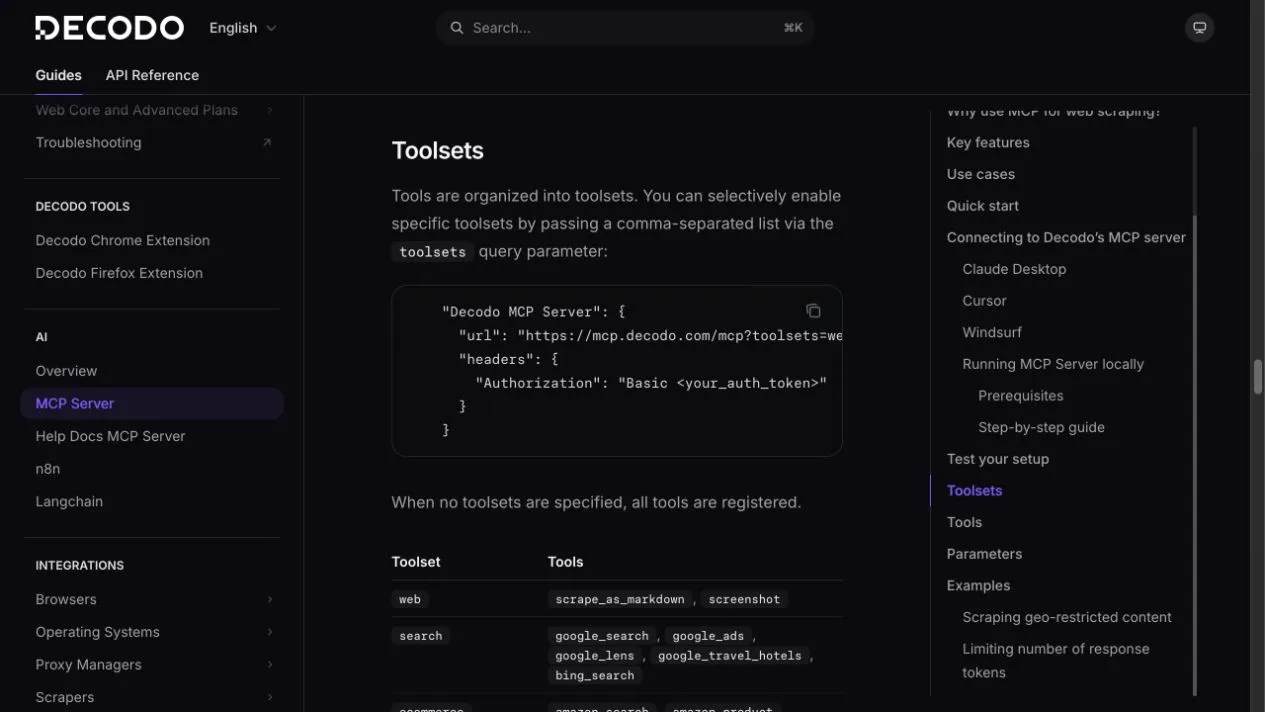
Start with web,search. Add ecommerce, social_media, or ai only when the job needs them.
Step 4: run a one-request smoke test
Use a harmless public target:
Use Decodo's scrape_as_markdown tool on https://news.ycombinator.com/.
Return the first five story titles and links.
Use exactly one Decodo request. Do not fall back to another web tool.
Check three things:
- The client names
scrape_as_markdownor clearly shows the Decodo tool call. - Five linked items appear.
- The assistant did not silently use ordinary search or browser tools.
Step 5: make a reusable prompt, not a secret-filled Skill
A reusable Skill should hold procedure:
Use the narrowest Decodo tool for the target.
Return source URL, observed date, requested geography, and requested fields.
Leave missing values null. Do not infer price, stock, author, or date.
Stop after one failed retry. Report total Decodo calls.
Keep the token in client secrets or environment configuration.
Troubleshooting
401 Unauthorized
- Verify this is the Web Scraping API Basic token.
- Keep
Authorization: Basic ..., not Bearer. - Remove accidental spaces or line breaks.
- Rotate a leaked token.
No Decodo tools appear
- Restart the MCP client after saving configuration.
- For local setup, confirm
node --versionis 18+ andnpx -y @decodo/mcp-servercan launch. - Validate JSON/YAML indentation and commas.
- Test with only
webbefore adding toolsets.
Assistant uses another web tool
- Name the Decodo tool in the prompt.
- Say “do not fall back.”
- Reduce enabled toolsets.
- Stop the run if the Decodo call is not visible.