Decodo Web Scraping · Tutorial 01
Choose the right Decodo scraping route
Start with the smallest Decodo product that fits the job: MCP for an assistant, Web Scraping API for code, or a proxy product for your own scraper.

0 of 11 complete
Decodo is not one scraper. It offers several ways to reach public web data. Beginners usually lose time by starting too low in the stack: they configure proxies when an MCP tool could already complete the job.
Use this rule:
- Talking to an AI assistant: start with the Decodo MCP server.
- Building an app, scheduled job, or data pipeline: use the Web Scraping API.
- Maintaining your own browser or scraper: consider Site Unblocker or a proxy product.
This course concentrates on MCP and the Web Scraping API because they remove most proxy rotation, rendering, parsing, and retry work.
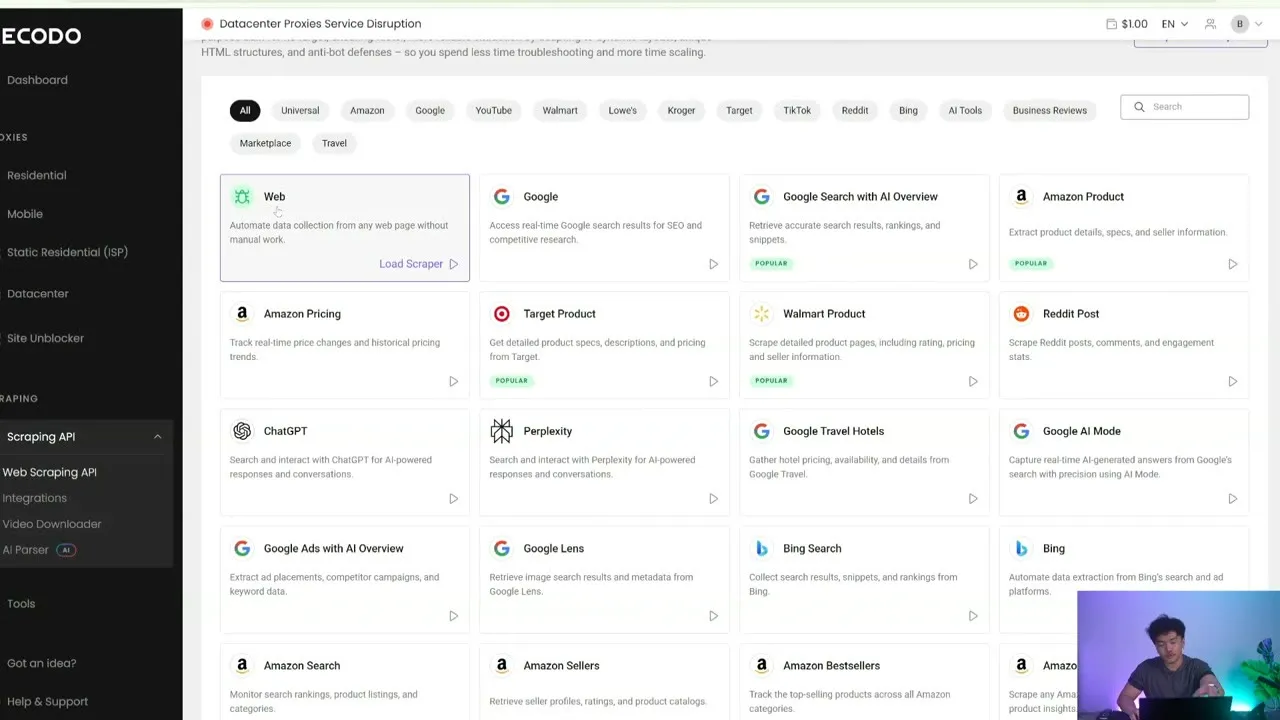
What each route is for
| Route | Best first use | What you control |
|---|---|---|
| MCP server | Ask Claude, Cursor, Windsurf, Hermes, or another MCP client to collect current evidence | Toolsets, prompt, geography, rendering, device, output limit |
| Web Scraping API | Put scraping inside code or automation | Endpoint, target template, request mode, browser actions, response formats |
| Site Unblocker | Send traffic from your own scraper through managed anti-bot handling | Proxy-style connection, location, session, headers, rendering |
| Residential/mobile/ISP/datacenter proxies | Run a custom network stack with direct IP control | Pool, location, rotation, sticky sessions, protocol |
Do not begin with proxies because they sound more powerful. Begin with the output you need.
MCP toolsets in plain English
Decodo groups its MCP tools into five toolsets. Enabling only relevant toolsets keeps the assistant’s choices clear.
web— any public URL as Markdown, or a PNG screenshot.search— Google Search, Google Ads, Google Lens, Google Travel Hotels, and Bing Search.ecommerce— Amazon, Walmart, Target, and TikTok Shop search/product tools.social_media— Reddit posts, subreddits and users; TikTok posts; YouTube search, channels, metadata, and subtitles.ai— ChatGPT, Perplexity, and Google AI Mode results.
All 30 current MCP tools appear across later tutorials. You do not need all 30 enabled for every conversation.
Step-by-step: define one useful job
Before opening the dashboard, write four lines:
- Target: one public URL, query, product ID, channel, or post.
- Deliverable: exact fields or decision you need.
- Freshness: when the information must have been observed.
- Budget: maximum Decodo requests and retry count.
Example:
Target: the five leading pages for “best compact espresso machine”.
Deliverable: rank, title, URL, domain, snippet, and observed date.
Freshness: collect today.
Budget: 1 Google Search request; no automatic retries.
That is a scraping job. “Research espresso machines” is only a topic.
Choose a route
Use this quick test:
- Need one answer inside a chat? MCP.
- Need the same job every day? Prove it with MCP, then move the stable request to the API.
- Need clicks, typed inputs, waits, or XHR capture? Web Scraping API browser actions.
- Need raw network control for custom code? Site Unblocker or proxies.
What success looks like
A successful first scrape includes:
- the exact Decodo tool or API target used;
- source URL or query;
- observation time and requested geography;
- structured fields, not a loose paragraph;
- honest empty fields instead of invented values;
- request count and any retries;
- a human check against the source.
Safety boundary
Keep this course to public or authorized data. Do not use it for post-login content, private user information, bypassing access controls, or collecting more personal data than the task needs. Website terms, privacy rules, and local law still apply.
Next: connect one MCP client and prove that it can see Decodo’s tools.