Research brief · October 22, 2026
Real Work with GPT-6 Astra in 16 Minutes: Mikos, Bot Fleet, MCP
Skip the generic Astra overview. Walk the live fleet: Mikos OS, DogDogHK, trading dashboards, and a wired MCP in about 16 minutes.

Astra earns its keep when it ships real operating work: OS desk updates, site PMs, trading dashboards, and MCP-wired tools — not when you only need a prettier paragraph. Give it a finish line, fleet context, and proof in the live UI.
Generic Astra demos end on a toy app. Ours does not. In about sixteen minutes of real work we test GPT-6 Astra against the stack we actually run: Mikos OS for the bot fleet, website PMs (DogDogHK and the rest), trading dashboards, and an MCP already wired into that OS.
This page replaces the old “when to use it” overview with a field walkthrough. For website-shaped demos, still see Astra for websites. For deeper model notes, see the early review.
What we actually run
We are not vibe-coding a landing page for the camera. The day job looks like this:
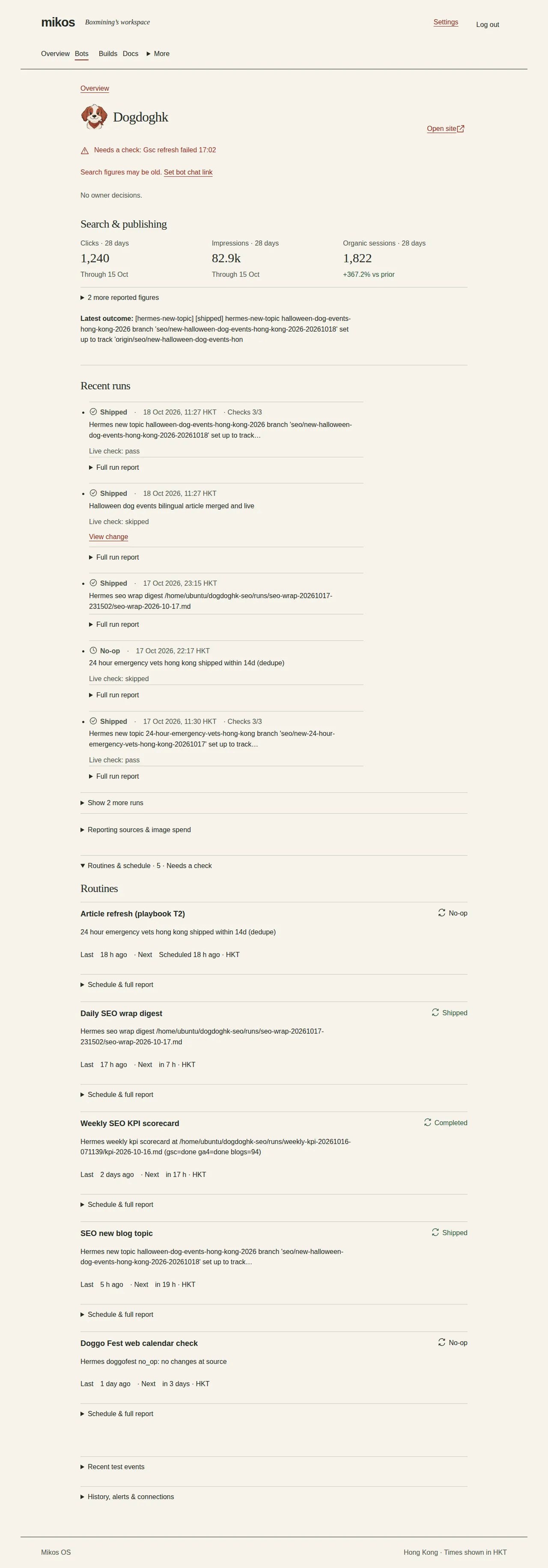
- Mikos OS (mikos.one): hub for bot status, decisions, progress, and MCP heartbeats.
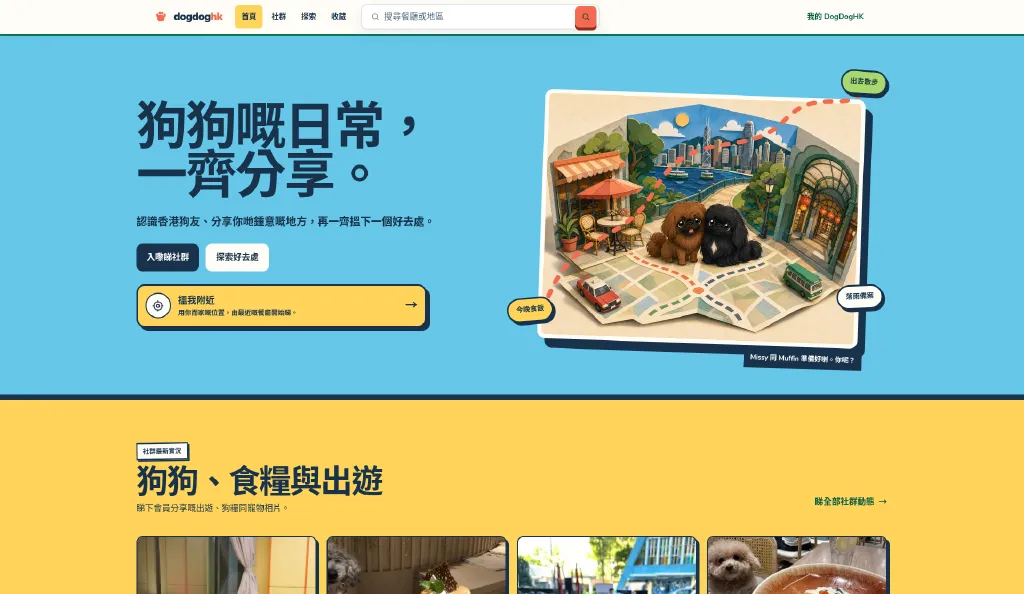
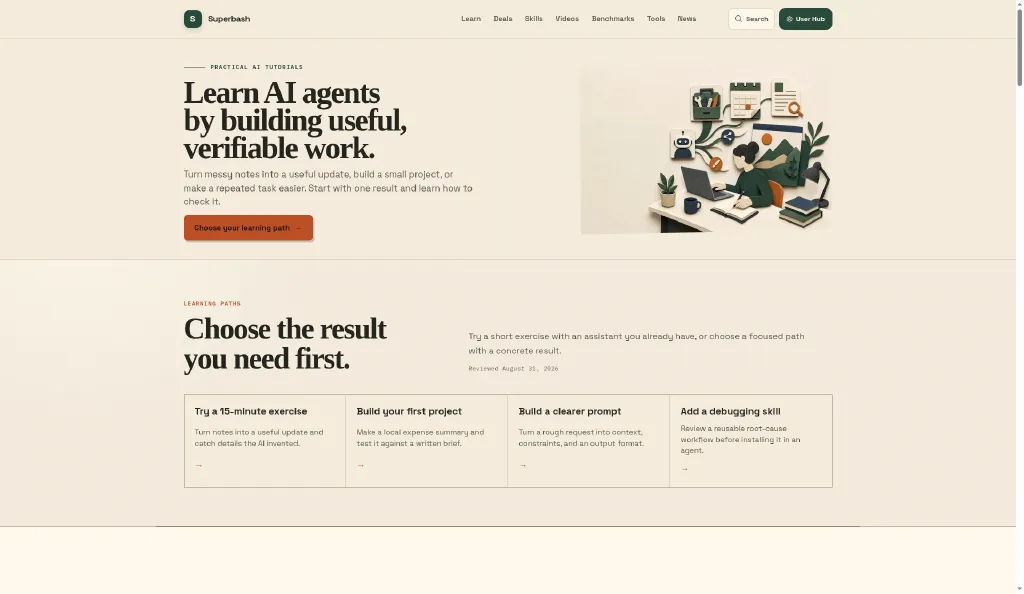
- Website PMs: Boxmining, DogDogHK, Airdroplet, Superbash Learn. Each owns organic growth and ships evidence-backed content as PRs.
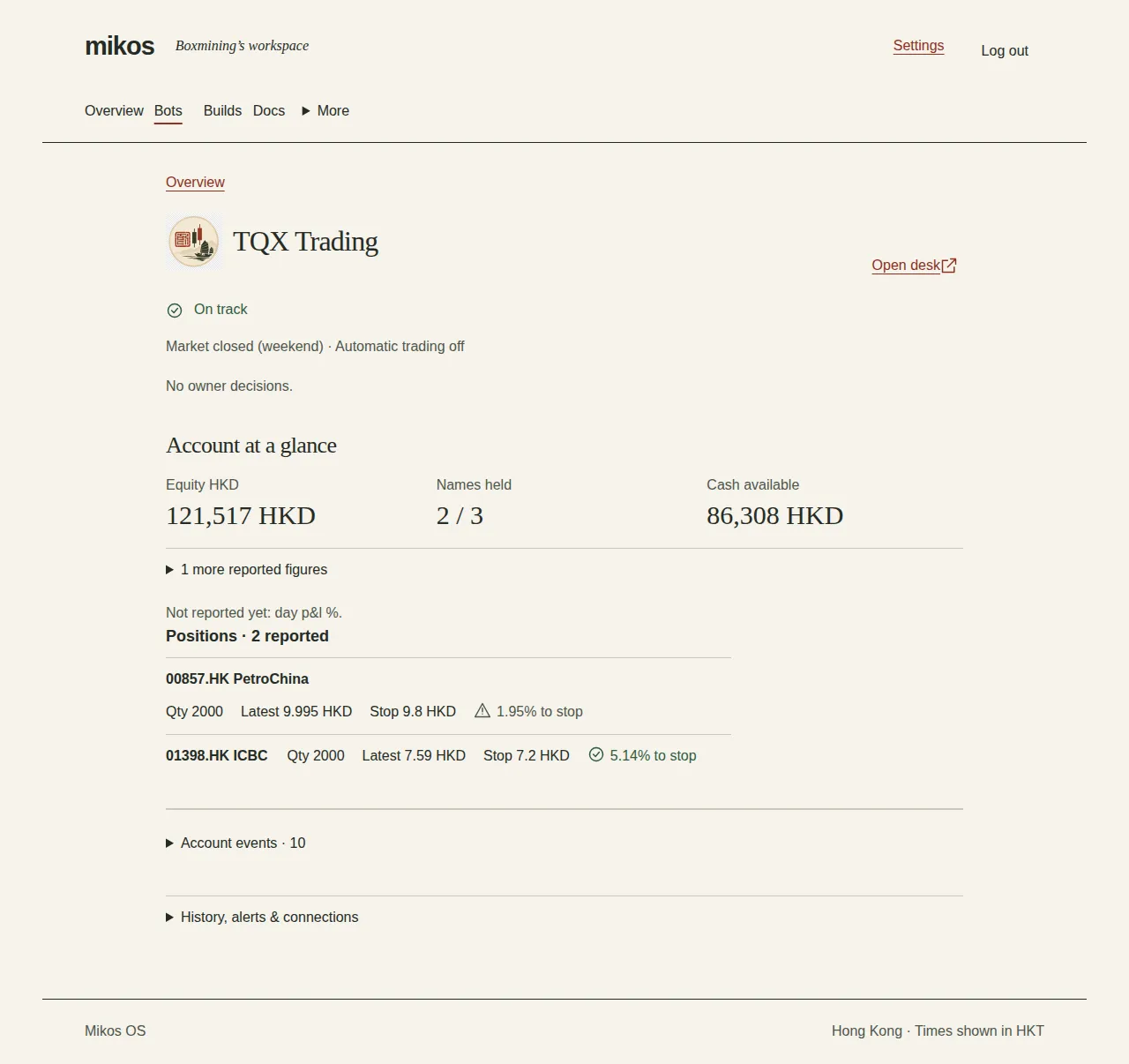
- Ops / trading dashboards: individual dashboards (for example tqx.mikos.one) sitting next to the OS, in the same operating picture.
- MCP on the OS: bots talk to Mikos over MCP at https://mcp.mikos.one the same way a coding agent talks to tools: structured, live, auditable.
DogDogHK is the clearest public site-PM example. DogDogHK SEO is run by a site PM bot through Mikos task runners (Codex on uAssol via Hermes run-task): new-topic, refresh, live-check, queue, and GA4. Cursor and Codex-agent tooling is used in the Boxmining fleet generally. GPT-6 Astra is what we are testing for jobs like that unfinished handoff — reason, change, open Mikos or the live site, revise — not the historical builder of dogdoghk.com.
What Astra is (in this stack)
Astra mixes stronger reasoning, coding, and computer use. Inside our fleet, the loop we are testing is: reason about the job → change the right repo or config → open Mikos / the site / the dash → inspect → revise.


Sixteen minutes of real work (steal this rundown)
Treat this as a chapter map for the video and as a checklist for your own fleet.
| Min | Beat | What “done” looks like |
|---|---|---|
| 0-2 | Cold open on the live stack | Show Mikos + one site + one dash. No toy todo app. |
| 2-5 | Brief the agent like an owner | Finish line, failed context, MCP/tool access, no redesign. |
| 5-11 | Live loop | Agent changes code / content → opens live UI → fixes what broke. |
| 11-14 | MCP + OS proof | Heartbeat / desk update / tool call visible in Mikos. |
| 14-16 | Judge + Hostinger aside | Works · supervision · cost. Then the honest WP plug. |
Prompt card (fleet-shaped)
Task: <one stalled fleet job — e.g. an unfinished DogDogHK handoff you can verify live, fix TQX panel blank state, restore Mikos MCP heartbeat>
Done when:
1) <bullet you can test on the live URL>
2) <bullet visible on Mikos desk / KPI>
3) <bullet that proves MCP or CI, not just chat>
Context: repos + what I already tried + which bot owns it
Access: mikos.one · site preview · dash URL · MCP as needed
Constraints: no unrelated redesign; verify in the real UI; stay inside this bot’s scope
If the live agent flakes, keep a clean pre-recorded take. Agents flake. Honesty beats a fake victory lap.
Quirks you will notice on real fleets
Small job → long investigation
Thoroughness helps when a trading panel is blank. On a text tweak it becomes a tax. Cap verification: “only check the affected route and the Mikos row for this bot.”

Unwanted UI changes
It may “improve” a dash you did not ask to restyle. Say it plainly: no visual redesign; keep existing components.
Uneven follow-through on long tasks
“Make everything work” drifts. Slice the finish line to one bot, one PR, one MCP check.
Hostinger note: the WordPress Astra theme is a different product
Two different “Astras” show up in the same conversation, and that is useful:
- GPT-6 Astra: the agent model / computer-use loop this article is about. It runs our OS work.
- Astra theme + Starter Templates: Brainstorm Force’s WordPress theme and the free Starter Templates plugin. On Hostinger WordPress hosting, Hostinger’s own docs tell you to install Starter Templates by Astra when you want free pre-built designs after a blank WordPress install.
Hostinger also ships its own AI plugin (Agent + content tools) with a WordPress site MCP server, so Claude / Cursor can manage a Hostinger-hosted WP site over MCP, a lighter cousin of what we do with Mikos MCP for the bot fleet.

Sponsor-style takeaway: if a reader only needs a WordPress site up this afternoon, start on Hostinger, install Astra + Starter Templates (or use Hostinger’s AI site flow), and wire the Hostinger AI plugin MCP if they want Cursor talking to WP. If they need a bot fleet with a desk, KPIs, and Ops dashes, stay on the GPT-6 Astra path in this article.
Prompt recipe

- Clear finish line (four bullets max, at least one live-URL proof)
- Evidence pack (failures + files + which bot owns it)
- Tools and access (Mikos, site, dash, MCP)
- Proportionate check depth
- Judge: works · supervision · cost
Try this today
Give Astra one stalled fleet task: a site PR that will not merge, a dash panel that stays empty, or a Mikos heartbeat that went quiet, plus files, failed attempts, and a concrete definition of done. Then open the live system yourself.
Next: Astra for websites for the filter-survives-refresh demo, or the early review for model-level notes.
Put this to work
Match Astra to bottlenecks where an agent must operate your real stack — OS, sites, dashboards, MCP.
Try
Give it one fleet task that stalled (site PR, dash fix, MCP heartbeat), with failed context and a four-bullet definition of done.
Prove it worked
Open Mikos / the live site / the dash yourself. If the KPI or route is still wrong after refresh, it is not done.
Keep in view
- Use Astra for stalled fleet handoffs: Mikos desk/KPIs, trading dashboards, MCP wiring, and a live site you can open and revise.
- Require the build → open live app → inspect → revise loop against mikos.one / the site / the dash.
- Name the fleet: OS hub + site PMs + Ops bots, not a blank greenfield demo.
- Honest Hostinger note: WordPress Astra / Starter Templates (and Hostinger AI + MCP) for WP sites; GPT-6 Astra for agent OS work.