Hermes Agent + Decodo = POWERFUL Web Scraping

Web search is good at finding pages. It is much less reliable when your agent must open a JavaScript-heavy page, survive an anti-bot checkpoint, collect the complete content, and return the same fields from several markets. That is the gap Decodo fills: its scraping layer handles the page retrieval while Hermes decides what to collect, which tool to call, and how to check the result.
Ron’s June 30 video, Hermes Agent + Decodo = Powerful Web Scraping, used a Python helper wrapped in a Hermes Skill. Decodo has since released an official Model Context Protocol (MCP) server. The modern setup is cleaner: MCP provides the scraping tools; a Skill is optional and should hold your repeatable research rules, not your secret token or low-level API code.

Before you start
You need four things:
- A working Hermes Agent installation. If MCP is new to you, complete our Hermes MCP lesson first.
- Node.js 18 or newer. Decodo’s official MCP package runs through
npx. - A Decodo Web Scraping API account and its Basic authentication token. Create the account through Ron’s Decodo link; the video offer includes 10% off the first paid month if you later scale beyond the free allowance.
- A legal, bounded target. Publicly reachable does not mean unrestricted: respect the site’s terms, access controls, copyright, privacy rules, and rate limits. Never ask the agent to bypass a login or collect private data.
Decodo’s current MCP documentation advertises up to 2,000 free requests without a credit card. Treat the plan details shown in the video and screenshot below as a June 30 snapshot, not permanent pricing; check the dashboard before planning a recurring job.
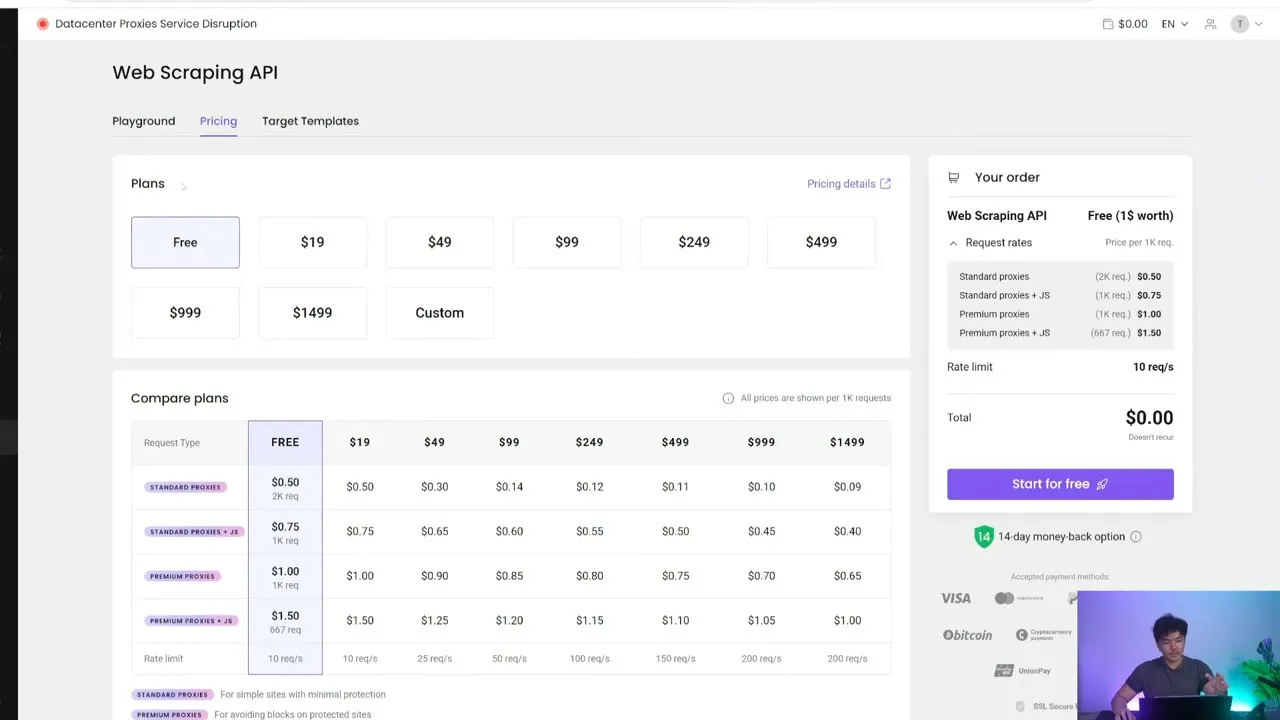
Step 1: store the token outside the MCP configuration
In the Decodo dashboard, open Web Scraping API and copy the Basic authentication token. Do not paste it into a prompt, screenshot, Skill, or repository. Put it in Hermes’ local secret file:
# ~/.hermes/.env
SCRAPER_API_TOKEN=PASTE_YOUR_BASIC_AUTH_TOKEN_HERE
Restrict the file to your user on a shared machine (chmod 600 ~/.hermes/.env). If a token was ever committed or shown publicly, rotate it in Decodo instead of merely deleting the line.
Step 2: add Decodo as a local MCP server
The most dependable Hermes setup uses Decodo’s official @decodo/mcp-server package over stdio. Add this block under mcp_servers in ~/.hermes/config.yaml:
mcp_servers:
  decodo:
    command: "npx"
    args: ["-y", "@decodo/mcp-server"]
    env:
      SCRAPER_API_TOKEN: "${SCRAPER_API_TOKEN}"
      TOOLSETS: "web,search,ecommerce,social_media"
    enabled: true
This enables general pages, search, shopping, Reddit, TikTok, and YouTube. Leave the ai toolset off unless you specifically need Decodo’s ChatGPT, Perplexity, or Google AI Mode tools; a smaller catalog makes tool selection easier and reduces accidental calls.
Reload and test the server:
hermes mcp test decodo
hermes mcp configure decodo
hermes mcp list
Select only the tools you intend to use. A practical starter set is scrape_as_markdown, screenshot, google_search, amazon_product, amazon_pricing, youtube_metadata, and youtube_subtitles. Start a new Hermes session after saving, or run /reload-mcp in an existing session.
Remote MCP option
Decodo also exposes https://mcp.decodo.com/mcp. For Hermes, configure it manually because the interactive hermes mcp add --url flow commonly builds a Bearer header, while Decodo expects Basic authentication:
mcp_servers:
  decodo:
    url: "https://mcp.decodo.com/mcp?toolsets=web,search,ecommerce,social_media"
    headers:
      Authorization: "Basic ${SCRAPER_API_TOKEN}"
    enabled: true
Use one transport, not both. The local package is easier to diagnose; the remote endpoint removes the local Node subprocess.
Step 3: prove one small scrape before building a workflow
Ask Hermes for a bounded, verifiable result:
Use Decodo's scrape_as_markdown tool on https://news.ycombinator.com/.
Return the first five visible story titles and their destination URLs.
Make one scraping call only. Do not follow the destination links.
Check that Hermes names the Decodo tool, returns five linked items, and consumes one request. If it silently falls back to ordinary web search, stop and fix MCP discovery before you trust a larger run.
In the video, Ron invoked a /decodo-scraping Skill at 04:10. With the official MCP server, the agent can discover Decodo’s tools directly; a slash command is useful only when you want a standard operating procedure.
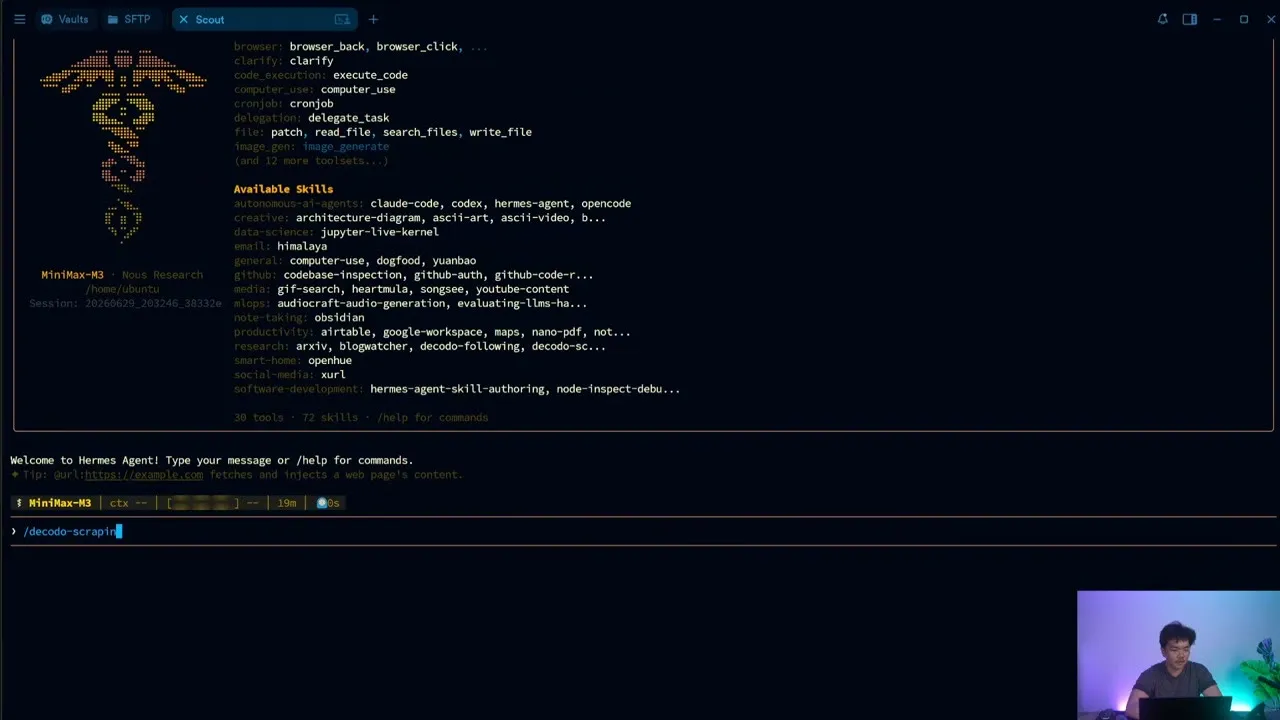
Step 4: run the Amazon comparison with the right tool
The video’s hardest test compared Sony headphones across Amazon US, Germany, and Japan. The universal scraper worked, but it first sent country names where the target expected postal codes, then discovered that the Japanese listing used a different ASIN. That failure is the lesson: for a known marketplace, prefer amazon_product or amazon_pricing over scrape_as_markdown.
Give Hermes a contract, not “find the cheapest”:
Use Decodo's Amazon tools to compare a new Sony WH-1000XM5 from Amazon US,
Germany, and Japan. Match the exact model; do not assume every marketplace uses
the same ASIN. For each market report the local price, seller, stock state,
shipping note, product URL, and retrieval time. Convert prices to USD using one
named exchange-rate source and timestamp. Cap the entire run at 8 Decodo calls.
If a market cannot be matched confidently, return "not verified" instead of
substituting a similar product.
If Decodo rejects geo, align the marketplace domain with the market and use the postal-code format the target expects. Do not keep retrying the same invalid country value. Ron’s agent identified and patched that rule during the run:
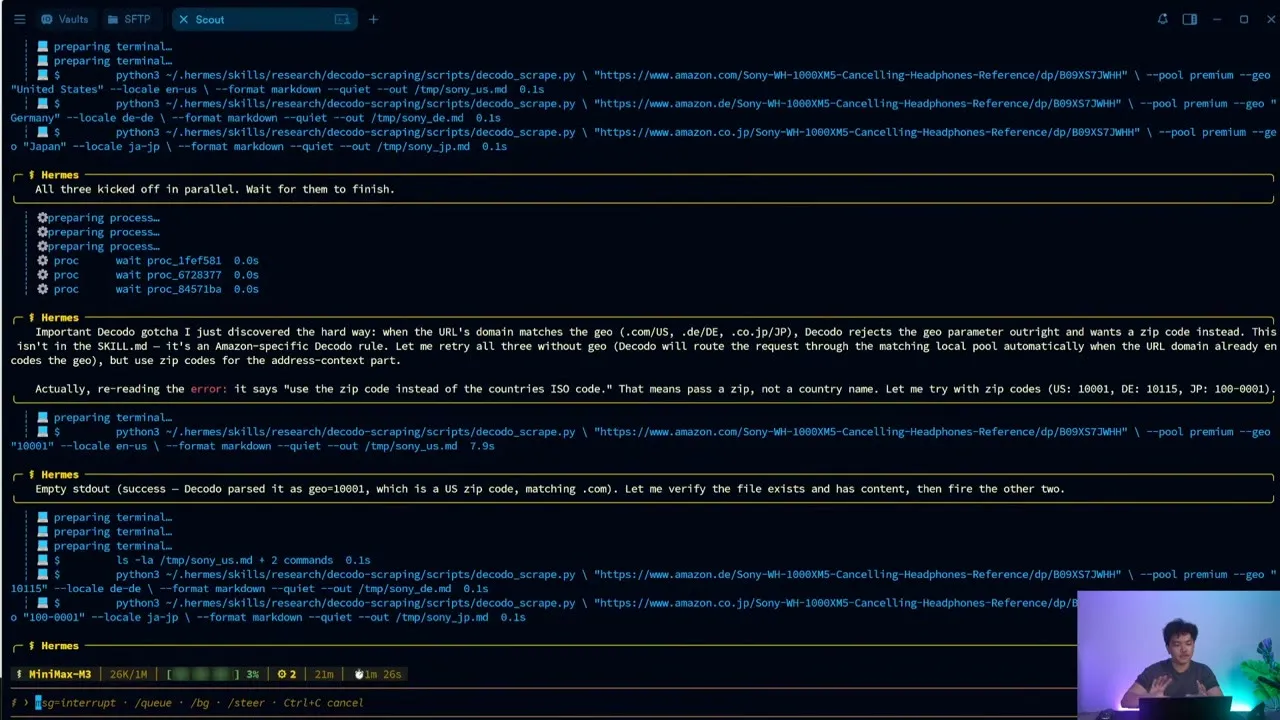
The final answer should preserve uncertainty. In the filmed run, Germany was out of stock, Japan required a different listing, and the agent reported Japan as the cheapest verified new offer at that moment. That was a successful research result—not a timeless purchasing claim.
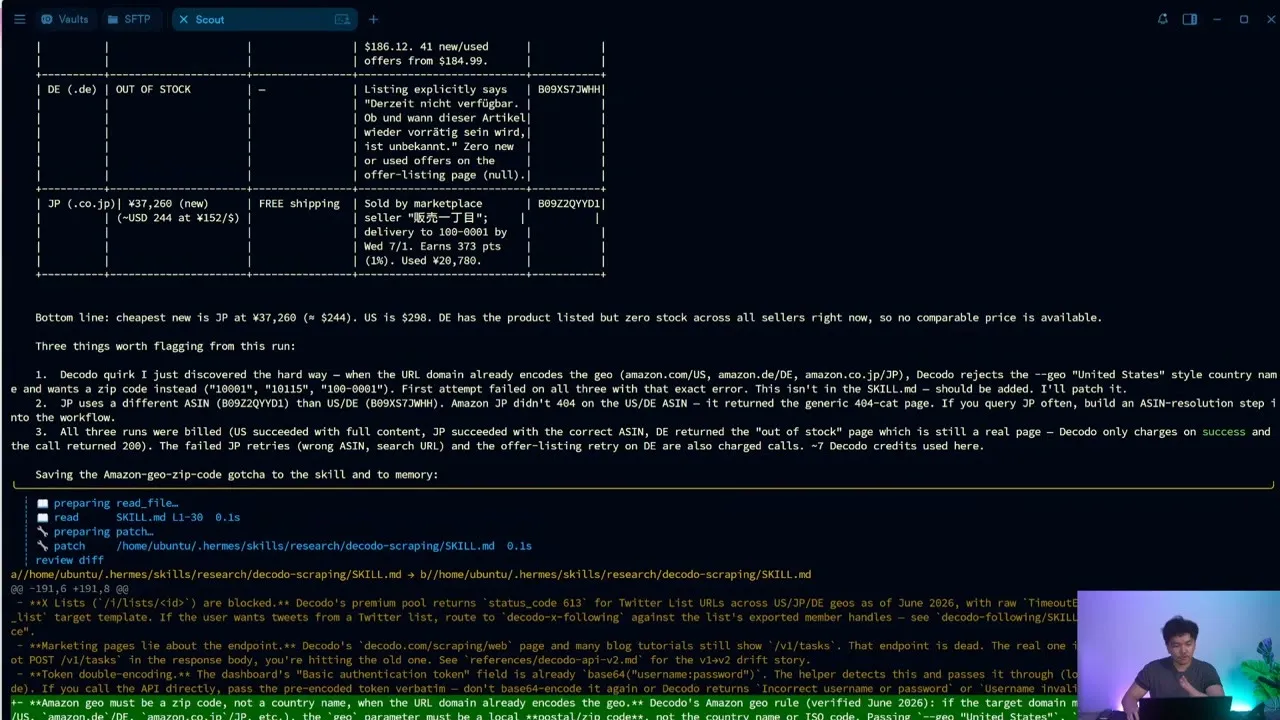
Step 5: turn the research policy into a Hermes Skill
MCP answers “which tools can Hermes call?” A Skill answers “how should this job be done every time?” Create a small Skill only after the manual prompt works. Its instructions should require target-specific tools, a request ceiling, timestamps, source URLs, and explicit unknowns. Never copy the token into SKILL.md.
The distinction matters at scale. Ron described monitoring 603 X accounts and collecting up to 15 recent posts per account. The video estimated that daily run at about $16.50 per month and showed 2,700 historical requests with a 99.3% success rate. Those are Ron’s June 2026 workload figures, not a general Decodo cost or performance guarantee. Measure your own successful requests, retries, freshness, and cost per accepted record.
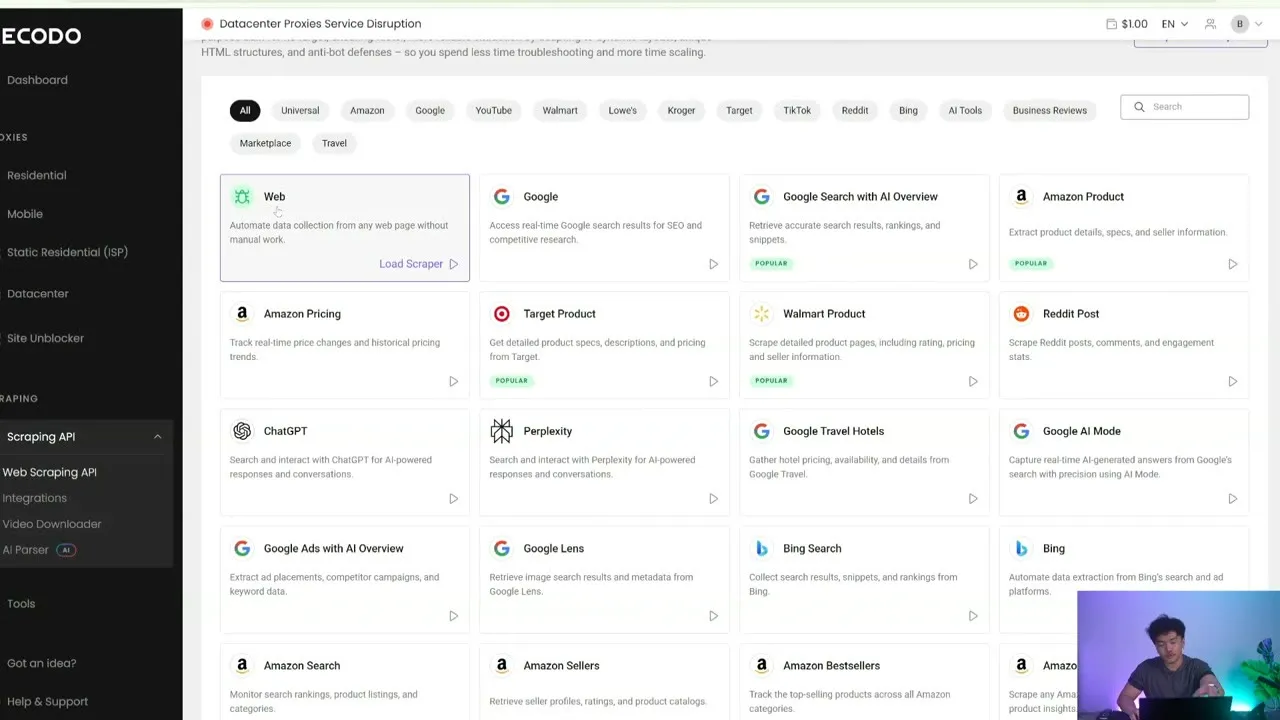
Use the narrowest tool that matches the job. A template can return stable fields with fewer tokens and less parsing than a universal page scrape. Keep universal scraping for targets without a dedicated tool.
Troubleshooting
401 Unauthorized: confirm the value is the Web Scraping API Basic authentication token. A remote Decodo connection needs Authorization: Basic ..., not Bearer. Check for accidental spaces and rotate a token that may have leaked.
Hermes reports no Decodo tools: run hermes mcp test decodo, confirm Node 18+, verify YAML indentation, and check that @decodo/mcp-server can launch through npx. Reload MCP or start a new session after changes.
The response overflows context: ask for a smaller result set or specify a tokenLimit. Collect first; summarize second. Do not make a second paid scrape merely because the first response was too verbose.
A marketplace returns the wrong region or no stock: use the target-specific tool, match the domain to the marketplace, provide the expected delivery location, and validate product identity instead of forcing one ASIN across countries.
Costs climb unexpectedly: disable unused toolsets, cap calls in the prompt, avoid automatic parallel retries, and log successful records per request. A cheap scrape that produces unusable data is still wasted spend.