Tencent WorkBuddy · Tutorial 12
WorkBuddy Projects, Experts, and Agent Teams
Create shared project context, separate roles from permissions, choose experts versus skills, and review multi-person and multi-agent work.

0 of 1 complete
Reference guide · Read when needed · View the route
Last checked and updated: September 3, 2026
WorkBuddy Projects organise a team’s instructions, connectors, experts, skills, assets, and tasks. Each task still has its own conversation and workspace, while project context is injected so members do not repeat the same rules.
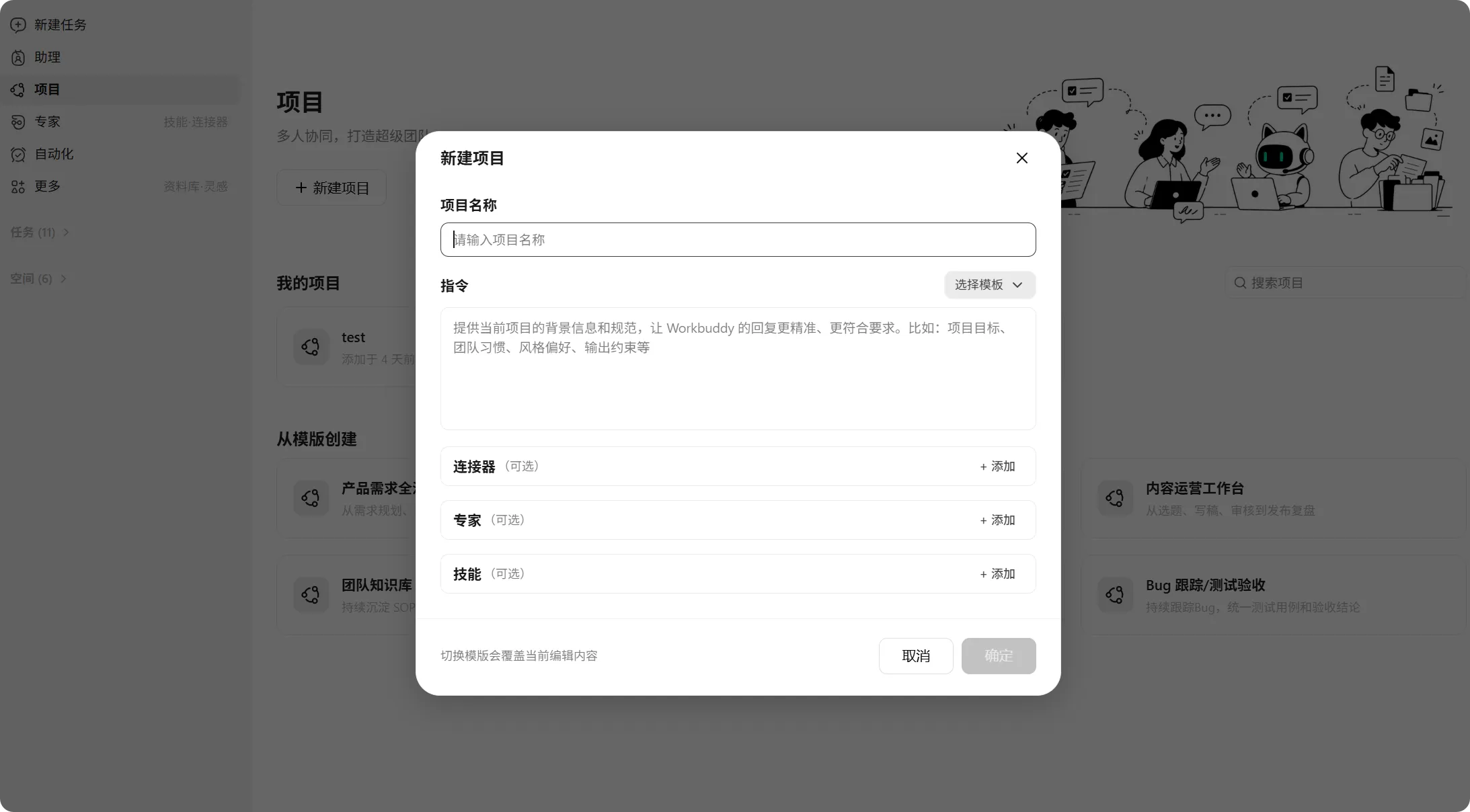
Build the Project charter first
Use a synthetic project named Practice product launch:
Purpose: Produce a reviewed internal launch brief and presentation.
Source of truth: Approved files in Project Assets / Reviewed only.
Audience: Named practice-team members.
Required behaviour: Separate source facts, calculations, and recommendations.
Forbidden actions: No public publishing, external messages, purchases, permission changes, or deletion.
Approval owner: [person]
Freshness rule: Every external fact needs source URL and checked date.
Output locations: Drafts / Reviewed / Published (empty unless approved).
Project instructions should be short enough to audit. Do not bury permissions or legal requirements in a giant personality prompt.
Add assets with status
Project assets can be uploaded or saved from task outputs and made available through retrieval. Retrieval helps find relevant material, but it cannot decide which draft was approved unless you label it.
For each asset, record:
- Owner
- Status: draft, reviewed, superseded
- Checked date
- Scope
- Sensitivity
- Recheck or expiry trigger
Move an outdated brief to a clearly superseded area rather than leaving two equally named files in the same folder.
Skill versus Expert versus Expert Team
Official guidance describes:
- Skill: a tool ability or repeatable procedure.
- Expert: a role combining perspective, method, and available tool chain.
- Expert team: several specialists whose lead decomposes, delegates, and combines work.
Choose the smallest structure that fits the job. Use a Skill to format a report. Use an Expert for one domain review. Use an Expert Team only when distinct roles add value and their outputs can be reconciled.
An Expert does not automatically gain system access. It uses files or services only through what you provide and what authorised Skills or MCP tools expose. Roles organise reasoning; permissions control authority.
Practice a multi-role review
Ask an expert team to review a synthetic launch plan with three roles:
- Research reviewer: checks source quality and missing evidence.
- Operations reviewer: checks ownership, sequence, and dependencies.
- Risk reviewer: checks privacy, permissions, external actions, and rollback.
Prompt:
Review launch-plan-draft.md. Each role must return:
1. confirmed strengths,
2. issues with exact source section,
3. missing evidence,
4. one proposed correction.
The lead must preserve disagreements instead of averaging them away.
Do not edit the draft. Produce review-report.md only.
Your job is to inspect whether each role used the source, whether issues are duplicates, and whether the lead hid uncertainty.
Share, transfer, and collaborate deliberately
Project tasks may be shared by link, transferred, or opened for multi-person collaboration. Before sharing:
- Confirm the recipient and task role.
- Check artefacts and conversation history for sensitive content.
- Decide whether the recipient needs view, edit, or management access.
- Remove temporary credentials or personal data.
- Name who owns the next action and final approval.
In Library team spaces, official documentation describes view, edit, manage, and no-access levels. Agent access follows the current user’s permitted content. A user with broad access can still accidentally ask the agent to over-share an output, so review the destination too.
Project automation boundary
Project automations are described as personal: only the creator sees and manages them, even though they operate in project context. Do not assume the whole team knows a scheduled task exists. Document its owner, schedule, connector identity, and notification path in the project charter.
Success check
Invite one practice collaborator or review the configuration as two roles. The Project passes when sources have status, project instructions are unambiguous, public and personal connector identities are clear, expert roles do not imply extra permissions, and one person owns final approval.
FAQ
Does adding a file to Project Assets make every member an editor?
No. Project and task roles combine to determine operations. Check the actual permission shown for each member and artefact.
Should every task use an expert team?
No. Multi-agent work adds cost and reconciliation. Use one agent for a clear task; add roles only when independent perspectives or parallel investigation improve the result.
Can experts disagree?
Yes, and useful systems preserve the disagreement with evidence. Do not ask the lead to manufacture consensus.
Quick self-check
Q1. A “finance expert” has no authorised banking connector. Can its role access your bank?
Answer: No. A role does not create service permission; access comes from authorised connectors, skills, files, and user rights.
Official sources
What’s next
Schedule a tested workflow and connect remote control without removing oversight in L13: Automation and Mobile Remote Control.