Tencent WorkBuddy · Tutorial 04
Plan, Prompt, Model, and Review in WorkBuddy
Write stronger task briefs, choose a work mode and model deliberately, run parallel tasks safely, and inspect artefacts and file changes.
0 of 7 complete
Essentials · Step 4 of 7 · View the route
Last checked and updated: September 3, 2026
“Make this better” forces the model to invent what better means. A useful WorkBuddy prompt tells it what to finish, which evidence is authoritative, which actions are allowed, and how the human will decide whether the work passes.
Use the BRIEF pattern
- B — Bounded outcome: one deliverable with a finish line.
- R — References: exact files, links, dates, and definitions.
- I — Instructions: required content, format, and audience.
- E — Exclusions: what not to touch, infer, send, or publish.
- F — Final checks: calculations, source comparison, file list, or test.
Example:
Bounded outcome: Create a two-page decision memo comparing three scheduling tools.
References: Use only the three linked official pricing pages, checked today.
Instructions: Include a feature table, total annual cost for five users, and a recommendation for a small team.
Exclusions: Do not use directory snippets as evidence. Do not contact vendors or start trials.
Final checks: Preserve a source URL beside every price; recalculate totals; list any unavailable fact.
Choose mode by uncertainty
| Situation | Mode |
|---|---|
| You need an explanation or want to inspect a file | Ask |
| The job is small, reversible, and fully specified | Craft |
| The job has multiple steps, unclear choices, high cost, or broad changes | Plan |
Plan mode is valuable because you can change the approach before credits and actions accumulate. Ask it to list assumptions, file paths, tools, and external services in the plan.
Choose models experimentally
The current official task guide presents MiniMax for spreadsheet/data/PPT speed, GLM for long multi-step tasks, Kimi for visual work, DeepSeek for everyday questions and copy, and Tencent Hunyuan for Chinese writing and meeting documents. Treat that table as vendor guidance, not a universal benchmark.
For important work:
- Run a 10-minute representative sample.
- Keep the same prompt and inputs.
- Compare correctness, citations, formatting, latency, and credits.
- Pick the cheapest model that passes the real acceptance test.
Read the result area like a reviewer
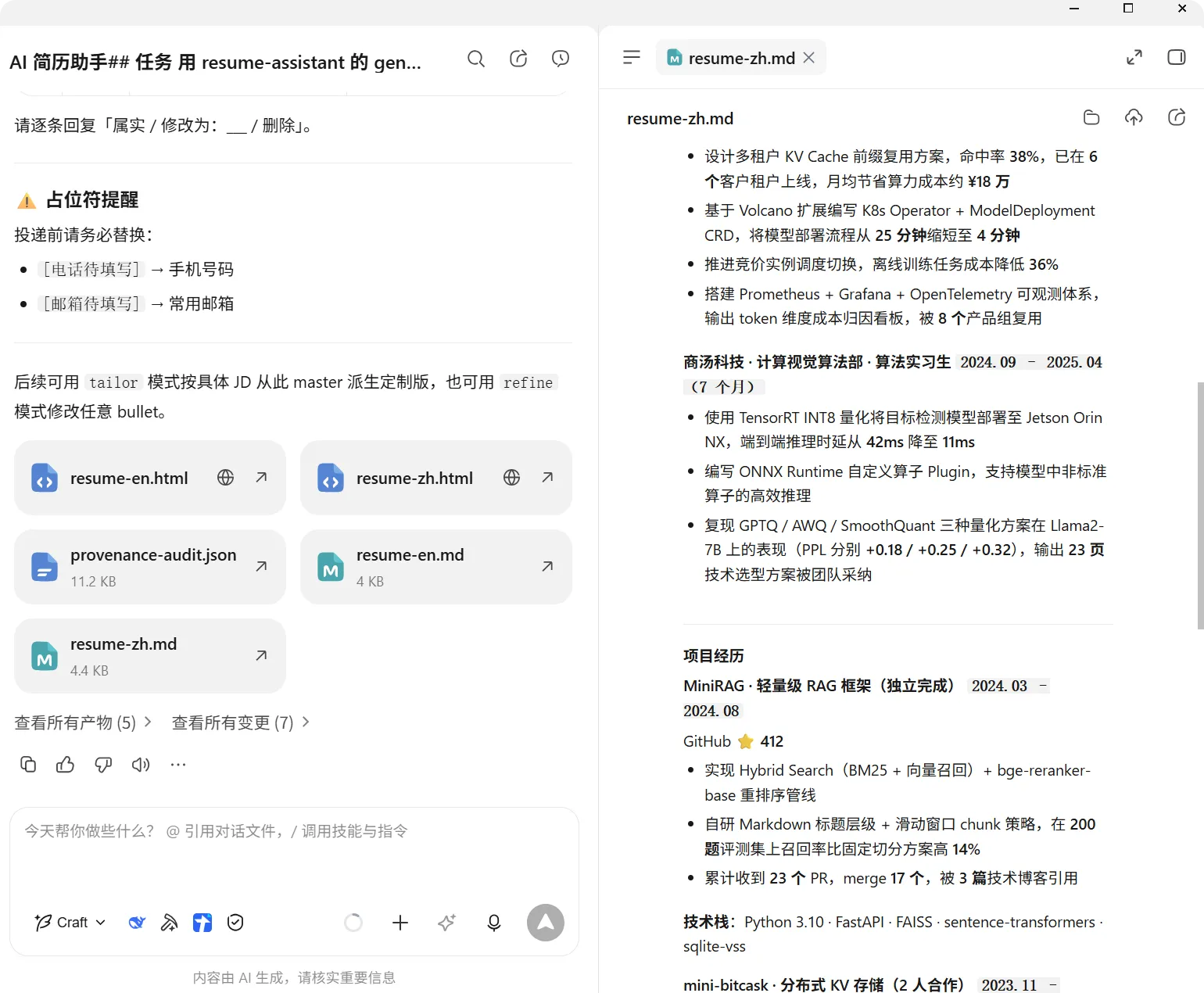
Use each view for a different question:
- Artefacts: Did it create the requested deliverable?
- Workspace files: Did it write to the correct location?
- Browser: Does a generated webpage actually render and work?
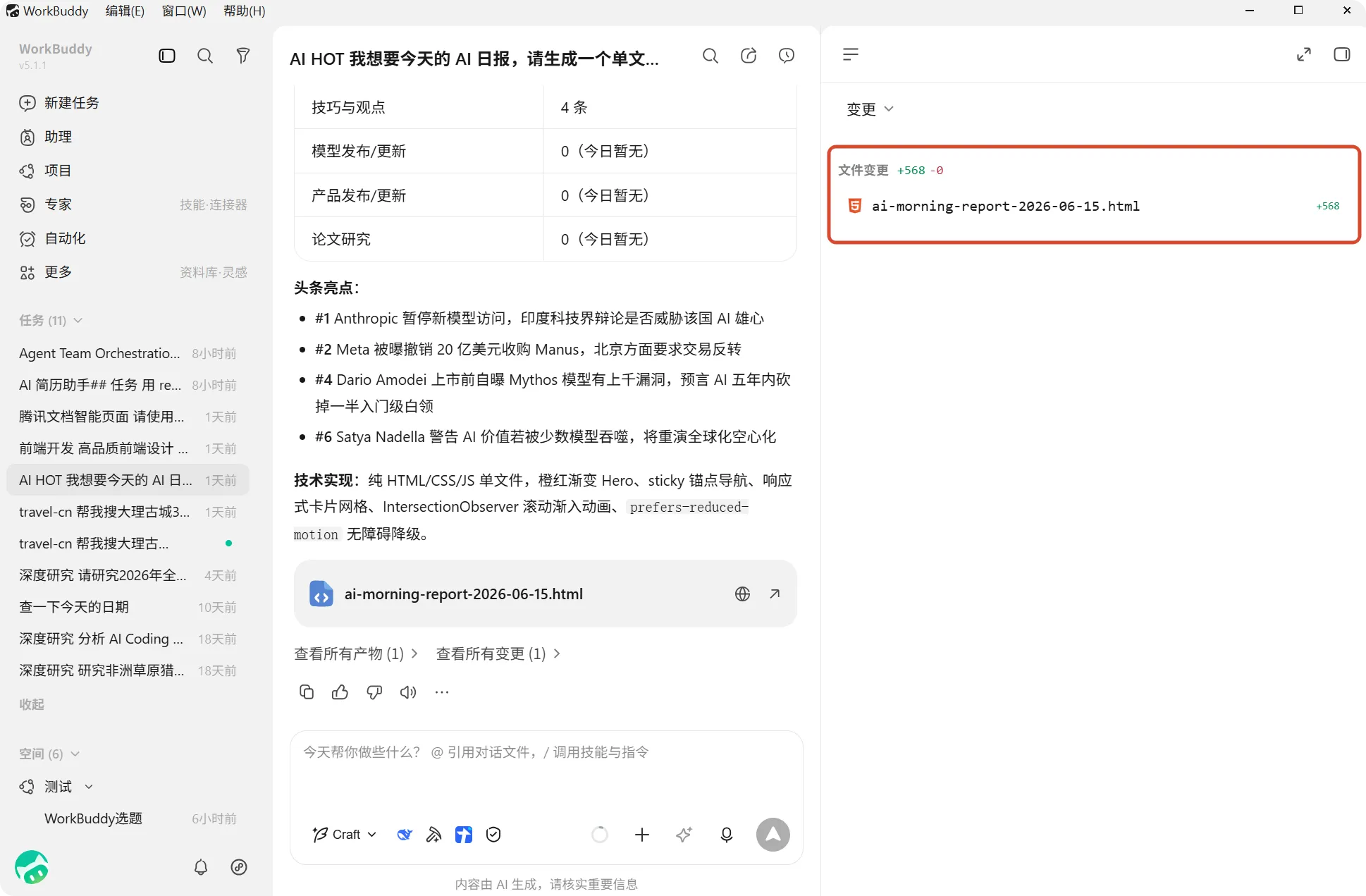
- Changes: Which files and lines changed?
Parallel tasks without crossed wires
WorkBuddy supports multiple tasks in parallel. Parallelism helps when jobs are independent: one task researches sources while another cleans a copied dataset. It hurts when two tasks modify the same files or depend on an unfinished decision.
Before starting a second task, ask:
- Does it have a separate workspace?
- Can it finish without reading the other task’s incomplete output?
- Could both tasks write the same file or external record?
- Can I review both sets of approvals and results?
If any answer is unsafe, run them sequentially.
Recovery prompt
When a task drifts, do not pile more vague corrections onto it:
Stop execution. Do not make further changes.
Report:
1. files read,
2. files created or changed,
3. commands and external tools used,
4. unresolved errors,
5. the smallest rollback or restart path.
Do not perform the rollback until I approve it.
Success check
Take one real work request and rewrite it with BRIEF. The revised version passes when another person can identify the authoritative inputs, forbidden actions, required output, and exact proof without asking what “good” means.
FAQ
Does a stronger model remove the need for checks?
No. Capability can reduce mistakes, but the same model may still use the wrong source, misunderstand a local convention, or make a confident calculation error.
Is the finished artefact the only file that matters?
No. Inspect workspace files and changes. An apparently correct report can leave temporary scripts, overwrite a source, or change unrelated files.
Can I share an artefact immediately?
Review content and metadata first. Uploading to Tencent Docs, ima, Lexiang, a cloud drive, or a public link changes the audience and data location.
Quick self-check
Q1. Two tasks need to edit the same spreadsheet. Should they run in parallel?
Answer: No. Use separate copies or sequence the tasks so their changes can be reviewed and reconciled.
Official sources
What’s next
Apply this review loop to copied documents and large batches in L05: Files, Documents, and Batch Work.