Tencent WorkBuddy · Tutorial 01
Tencent WorkBuddy Explained: What It Can Do
Understand WorkBuddy's local tasks, skills, connectors, projects, library, automations, and mobile Assistant before choosing a workflow.

0 of 7 complete
Essentials · Step 1 of 7 · View the route
Last checked and updated: September 3, 2026
Tencent WorkBuddy is a desktop AI workbench for handing an assistant a job and receiving a usable result. It can work with authorised local files, call installed skills and connected services, and produce documents, spreadsheets, presentations, webpages, analysis, or other files.
That makes it more capable—and riskier—than a chat box. A chat answer only needs reading. A WorkBuddy task may read a folder, change files, run a script, use an external account, or publish a link. This course teaches the product as supervised delegation: WorkBuddy proposes and executes; you choose the boundary and verify the result.
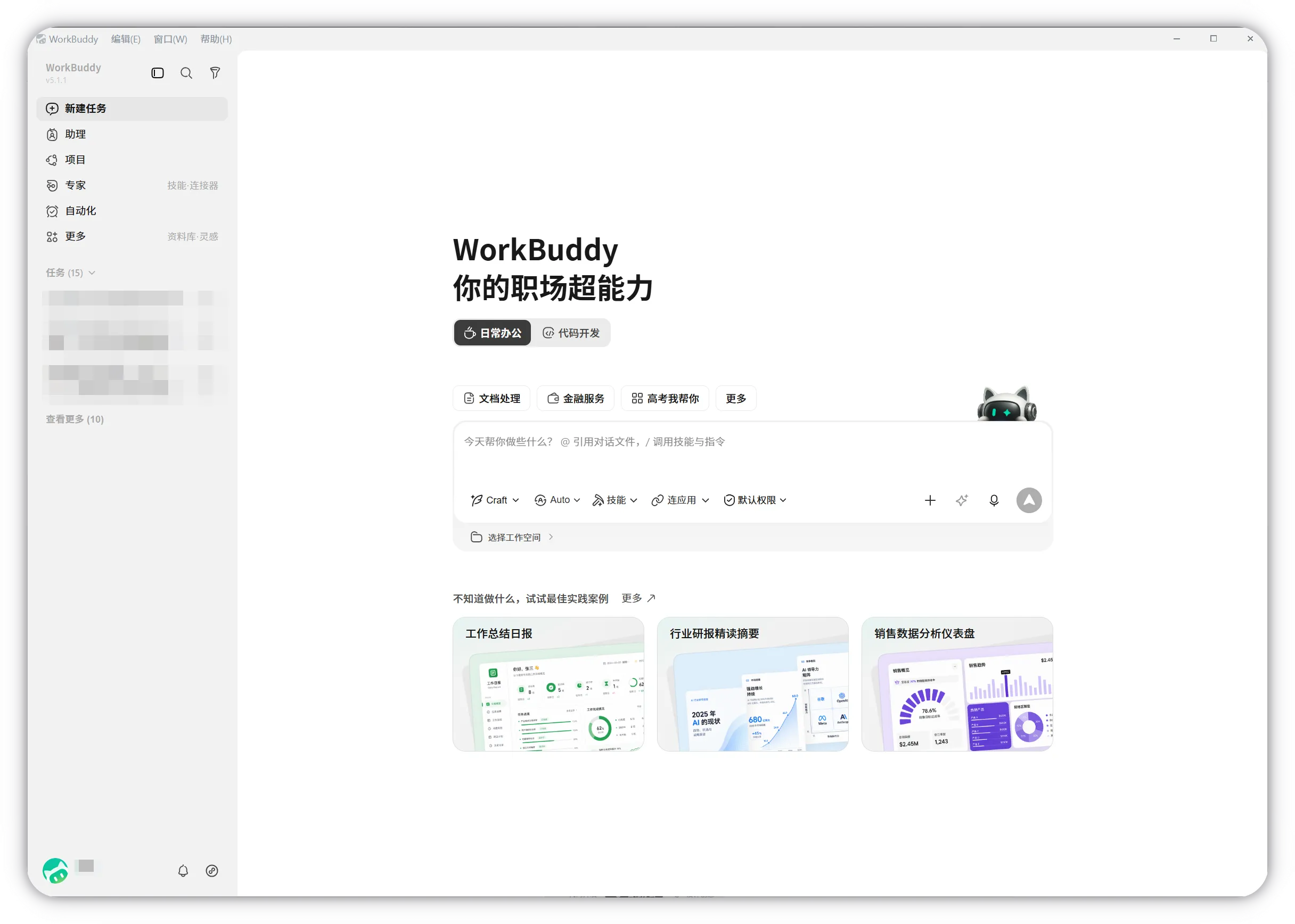
What you can make
The official documentation describes these practical capability groups:
| Job | Example deliverable |
|---|---|
| Files and documents | Organised folders, renamed files, extracted notes, converted documents, meeting minutes |
| Data work | Cleaned spreadsheet, analysis table, charts, and a written report |
| Research | A source-linked brief, comparison, or recurring news digest |
| Presentations and design | PPT deck, poster, formatted report, or webpage |
| Local apps and code | A small local application, changed files, tests, and browser preview |
| Knowledge work | A Library or ima collection that can be reused in later tasks |
| Connected office work | Tencent Docs, QQ Mail, Tencent Meeting, TAPD, Lexiang, or custom MCP tools |
| Team work | Shared Projects, assets, instructions, experts, skills, and task handoffs |
| Repeated work | A custom Skill, scheduled Automation, or remotely triggered Assistant task |
These are product capabilities, not promises that every prompt will succeed. A polished chart can still use the wrong rows. A presentation can still overstate weak research. The useful question is not “Can WorkBuddy do this?” but “Can I define and verify this job?”
The product surfaces in plain English
- Local task: one desktop conversation with its own workspace and context.
- Ask, Craft, and Plan: ask without changing files; execute a clear task; or review a plan before execution.
- Skills: reusable procedures and tools for particular work.
- Plugins: installable bundles that may contain skills, MCP connections, commands, hooks, or agents.
- Connectors and MCP: authorised bridges to external accounts, data, and services.
- Library: cloud content management for documents, tables, webpages, office files, and media.
- Project: shared instructions, assets, experts, skills, and connectors for a team.
- Expert or expert team: a specialist role and method, or several roles working together.
- Automation: a prompt that runs on a schedule with a selected workspace, model, and skills.
- Assistant: remote control of desktop WorkBuddy through WeChat, WeCom, QQ, DingTalk, or Feishu.
Do not treat these as interchangeable. A local task is best for files on your computer. A Project is for shared team context. The Library stores durable cloud content. The Assistant is a remote control path, not an independent cloud computer.
Exercise: choose the smallest useful surface
Imagine you need a weekly competitor brief from five public websites.
- The first run is uncertain and source-heavy, so choose a local Plan task.
- Save links and a reviewed brief before adding any recurring schedule.
- If the same steps work twice, turn the procedure into a Skill.
- If it is safe to run without supervision, create an Automation.
- Use Assistant only if you need to trigger or inspect it from a phone.
- Use a Project only if a team needs the same instructions, assets, and connectors.
Write your own decision card:
Outcome: [the finished deliverable]
Inputs: [exact files, sources, or connected service]
Primary surface: [local task / Project / Library / Automation / Assistant]
Allowed actions: [read, write copies, create new file]
Stop before: [send, publish, delete, purchase, change permissions]
Proof: [how I will check accuracy and completeness]
Success check
You can explain which WorkBuddy surface owns the task, what it may access, what it will deliver, and which action remains yours. If your plan is only “let WorkBuddy handle it,” the boundary is not ready.
FAQ
Is WorkBuddy just CodeBuddy with a different name?
No. The WorkBuddy documentation focuses on an all-scenario office workbench. CodeBuddy also has coding products. The official pricing page says the same account shares credits between WorkBuddy and CodeBuddy, which is a billing relationship, not proof that every interface feature is identical.
Does WorkBuddy run entirely on my computer?
Do not assume that. It can operate on authorised local files, but official security and privacy documentation also describes model processing, cloud Library storage, service telemetry, and data sharing when connectors or external tools are used.
Is it only for Chinese users?
The current public setup and ecosystem are mainland-China oriented: WeChat login, Chinese documentation, and integrations such as QQ, WeCom, Tencent Docs, and TAPD. Check the live download and login flow for your account and region before designing a dependent workflow.
Can it keep working while my laptop is closed?
A desktop Automation or Assistant task needs the required desktop environment available. Do not confuse that with a permanently running cloud computer. WorkBuddy’s mini-program documentation also describes cloud-mode tasks, but eligibility and behaviour can differ.
Quick self-check
Q1. Which surface should you use first for an uncertain task that will modify several copied files?
Answer: A local task in Plan mode, with a narrow workspace and a review before execution.
Official sources
What’s next
Choose the correct desktop build and account path in L02: WorkBuddy Pricing, Access, and Installation.