Grok Bot · Tutorial 13
Build a Grok Bot Content Production System
Build a source-linked workflow that turns one approved video into a researched article draft without automating away editorial review.

0 of 1 complete
Reference guide · Read when needed · View the route
Last tested and updated: August 12, 2026
A useful content system does more than turn a transcript into fluent paragraphs. It preserves the source, checks product claims against current documentation, records what could not be verified, and stops before publication.
This lesson builds that system in four stages: source pack, research, draft, and review. Start with one video and one article. Once the workflow survives a second topic, save it as a skill. Schedule a routine only after the failure cases are clear.
By the end, you will have prompts for three Bot roles, a quality checklist, and a safe exercise that produces a reviewable draft.
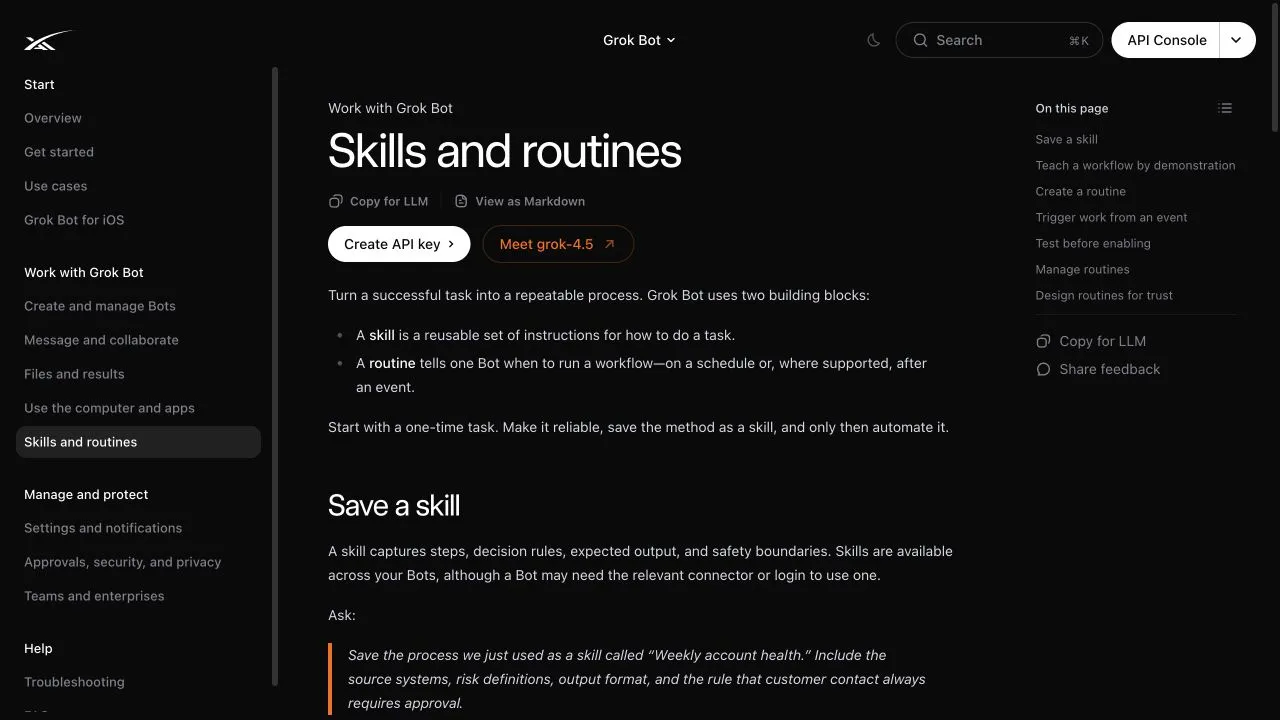
Source: xAI’s official skills and routines guide, captured August 12, 2026.
What the source video proves, and what it does not
The Alex Finn video gives us useful workflow ideas:
- At 04:53, the presenter shows Bots exchanging context and discusses content reuse.
- At 06:24, he discusses routines and a weekly video-to-newsletter example.
- At 03:30, he proposes giving a Bot access to a video-editing service.
The video does not show a completed video edit or a measured multi-run content pipeline. Its auto-captions also contain unreliable names and model-version text. Use the video as the subject and a source of product observations. Use current official documentation for product facts.
Pick a narrow first deliverable
Do not start with “run my content business.” Choose one output with a clear reader and format:
Turn one approved video transcript into a 1,500-word beginner guide. Check product claims against official documentation. Link every time-sensitive claim. Return a draft and a list of unresolved questions. Do not publish.
This gives the system a finish line. It also makes testing possible because you can compare two runs against the same requirements.
Use three roles, not a crowd
Create three Bots only if each has a stable job. All Bots share one computer, so this is an editorial separation of duties, not a security boundary.
Source researcher
Profile description:
Build source packs for beginner articles. Start from supplied transcripts and official primary sources. Preserve timestamps and direct links. Separate documented product facts, presenter observations, and unresolved claims. Never draft the article or invent a missing detail.
First message:
Build a source pack for this video. Include: a timestamped outline, official documentation links, a claim ledger, contradictions, missing evidence, and five questions the writer must answer. Prefer official product docs, policies, changelogs, and repositories. Quote only short phrases when exact wording matters.
Beginner writer
Profile description:
Write practical lessons for first-time users. Explain unfamiliar terms on first use. Use the approved source pack. Keep claims inside the evidence. Include an exercise, expected result, troubleshooting, and next step. Never publish.
First message:
Draft the lesson from the approved source pack. Lead with what the reader will achieve. Use plain language and short paragraphs. Label video-only observations. Put a source link beside every current feature, availability, pricing, privacy, or security claim. End with a hands-on exercise and checklist.
Evidence reviewer
Profile description:
Review drafts against their source packs. Flag unsupported claims, stale product details, broken links, missing caveats, invented quotes, and steps that a beginner cannot follow. Do not rewrite silently. Return blocking issues first, then optional edits.
First message:
Check this draft line by line against the source pack. For each factual claim, mark verified, attributed observation, inference, or unsupported. Verify links. List only blocking issues first. Do not approve publication while any unsupported claim remains.
Build the source pack
The source researcher should return five artifacts.
1. Timestamped transcript map
Summarize sections instead of copying a full third-party transcript. Include timestamp links to the video. Correct obvious caption errors only when another source establishes the correct name.
2. Claim ledger
Use a table like this:
| Claim | Evidence type | Source | Status |
|---|---|---|---|
| Bots use one shared computer | Official documentation | Grok Bot overview | Verified |
| Mobile has complete desktop parity | Presenter’s opinion | Video at 07:37 | Overstated by current mobile docs |
| Grok Bot completed a video edit | None in the source video | Video discussion only | Unsupported |
The second row is the kind of contradiction that makes the article useful. The official iOS guide documents several desktop-only controls, so “complete parity” should not appear as a product fact.
3. Official-source notes
Save the page title, URL, relevant section, and retrieval date. A screenshot is useful for a dated interface walkthrough, but the live page remains the citation readers should open.
4. Open questions
Examples include:
- Which plans currently have access in the reader’s region?
- Does the target website permit automated access?
- What happens to a specific artifact after account deletion?
- Did a workflow succeed more than once with different inputs?
Do not turn an unanswered question into a confident paragraph.
5. Media ledger
Record the source URL, capture date, what the image shows, and whether it is official documentation, a truthful product capture, or supplied media. Never fabricate a product screen to fill a visual gap.
Run the workflow in a visible group
Create a group containing the three Bots. Kick it off with clear ownership:
@Researcher build the source pack for the attached video and current official docs. @Writer wait for my approval of the source pack, then draft the lesson. @Reviewer wait for the draft, then check it against the pack. Nobody may publish, send email, or modify the CMS.
Approve the source pack yourself before the writer starts. This catches a bad research direction before it becomes 2,000 polished words.
According to the official collaboration guide, Bots can message one another asynchronously and visible group handoffs can preserve who owns each stage. Keep attachments in mind: Bot-to-group handoff messages are currently text-only, so send an image directly to the Bot that must inspect it.
Turn the successful process into a skill
After one complete manual run, ask the researcher or coordinator Bot:
Save the process we just used as a skill called Source-linked video lesson. Include required inputs, source priority, claim ledger format, timestamp handling, image provenance, review gates, failure handling, and the rule that publication always requires a person.
Review the generated skill. The official skills and routines guide calls a learned skill a draft. Add rules that one demonstration could not reveal:
- Stop if the transcript is unavailable.
- Label captions as automated when appropriate.
- Prefer official sources for current product claims.
- Do not quote more than needed.
- Do not invent a screenshot.
- Return an unresolved-claims list.
- Require human approval before publication.
Teach-by-demonstration records visible computer interaction for up to ten minutes and does not record microphone audio. Avoid showing secrets. Use a written skill when the research process is mostly judgment rather than repeatable clicking.
Add a routine only after two clean runs
A routine can run while your laptop is closed. That convenience makes failure handling more important.
Use a routine for preparation:
Every Monday at 9:00 AM Hong Kong time, check the approved video queue. For the oldest unprocessed item, build a timestamped source pack and claim ledger using the Source-linked video lesson skill. Post the result in this conversation. Do not draft, publish, send, or modify the CMS. If the transcript or official sources are unavailable, report the failure and stop.
Confirm the owning Bot, schedule, time zone, input queue, output location, approval boundary, and no-data behavior. Use Test run with safe inputs. A test run performs real work, so it can still navigate sites, change files, or call tools.
Quality gate for every article
The reviewer should block publication unless all items pass:
- The title matches the actual lesson.
- The opening tells a beginner what they will accomplish.
- Current product claims link to primary sources.
- Presenter opinions are attributed to the video.
- Auto-caption errors are not repeated as facts.
- Every quoted phrase is accurate and short.
- Screenshots come from official or truthful captured material.
- Image captions name the source and capture date.
- The exercise uses low-risk test data.
- The expected result is specific enough to check.
- Failure cases tell the reader when to stop.
- No Bot can publish without a human decision.
Measure whether the system helps
Run the workflow on three videos before calling it reliable. Record:
| Measure | Run 1 | Run 2 | Run 3 |
|---|---|---|---|
| Research minutes | |||
| Draft minutes | |||
| Human edit minutes | |||
| Unsupported claims found | |||
| Broken source links | |||
| Required interventions | |||
| Publish-ready after review? |
The useful number is not how quickly a Bot produced text. It is how much reviewed work reached publishable quality without losing source integrity.
Your course exercise
Use the Alex Finn Grok Bot video as the first test:
- Create the three Bot roles above.
- Give the researcher the video URL and the official Grok Bot documentation index.
- Review its claim ledger. Confirm that it catches the shared-computer correction and mobile limitations.
- Approve the pack, then ask the writer for one beginner lesson.
- Ask the reviewer to classify every claim.
- Fix blocking issues yourself.
- Save the successful process as a skill.
- Run it on a second video before creating any routine.
A successful exercise ends with a sourced draft and an unresolved-questions list. It does not end with an automatically published page.
Sources and next lesson
- Official skills and routines guide
- Official message and collaboration guide
- Official files and results guide
- Official approvals, security, and privacy guide
- Source video routine discussion at 06:24
Next, compare Grok Bot with two self-hosted alternatives in L14: Grok Bot vs Hermes Agent vs OpenClaw.