Decodo Web Scraping · Tutorial 05
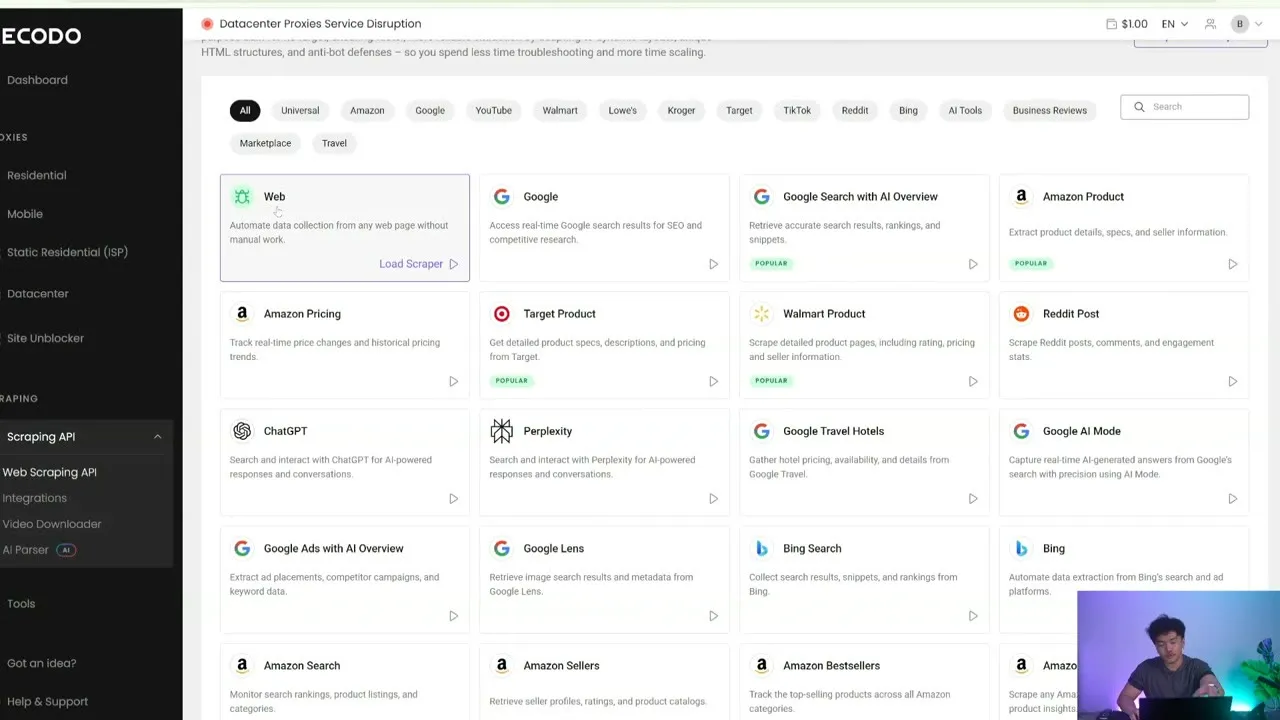
Research search results and AI answers
Collect current Google, Bing, ads, Lens, hotel, ChatGPT, Perplexity, and Google AI Mode evidence without mixing distinct surfaces.
0 of 11 complete
Google Search, Google Ads, Google AI Mode, ChatGPT, Perplexity, Bing, Lens, and Google Travel answer different questions. Never combine them into “what the internet says” without preserving the source surface.
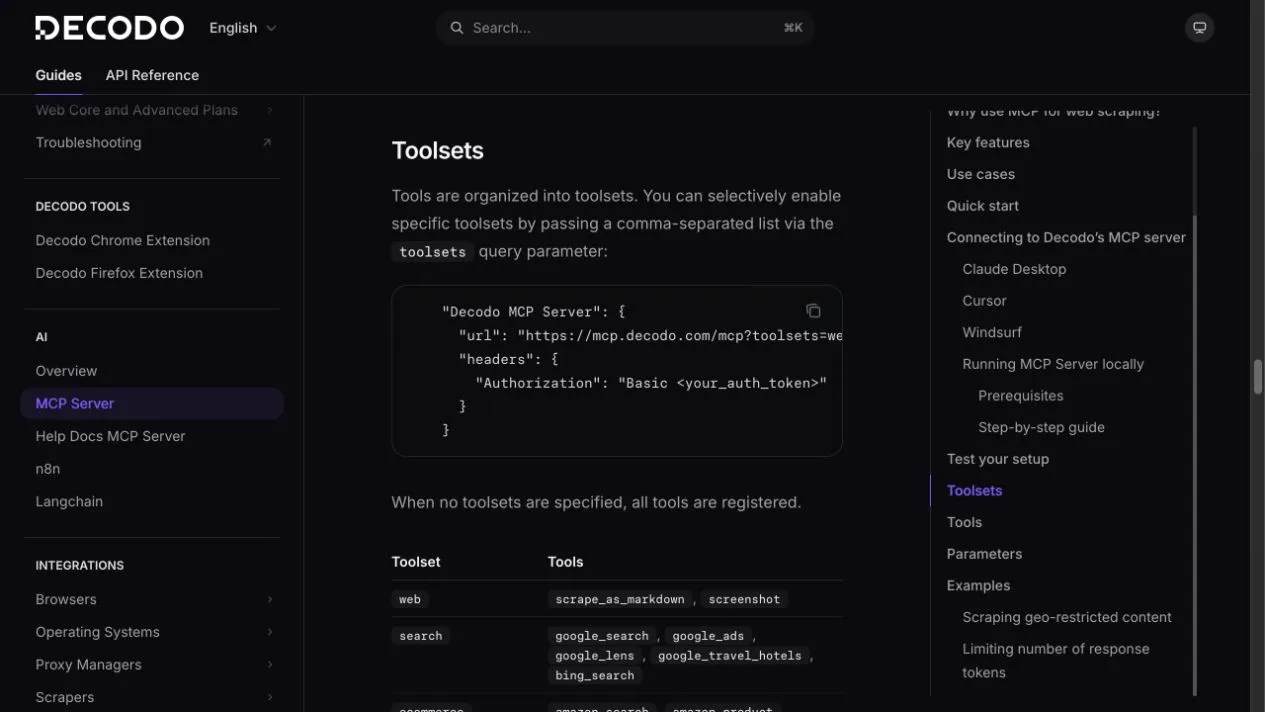
Current Decodo tools
Search toolset
google_searchgoogle_adsgoogle_lensgoogle_travel_hotelsbing_search
AI toolset
chatgptperplexitygoogle_ai_mode
Workflow A: capture a search result page
Use Decodo's google_search tool for “beginner pour over coffee guide”.
Set geo to Hong Kong, locale to en-HK, deviceType to desktop, and pageFrom to 1.
Return the first 10 organic results with position, title, URL, domain, and snippet.
Keep ads and AI answers separate. Use one request.
Review:
- Query is exact.
- Geography, locale, device, and page are recorded.
- Organic positions remain ordered.
- Missing snippets stay empty.
- Collection date/time appears in the report.
Use bing_search with the same fields to compare engines. Do not call one result a universal rank.
Workflow B: inspect ads
Use Decodo's google_ads tool for “project management software”.
Set geo to United States and deviceType to desktop.
Return advertiser/domain, headline, displayed URL, visible offer, and observed position.
Do not infer spend, targeting, or campaign performance.
Use one request.
An ad observation proves presence at one time and setup. It does not prove budget, conversion rate, or long-term rank.
Workflow C: search an image with Lens
google_lens takes a public image URL. Ask for visual matches, source pages, and any shopping results as separate sections. Do not use private photos without permission.
Use google_lens with [PUBLIC IMAGE URL].
Return visually similar results with title, source URL, domain, and result type.
Do not identify private people. Use one request.
Workflow D: compare AI answers
Use the same neutral prompt on each surface:
Question: “What should a beginner check before buying a refurbished laptop?”

Run separately with Decodo's chatgpt, perplexity, and google_ai_mode tools.
For each response record: exact question, answer text, visible citations/links,
search enabled or disabled, geography/locale if supported, and observed time.
Do not merge the answers. Cap the run at 3 Decodo requests.
Then compare:
- recommendations shared by all three;
- claims unique to one answer;
- citations supplied or missing;
- brand or source mentions;
- statements needing independent verification.
AI visibility report template
| Surface | Query | Mentioned? | Position/context | Linked source | Observed at |
|---|---|---|---|---|---|
| ChatGPT | exact prompt | yes/no | sentence or section | URL or none | timestamp |
| Perplexity | exact prompt | yes/no | sentence or section | URL or none | timestamp |
| Google AI Mode | exact prompt | yes/no | sentence or section | URL or none | timestamp |
Do not call one run an “AI ranking.” Answers can vary by time, geography, model, search state, and session.
Prompt discipline
- Name one tool per request.
- Preserve exact query text.
- Set
search: trueonly when you intend ChatGPT web search. - Record
geo,locale, anddeviceTypewhen supported. - Set a request cap before comparisons.
- Cite retrieved links; do not treat model prose as source evidence.