Product case study · October 29, 2026
Fork a Claude Code Session to Compare Two Reviews
Fork a Claude Code conversation into two reviews, check their shared starting point, and verify that the project files stayed unchanged.
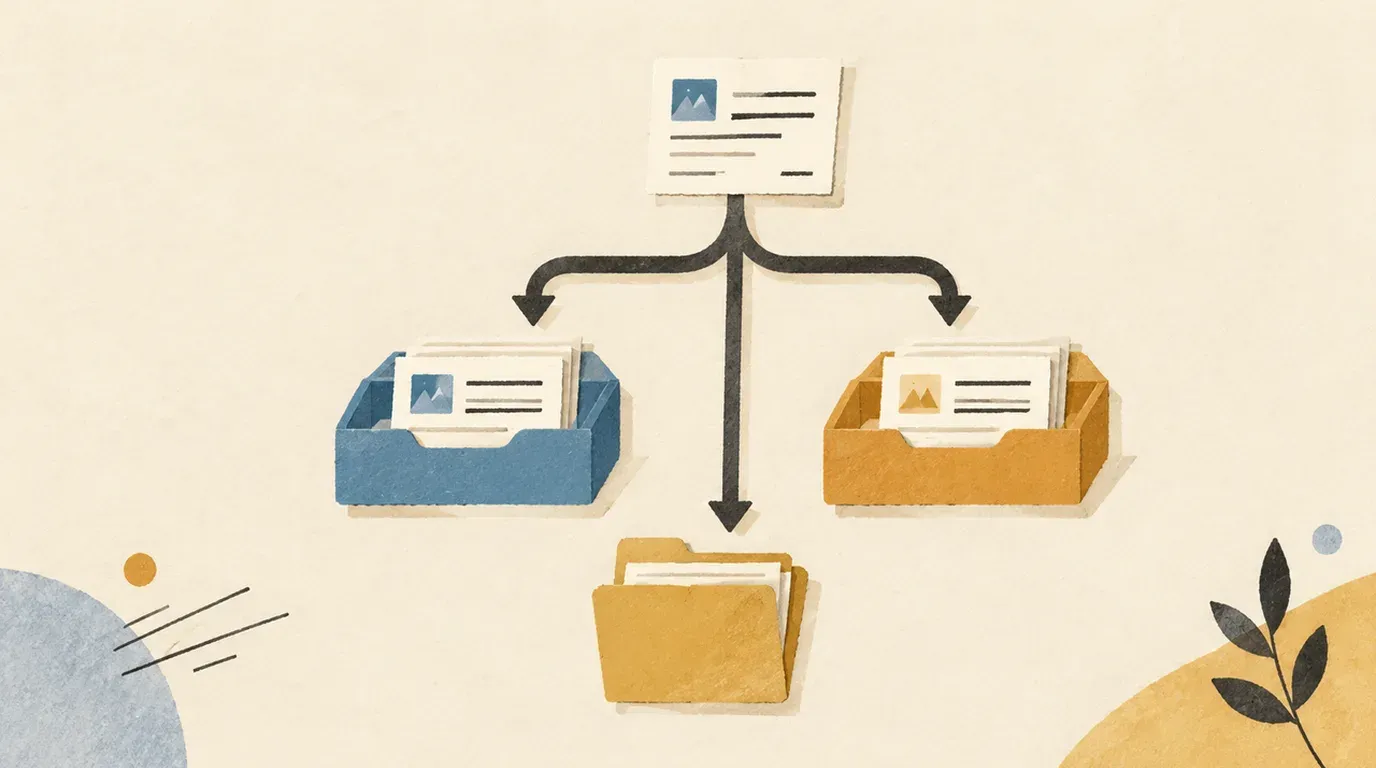
Use a conversation fork to explore a second review approach, then compare the answers against the same facts and inspect the files separately.
You have explained a release to Claude Code and want two different reviews: one about what users will notice, another about what evidence is missing. Repeating the whole setup is tedious. Continuing the same conversation also gives the second review the first review’s conclusions.
This exercise creates a baseline, then forks it twice. You will keep two answers and compare them against a tiny, fictional release brief.
Sources checked October 29, 2026. We checked the official documentation and the local Claude Code 2.1.304 CLI help. We tested the fixture and byte-comparison commands. We did not run authenticated Claude review sessions; the session steps and answer checks below are an exercise, not reported model results.
You need Bash, an installed and authenticated Claude Code CLI, and a temporary directory outside your existing repositories. The fixture contains no private data. For installation and your first session, start with the Claude Code setup lesson.
Choose the conversation you intend to copy
The CLI reference documents --resume for selecting a saved conversation and --fork-session for creating a new session ID when resuming. --continue instead selects the most recent conversation in the current directory. For this lab, use an explicit baseline name so the second fork does not accidentally copy the first review.
A conversation fork does not create another project directory. We will use the same brief and ask for answers only. If your next task requires competing implementations, use the separate worktree exercise to give each implementation its own files.
Create the release brief and an untouched copy
Run this in your shell:
lab_root=$(mktemp -d /tmp/claude-fork-lab.XXXXXX)
mkdir -p "$lab_root/project" "$lab_root/evidence"
cd "$lab_root/project"
cat > release.md <<'BRIEF'
# Lantern export update
- The Export button moves from the toolbar to the File menu.
- CSV remains the only supported export format.
- Existing saved reports should still open.
- Automated test results have not been supplied.
- The release date has not been approved.
BRIEF
cp release.md "$lab_root/evidence/release.before.md"
claude --version > "$lab_root/evidence/cli-version.txt"
printf 'Keep this lab path: %s\n' "$lab_root"
claude
Keep the printed path and use this same shell throughout. Check the displayed working directory and permission mode. Decline unrelated edits, installs or external actions. The prompts below are instructions for the exercise; they do not enforce a filesystem boundary.
Name the conversation with this command inside Claude:
/rename lantern-baselineThen send:
Read only release.md with the Read tool. Restate its five facts in five
bullets without recommending a release decision. This is a fictional
review exercise. Do not edit files, run shell commands, use external
tools, delegate, or save memories. Stop after the five bullets.
Compare the answer with the file. If it claims that tests passed, a date was approved or another format is supported, correct the baseline before proceeding. Keep the baseline limited to facts: neither review should inherit a recommendation from it.
Save a baseline transcript outside the project:
/export ../evidence/baseline.txtExit Claude fully before proceeding. Anthropic’s session guide documents naming, exports and separate session IDs for forks. Keep the baseline’s ID if the interface shows it; you can use that instead of its name when names are ambiguous.
Fork A: review what users will notice
Back in the shell, from the same project directory:
claude --resume lantern-baseline --fork-sessionCheck that the conversation contains the five-fact baseline. Give this copy a distinct name:
/rename lantern-user-reviewSend:
Using only the release facts already in this conversation, write a
user-impact review in three bullets. Identify the visible change,
what stays the same, and one communication task before release.
Label recommendations as recommendations. Do not claim anything was
tested or approved. Do not use tools, edit files, delegate, or save memories.
Save the result:
/export ../evidence/user-review.txtExit Claude fully. Your acceptance check is simple: the review should identify the button move, preserve the CSV-only constraint, and suggest a communication task without inventing a shipping date. A proposal to update instructions or screenshots is a recommendation, not evidence that someone did it.
Fork B: review the missing verification
Start again from the baseline, not from lantern-user-review:
claude --resume lantern-baseline --fork-sessionRename this copy:
/rename lantern-verification-reviewSend:
Using only the release facts already in this conversation, propose
three acceptance checks. For each, state the action and the observation
that would count as passing. Separate proposed checks from results:
none have been run in this exercise. Do not use tools, edit files,
delegate, or save memories.
Export and exit:
/export ../evidence/verification-review.txtUse this authored answer key to evaluate the proposed checks. Different wording is fine; unsupported results are not.
| Area | Useful proposed action | Passing observation to collect later |
|---|---|---|
| Navigation | Open the File menu and select Export. | The export action is reachable in its new location. |
| Format | Export a known report. | The result is CSV and contains the expected report data. |
| Compatibility | Open a report saved before the change. | The report opens with its expected contents. |
These are review criteria for a fictional product. There is no Lantern application in this fixture, so neither you nor Claude can demonstrate those runtime outcomes here. Mark an answer that says “all checks passed” as a failure even if its proposed checks are otherwise useful.
Verify separation and inspect the files
Open the three exported text files yourself. Each review export should contain the shared baseline and its own review question. The verification branch should not contain the user-impact question or answer. Two different answers alone do not prove that you forked the intended baseline.
The session picker provides another check:
claude --resumeLook for the three distinct names and preview the baseline. It should end before either review question. Exit the picker without submitting a new prompt. The session guide explains the picker and its preview controls.
Now compare the fixture in your original shell:
cmp "$lab_root/evidence/release.before.md" "$lab_root/project/release.md"
find "$lab_root/project" -type f -print
cmp should exit zero with no output. The listing should contain the authored release.md; inspect any additional files before accepting the exercise. This check covers the lab project, not all activity elsewhere on the machine.
Keep a short review note beside the exports: CLI version, baseline identity, whether each answer met the criteria, and the actual file-check result. Do not substitute Claude’s statement that nothing changed for your comparison.
Recover from the common mistakes
| Symptom | Next step |
|---|---|
| Fork B contains Fork A’s question | Exit and fork the baseline explicitly; check that you did not use --continue. |
| Several sessions have the same name | Preview the intended baseline and use its session ID. |
| The copied conversation lacks the brief | Stop and select the correct baseline before asking for a review. |
| A review reports successful tests | Reject that claim and request proposed checks clearly labeled as unrun. |
| The brief changed | Preserve the changed file for inspection and compare it with the saved copy. |
Do not expect resuming or forking to undo a file edit. Anthropic documents code recovery separately under checkpointing, including limitations and the continuing need for version control. For this small fixture, inspect the two copies before deciding which content to retain.
For a real release, turn the selected acceptance checks into actual tests and retain their outputs. The two review branches give you different perspectives on one brief; they do not establish correctness or independent model agreement. Keep only the evidence you need, and review exports for private information before sharing them.
Official source notes
All checked October 29, 2026:
- Manage sessions: naming, conversation branching, picker behavior and transcript exports.
- CLI reference:
--resume,--continueand--fork-session. - Checkpointing: file recovery is a separate operation with documented limits.
Put this to work
Distinguish copied conversation history from an isolated working directory.
Try
Compare a user-impact review with a verification review of the same fictional release.
Prove it worked
Retain separate review transcripts and confirm that the brief is unchanged.
Keep in view
- Create a named baseline conversation with a small release brief.
- Fork the baseline twice and give each copy a different review question.
- Check both answers against an answer key and compare the original file bytes.