Hermes Agent Update v0.22 is MASSIVE! (Threshold Release)

Start with a job you already do every week: read project notes, turn them into an update, and prepare an email. Hermes v0.22 makes that a useful first exercise because it brings application connections, simpler local-model setup, and visible background workers into the same workflow. You can test whether the agent reduces the work between an instruction and a reviewable result.
This guide builds that exercise in stages. Start with a connected work account and a draft. Then try a local model on familiar notes, supervise a research worker, and consider a scheduled brief if the manual run is useful. You do not need every feature to complete the first task.
Before you start: choose one account and a familiar task
You need a working Hermes installation, access to the account you want to connect, and a small set of notes whose contents you can check. The local-model exercise also needs sufficient memory and disk space for the selected model. The remote-browser and scheduling sections have additional requirements described below.
The examples originate in the Hermes v0.22 walkthrough. Current instructions were checked against official documentation on October 28, 2026. Prompts below are suggested exercises, not claims that we executed them in your account.
Check history retention before changing the installation
There are two different questions: when to start a fresh conversation, and how long to keep conversations that have ended. A new chat does not answer the retention question.
The v0.22 release enabled automatic cleanup of ended sessions inactive for 90 days, excluding pinned and open sessions. Current documentation says automatic pruning is off by default. Explicit configuration values survive changes to the defaults. An installation upgraded through several releases may therefore behave differently from a fresh install. Check the setting rather than assuming either description applies to your machine. v0.22 release notes, current session documentation.
In a current Hermes chat, inspect the state with:
/autoprune statusIf you want to retain history, use:
/autoprune offThe current command writes the retention preference; it is not a recovery command for already deleted records. The corresponding configuration is sessions.auto_prune: false. Keep this distinct from unrelated checkpoint cleanup settings. Slash-command reference.
Before a maintenance operation, export conversations you need to preserve. The documented shell command is:
hermes sessions export backup.jsonlCheck that the file exists and contains the conversations you intended to keep. An export is only useful if you can locate it later. Current documentation also explains export limits for unusually large sessions. Session export and cleanup.
For an installation that exposes the Hermes CLI, these read-only checks identify the version and preview an update:
hermes --version
hermes update --check
Follow the update route for your installation after reviewing that result. The v0.22 changes included stable releases as the default for source installs, signed desktop packages with a bundled runtime, and validation of a replacement environment before switching. Those mechanisms reduce update failure risk; they do not eliminate the value of retaining your own data. CLI commands, release notes.
Use /new or /reset when you deliberately want a fresh conversation. The release removed routine idle and daily resets, so a chat can remain useful across pauses. That continuity is separate from whether old ended conversations remain available for recall.
Build a work-account email draft
A connector gives Hermes tools for a service. Gmail, Notion, and Linear illustrate three different jobs: prepare a message, read a page, or create an issue. Connecting the service does not specify which job you want or how far the agent should take it.
Open the desktop Connectors page and choose the application involved in your task. Complete its authorization flow using the intended account. If the service has several accounts, give each a clear name such as work or home. Current Hermes supports several accounts for the same connector; there is no default account to silently resolve an ambiguous request. Connector account documentation.
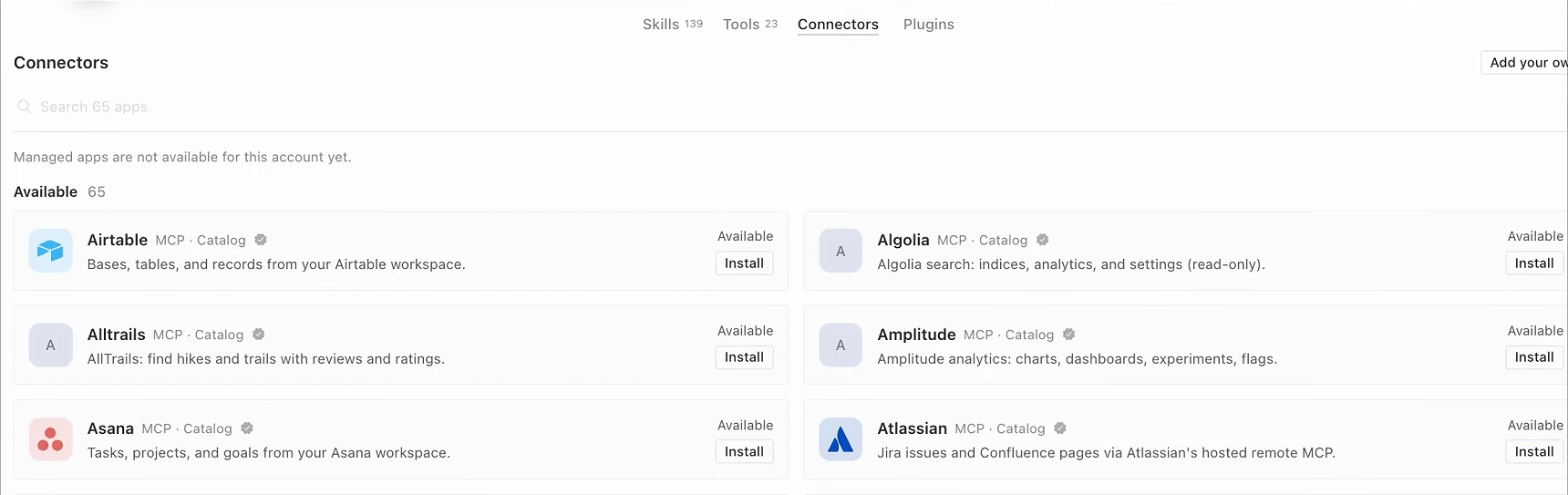
The screenshot is a historical capture, not a successful Gmail authorization. Current documentation also makes managed-connector tools conditional on the account having access to them. If your screen reports that managed apps are unavailable, resolve that availability issue before trying to debug a Gmail prompt. Connection tools reference.
For a shell-based check of your configured accounts, use:
hermes connectors accounts gmailThe current TUI has /connectors for interactive account management; that slash command is TUI-specific. The desktop page and shell command are separate entry points. CLI reference, TUI connector commands.
Now supply a small, concrete assignment. This example deliberately ends at a draft:
Use my Gmail account named work. Prepare a weekly project update for my review.

Use only these notes:
- Website copy approved on Tuesday.
- The signup form is ready for testing.
- The launch date is still undecided.

Create a draft with a clear subject, completed work, next actions, and open questions.
Do not send it. Do not invent an owner or deadline for the signup test.
Tell me which account you used and where I can inspect the draft.
Inspect the result in the destination application. The test passes when the draft exists under the intended account, preserves the three facts, and leaves the undecided date unresolved. A well-written answer in chat is insufficient if your goal was a draft in Gmail.
If you also connect Notion, name the exact page to read. If you connect Linear, specify the team or project and what should become an issue. Those details prevent a convenient connector from turning an underspecified instruction into a change in the wrong place. For the first run, read one page or prepare one issue rather than processing an entire workspace.
Ron identified email as a task he had been giving Grok Bot and wanted to try in Hermes. That explains the practical attraction of connectors; the source does not establish that Hermes beats Grok Bot on email quality or execution time. Compare your own reviewed result with the effort your existing process takes. Source example at 0:35.
Test a local model on material you know
Local inference changes where the model runs. It does not make every tool local. A notes summary can stay within a local workflow; a Gmail operation or web search still communicates with an external service.
The current desktop setup path is:
- Open Settings → Providers → Local Models.
- Install the offered runtime if it is not installed.
- Choose a model appropriate to the hardware guidance and download it.
- Select Use, then start a new chat for the test.
The CLI offers the same entry through hermes model and its local-model choice. Hermes manages a pinned llama.cpp runtime and model downloads, reducing the manual setup burden. Official local-model guide.
Use a familiar page of notes before assigning a complex research task:
Summarize the attached notes into decisions, unresolved questions, and next actions.
Use only the notes. Do not browse or use connected applications.
Keep uncertain dates uncertain and flag conflicting statements.
Run the same assignment with the model you normally use. Compare whether each result retained the decisions, missed an exception, invented a deadline, or needed rewriting. Note how long you waited and whether the computer remained comfortable to use. You are choosing a model for this job, so a smaller model that handles the notes well may be sufficient even if it is less capable elsewhere.
If the model cannot load or the computer struggles, revisit the hardware recommendation and try a smaller model. If it runs but loses key facts, make the input easier to inspect, reduce the task, or use your usual provider for that work. A small laptop and a workstation do not become equivalent because both offer a Download button. The source provides no model benchmark or guaranteed speedup. Recorded local-model exercise at 1:29.
New desktop users also received guided onboarding and a limited trial model in v0.22. The release restricts that welcome flow to eligible first-time desktop use; it is not unlimited free inference for every installation or a promise that CLI and gateway workloads use a free model. Configure a continuing provider or a suitable local model for continuing work. Trial scope in the release notes.
Supervise a research worker while it can still change direction
Delegation helps when the work can be divided into distinct questions. It also creates another place for an instruction to be misunderstood. Give each worker a useful boundary and inspect its work before combining the answers.
For example, a channel planning exercise could ask for three research directions:
Research three possible history explainers, one worker per topic.
For each topic, return the central question, a short outline, primary-source links,
and anything disputed. Exclude subjects in the attached covered-topics list.
Do not write a finished script or generate video yet.
In the desktop, expand Subagents above the composer and select a worker. The current live viewer exposes activity and details, with Steer for guidance and Stop for interruption. Steering is queued; check subsequent activity to see whether the worker received it. A worker may finish before a late correction takes effect. Delegation and live controls.
Read for relevance, not just motion. A worker collecting sources about the wrong period needs a specific correction:
Focus on the 1890–1910 period. Exclude later retellings unless you can identify
what contemporary evidence they cite. Return unresolved claims separately.
If that research direction is no longer needed, stop that worker. Inspect any partial result before using it. A timer tells you how long work has been running; the transcript tells you whether it is answering the question.
The three-topic example in the source is intended to reduce wasted work and tokens by catching mistakes early. It contains no measured savings. The useful habit is to intervene on evidence of a problem instead of waiting for a polished but irrelevant final response. Source at 4:40.
Make a daily research brief repeatable
Once a manual brief is useful, decide whether it deserves a schedule. The source’s Lord Yapper workflow researches potential animated history explainers, checks what the channel has already covered, and prepares an outline, titles, description, and supporting links. Delivery at 9:00 each morning gives the operator a consistent review point.
Prepare a short project brief containing the channel’s niche, style, covered topics, and destination for the result. Then request a manual trial:
Prepare tomorrow's research brief for this channel using the attached project brief.
Propose three stories we have not covered. For each, include the angle, evidence
links, disputed details, a short outline, two title options, and a description.
Finish with the questions I should resolve before approving a story.
Do not publish, schedule posts, or start video generation.
Reject weak source links and repeated topics now. A schedule would repeat those weaknesses more consistently, not fix them.
After the output is useful, ask Hermes to schedule that same brief daily at 9:00, specifying your time zone and Telegram destination. Have it show the stored schedule and delivery target for inspection. Current Hermes supports natural-language scheduling; hermes cron list and hermes cron status inspect jobs and scheduler health. The scheduler needs a running gateway or another documented ticking path. Merely creating a job does not prove future execution or delivery. Scheduled tasks documentation.
Check a real scheduled delivery before depending on the routine. Confirm that the brief used the intended project context and arrived in the intended conversation. Keep the production handoff explicit: approve the research first, then prepare the Higgsfield prompt for the selected story.
The hosting example is sponsored. Ron uses a Hostinger VPS so this workflow can continue while his own computer is off. A separate machine also keeps the job away from personal files that have not been copied or exposed to it. That separation does not itself establish a security boundary for every connected account. His cost comparison with buying a Mac mini is personal rationale, not a total-cost study.
The recording mentions KVM 2, a 24-month checkout, and BOXMINING10 for a 10% discount. Those are historical promotional details, not a current quote. The workflow does not require buying that particular plan. For the site’s deployment walkthrough, see the Hermes VPS setup guide. Sponsored source segment at 2:55.
Troubleshoot login interruptions without exposing passwords
Connectors, a password vault, and a remote screen solve different problems. A connector provides application actions. A vault fills a saved browser login. A remote screen lets you complete an interactive step that still needs you.
Current Hermes can use its local vault or an installed, signed-in 1Password or Bitwarden CLI. Existing-manager logins become available without a separate enable switch. Use the supported masked unlock flow instead of pasting a master password into chat. A device approval or hardware key still requires the person who controls it. Passwords and logins.
For a headless Linux gateway, Bot Screen streams the bot’s desktop into Hermes Desktop. It requires the desktop components and computer-use support on that host. The Screen pane reports missing prerequisites; use its documented installation route for that machine. Take control when the task reaches a login or two-factor step, complete it, then hand control back. Confirm the agent resumes the intended page. Bot Screen requirements and controls.
The screen is a work surface, not an independent security boundary between bots sharing the same host user. Nor does a takeover bypass site permissions or authentication. If the browser remains stuck, identify whether it needs a saved password, an approval on your device, or access the account does not have; repeating the original task prompt will not resolve all three.
Decide what to keep after the first run
The release also advertised a 600-plugin catalog, broader provider support, and clearer subscription limits in the model picker. The count belongs to that release. Plugins can combine tools with instructions, but a large catalog is not a reason to enable everything. Choose the one that completes a missing part of your task. Release scope.
Return to the weekly update. Can you find the correct draft, verify its facts, and finish it with less effort? Keep the connector if that handoff works. Keep the local model if it handles the notes adequately. Add supervision when delegated research needs correction, and a schedule when you have a result worth repeating. Assess each change against the work it saves you.