Ox Alpha is Z.ai's Answer to Fable 5 (Super SMART)

A coding model that stops repeating a failed approach can save more time than a model that writes a faster first answer. Ox Alpha’s strongest signal was that kind of repair behavior: it recognized a problem in a Three.js build and tried another calculation. Test whether that behavior survives a task you can reproduce and score.
The anonymous preview has since been identified. OpenRouter now names Ox Alpha as ZAI GLM-5.3-Flash. The August 25 source review predates that reveal, so its maker speculation and free-preview recommendation are historical. Do not configure an old free model ID on the assumption that the offer still exists. Check the current model listing and route before starting a comparison.
This guide separates the recorded results from a proposed evaluation you can run. It does not claim that we reran the benchmark or reproduced the external bug test for this update. Provider identity and the OpenCode commands below were checked against official documentation on October 28, 2026.
Start with the result you want to measure
For a first comparison, choose one coding task with an observable finish line. A repair task is often easier to score than “make this website beautiful.” You can show that a bug occurs, require a small fix, and verify that the failure no longer occurs without breaking nearby behavior.
A visual project can also work, but define the expected output before running either model. For a Three.js scene, that might include specified geometry, working camera controls, a clean startup, and screenshots from agreed viewpoints. The exact criteria depend on your project. A successful page load alone says little about whether the scene meets the brief.
The source result was a Helm’s Deep 3D build in OpenCode. Ron reported that Ox Alpha noticed a rendering inconsistency and changed its calculation approach rather than repeating the same failed method. He contrasted this with other runs that needed several retries or human intervention. That is an observation about a particular session, not a universal property of the model. See the repair example at 1:02.
Write down what would count as successful recovery in your own task: the agent identifies a failed assumption, changes the relevant implementation, and verifies the result. A confident explanation without a successful repair does not meet that condition.
Keep the model, harness, and provider distinct
The model produces responses. OpenCode is the coding harness that supplies tools and manages the session. A provider route handles requests, availability, pricing, and data terms. Changing all three at once makes a result difficult to interpret.
Ox Alpha ran through OpenCode during the recorded preview. A run today with GLM-5.3-Flash through another gateway may differ in configuration and service conditions. The later identity reveal does not establish that every current endpoint reproduces the exact preview checkpoint.
Before testing, record these details:
| Record | Why it matters |
|---|---|
| Date, provider, and exact model identifier | A public name can outlive the route or checkpoint used in a test |
| OpenCode version and selected agent | Tool behavior and permissions affect how the model works |
| Reasoning variant or budget, if configured | Different settings can change latency and output length |
| Starting repository revision | Both models need the same starting problem |
| Prompt and permitted tools | Extra context or different permissions can change the difficulty |
| Acceptance checks | You need a stable definition of completion |
Keep the first repository public or disposable. During the anonymous preview, Ron withheld the channel’s private benchmark repository and GitHub authorization. That decision also limited the breadth of the results: the source covers one Helm’s Deep build, not a completed suite of private benchmark tasks. See the test boundary at 3:38.
OpenRouter’s retrospective listing says the preview provider retained prompts and completions and did not use them for training. Retention and training are different terms. Review the current route’s terms before sending private material; knowing the lab’s name does not answer every data-handling question.
Before you start: select a current route in OpenCode
Use an installed OpenCode release and a provider account you intend to test. Confirm the provider’s current price and usage limits before connecting it. The procedure below selects an available model; it does not revive the old Ox Alpha free offer.
- Open OpenCode in your disposable test project.
- Run
/connect, choose your provider, and enter its credentials locally. - Run
/modelsand select the intended current model. - Check the selected model and provider shown in the session before sending the task.
- Send a small request to identify the project and relevant files. Confirm the request appears under the intended route in your provider’s usage records.
These commands are documented in OpenCode’s model configuration guide. If the model is absent, check the current catalog and account access. Do not silently substitute another model and keep labeling the run “Ox Alpha.” For the revealed model, start from OpenRouter’s GLM-5.3-Flash listing or the provider you actually plan to use.
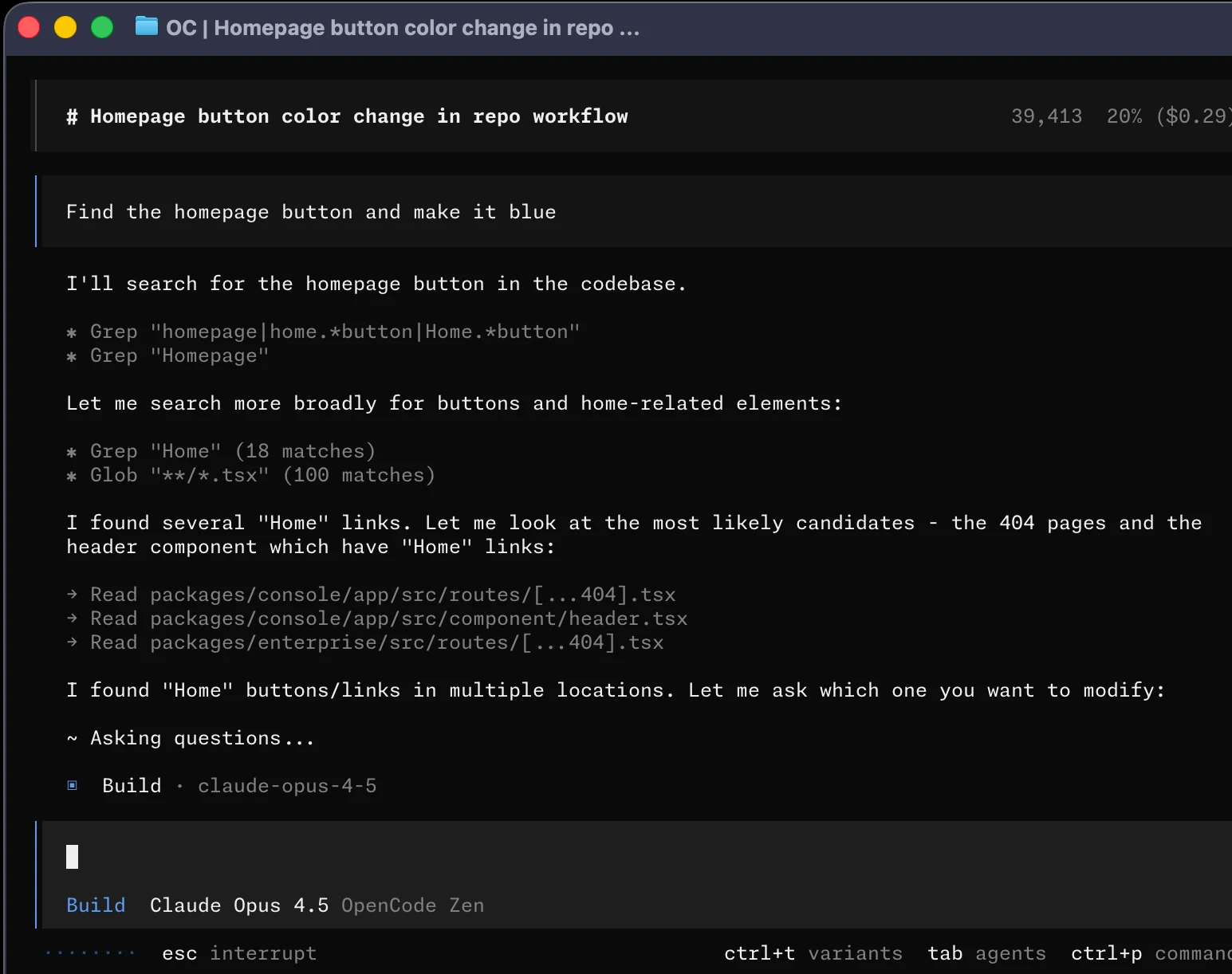
The screenshot also shows why “the agent was thinking” is too vague to diagnose a slow run. Searching files, waiting on a model response, asking a clarification, and running a test are different activities. Preserve enough of the session to tell them apart.
Give both models the same bounded job
Prepare two independent copies of the same starting project. Confirm each reproduces the original problem before asking for a fix. Do not hand the second model a repository containing the first model’s edits or a conversation explaining its solution.
The following is an evaluation prompt, not a transcript quote:
Read the repository instructions and reproduce the reported failure.
Explain the likely cause briefly, then make the smallest relevant fix.
Do not change unrelated behavior or weaken the acceptance checks.
Run the relevant verification and report any check you could not run.
If an approach fails, explain what new evidence changes your next attempt.
Finish with the changed files and the verification results.
Attach the actual bug report and acceptance criteria. A prompt cannot compensate for a missing reproduction. If the task depends on an unavailable service or fixture, resolve that before comparing models or mark the run as blocked by the environment.
Use the same stopping rule for both sessions. For example, permit one initial attempt and a fixed opportunity to repair a failed check. If you keep helping one model until it passes while stopping the other after one error, the final token totals no longer describe equal work.
Record any human intervention verbatim. Telling an agent where the bug lives is assistance; pointing out that an agreed check still fails is a different kind of feedback. Both can be useful, but they should not disappear from the comparison.
Inspect whether retries make progress
A retry is productive when it responds to new evidence. Suppose the first rendering attempt produces incorrect geometry. A second attempt that makes progress might inspect the relevant calculation, identify the coordinate assumption that failed, and change that calculation. Repeating the same edit after restating the same diagnosis is weaker behavior.
Use OpenCode’s /details command to inspect tool execution and /thinking to show supported reasoning blocks. The latter changes visibility, not whether the model reasons. You can use /export to preserve the conversation. These are current OpenCode TUI commands; they are added documentation context rather than steps demonstrated in the source review.
Review the sequence of actions, not just the apparent eloquence of the reasoning. A model can explain a sensible alternative and still fail to implement it. Conversely, a concise session may contain enough tool evidence to show a successful repair without a long explanation.
The source’s external comparison is narrower than a model ranking. Ron cites a Cline report about one repository bug where both Ox Alpha and Fable 5 fixed the issue, while Ox Alpha reportedly used roughly one-third as many output tokens. The reported contrast was repeated diagnosis before editing versus acting after identifying the cause. This article treats that as a report cited by the source, not an independently rerun benchmark. See the Cline comparison at 2:20.
Compare equal outcomes before comparing token totals
Ron reported approximately 200,000 tokens for the Ox Alpha Helm’s Deep build and said other channel runs often used 1.2 million or more. Those figures are worth investigating. They do not establish a sixfold efficiency advantage because the source does not provide matched conditions, repeated trials, equivalent output quality, or a complete accounting of each token category. See the token discussion at 3:14.
Keep the two observations separate. The Cline comparison concerns output tokens on one bug. The channel’s approximately 200,000 figure describes a project run without a full category breakdown. Combining them into one precise performance multiplier would imply evidence the source does not supply.
For your own runs, use a table like this:
| Measurement | Model A | Model B |
|---|---|---|
| Acceptance checks passed | Record actual results | Record actual results |
| Unrelated or unacceptable edits | Record review findings | Record review findings |
| Input, output, and cached tokens | Copy provider categories | Copy provider categories |
| Tool failures and repeated attempts | Count from the session | Count from the session |
| Elapsed time | Measure the whole task | Measure the whole task |
| Human correction time | Include your work | Include your work |
| Billed cost | Use the actual route | Use the actual route |
Lower output tokens can help, but a cheap failed run still leaves you with the original bug. Compare token use among acceptable results, and report failures separately rather than deleting them from the average. If one model needs extensive human repair, include that effort when deciding which one to use again.
Troubleshooting latency and incomplete runs
The recorded experience combined slow thinking or loading with smooth tool use. Ron attributed some delay to heavy demand during the free preview, but the source does not isolate queue time from model computation. Report that as a possible explanation, not a measured cause.
During a new test, note when delays happen. A long wait before the first response may involve the provider. A slow build or render can come from the local environment. Repeated tool errors can reflect permissions or integration problems. Preserve those distinctions so a temporary service issue does not become a permanent claim about model intelligence.
If latency is erratic, repeat the same frozen task at another time and retain both results. Do not keep only the fast run. A model that is efficient when available but regularly leaves work waiting may still be a poor fit for a deadline-driven workflow.
Test improvement without claiming continuous learning
Reports of better output on later days led to speculation about continuous learning, adaptive layers, and a possible connection to Safe Superintelligence. The source provides no training report or controlled experiment establishing those mechanisms. Ron favored a silent checkpoint update or model swap as a more ordinary explanation. See the discussion at 4:25 and the checkpoint explanation at 5:40.
You can investigate changing quality without knowing the training architecture. Save the exact starting revision, prompt, settings, tools, and checks, then repeat the task on different dates. Record the route each time and keep unsuccessful runs. A higher pass rate across comparable trials supports a claim that observed performance changed. It does not, by itself, explain why.
The later ZAI identity reveal settles the maker question that was open during the preview. It does not prove online learning, identify every checkpoint served under the old name, or validate every early theory about the architecture.
Choose your next model from the accepted diff, verification results, retries, elapsed time, and cost. Include your own correction effort. The cost-efficient model lesson expands that comparison beyond the token price on a provider page.