Hermes Agent · Tutorial 23
Build Your First Safe Automation with /blueprint
Start from a guided Hermes automation template, review every filled slot, and keep suggested schedules behind an approval decision.

0 of 1 complete
Reference guide · Read when needed · View the route
Last tested and updated: August 25, 2026, with Hermes Agent v0.20.5. Run /version first.
Cron is powerful, but a blank scheduler asks beginners to invent the prompt, timing, source rules, destination, and safety limits at once. /blueprint starts with a guided template. /suggestions keeps Hermes’ automation ideas in a pending inbox until you decide.
Browse the blueprint catalog
/blueprintStable v0.20.5 includes templates such as:
- morning brief, workday start, and evening wind-down;
- important mail, news digest, and weekly review;
- bills and renewals, price watch, and competitor watch;
- habits, hydration, meal planning, daily learning, and gratitude;
- custom reminders and “on this day.”
Open a specific template:
/blueprint morning-briefHermes asks for the template’s slots—usually schedule, timezone, sources, topics, delivery, or limits—then creates an ordinary cron job. Some blueprints need configured accounts or messaging destinations; a template does not bypass setup or permissions.
A safe first blueprint
Choose a read-only morning brief and fill the slots conservatively:
Schedule: weekdays at 8:30am Asia/Hong_Kong
Sources: my five bookmarked official sites
Topics: AI agent releases and practical tutorials
Output: five items, each with date, direct source link, and one-sentence relevance
Delivery: my private Telegram chat
Boundaries: do not sign in, post, reply, purchase, or change files
Before enabling it, inspect the generated schedule. Confirm the timezone, exact source list, delivery target, model, tools, and stop conditions. Run it manually once if the surface provides a test action.
/suggestions: automation ideas with consent
Hermes can surface repeated-work ideas without silently scheduling them:
/suggestions
/suggestions accept 1
/suggestions dismiss 2
/suggestions clear
Accepting a suggestion creates a cron job. Dismissing records the rejection so the same idea is not repeatedly pushed at you. The important design boundary is that a suggestion remains pending until you approve it.
Use this inbox to ask three questions:
- Does the task genuinely repeat on a clock?
- Can its inputs and successful output be checked?
- Is it safe to run unattended with these tools and this destination?
If any answer is unclear, dismiss the suggestion or rewrite it as a manual skill first.
Why users care
Nous Research introduced automation blueprints as clickable, fillable, and conversational templates. That is an official product explanation, not independent proof that every template suits every account.
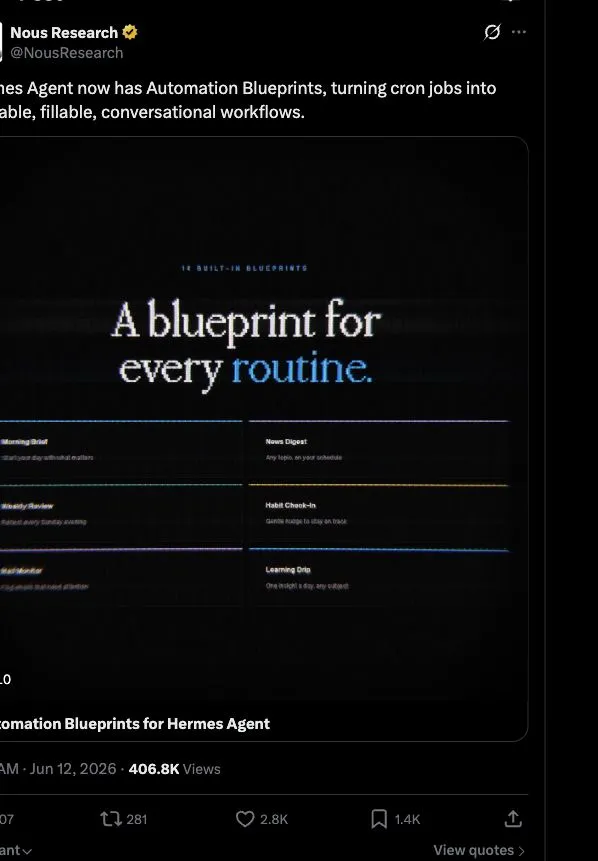
The most credible everyday rationale is friction reduction: a template reminds you to specify what a blank prompt easily omits. AI Edge’s one-workflow-per-week approach is a good pace—test, review, then expand.
The stable cron implementation and command reference are the source of truth for current command availability.
How to know it worked
- The filled blueprint produces a normal, inspectable cron job.
- A manual test returns the expected sourced format.
- The job runs in the intended timezone through the gateway.
- Delivery reaches the correct private destination.
/suggestionsnever schedules work until you accept it.
Frequently asked questions
Is a blueprint different from cron?
It is a guided way to create a normal cron job.
Does every blueprint work immediately?
No. Some require connected accounts, a gateway, delivery setup, or source credentials.
Can Hermes schedule a suggestion without me?
Suggestions remain pending until accepted.
What happens when I dismiss one?
The rejection is latched so the same suggestion should not keep returning.
Should my first automation send email?
No. Begin with a read-only private brief and review several runs before adding external actions.
What if I want a workflow on demand, not on a clock?
Create a skill with /learn and invoke it manually instead of scheduling it.
How many automations should I add at once?
One is enough. Measure its reliability, relevance, cost, and interruption rate before adding another.