Grok Bot · Tutorial 08
Let Grok Bots Hand Work to Each Other
Use direct handoffs and group chats so Bots can share context without making you copy notes between every stage.

0 of 1 complete
Reference guide · Read when needed · View the route
Last tested and updated: August 12, 2026
Grok Bots can message each other, pass context, and hand off ownership. The useful part is not that two AIs can chat. It is that the handoff can continue asynchronously while you can still see what was asked and what came back.
Good handoffs have one owner, one deliverable, and one clear next step. Bad handoffs say “work together on this” and leave every Bot free to duplicate the same job.
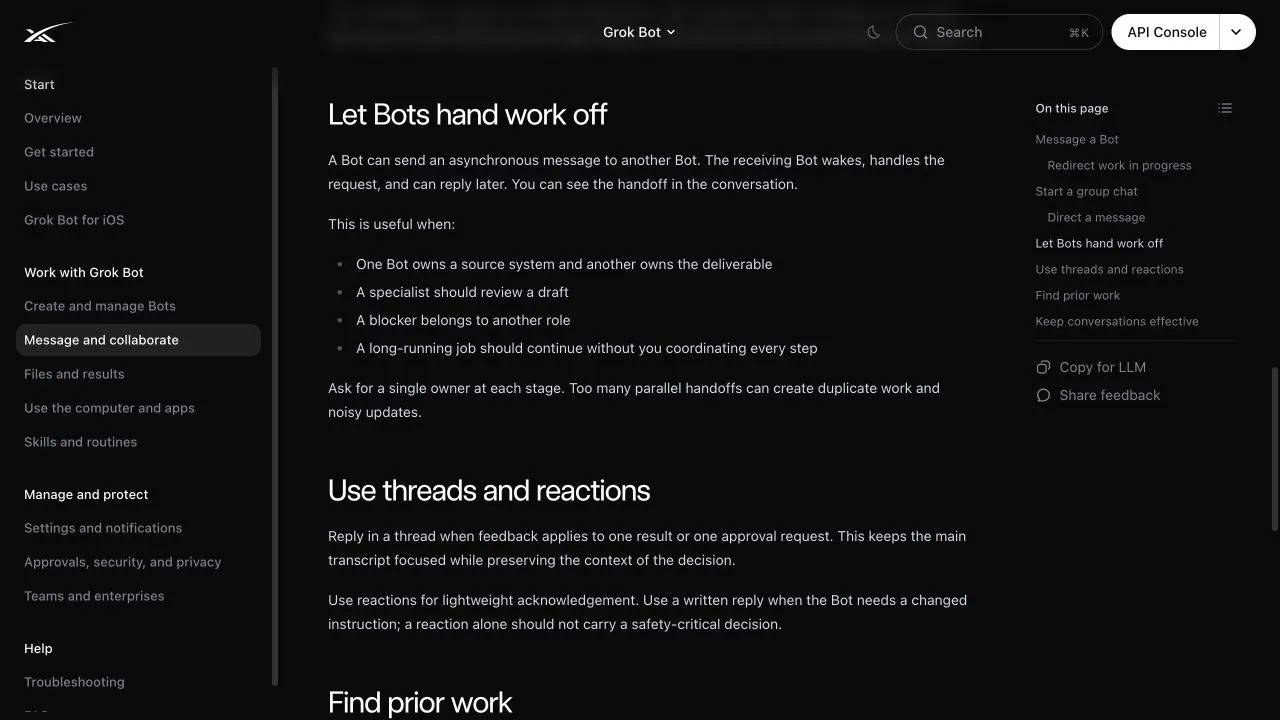
Official documentation captured from SpaceXAI’s Message and collaborate guide on August 12, 2026. This is a public documentation page.
Three ways Bots share work
Direct message
One Bot sends an asynchronous request to another. The receiving Bot wakes, handles the request, and can reply later. Use this when a specialist owns a source system or review step.
Group chat
A group holds two to six Bots around one shared outcome. Everyone can see the same conversation and handoffs. Use a group when the coordination itself needs to stay visible.
Shared files
All Bots on your account share /workspace on one persistent cloud computer. A Bot can save a durable file for another Bot to continue. Use clear project folders and filenames because the shared workspace can become confusing quickly.
Each method transfers context differently. A message carries instructions and a summary. A group preserves the discussion. A file carries the actual artifact. Reliable workflows often use a short message that points to a named file.
The handoff packet
Include these fields whenever one Bot passes work to another:
Owner: Which Bot owns the next stage?
Objective: What must be true when the stage is done?
Inputs: Which files, links, or source systems should it use?
Deliverable: What should it return, and where?
Constraints: What must it avoid or preserve?
Approval: Which action still belongs to the human?
Example:
@Writer, use
/workspace/course-research/grok-routines.mdto draft the beginner lesson. Preserve every source link and every uncertainty label. Save the draft to/workspace/course-drafts/grok-routines.md. Do not research new claims and do not publish. Reply here with the file path and any evidence gaps.
That is easier to verify than “Writer, take it from here.”
Start a group chat
- Choose New in the sidebar.
- Select two to six Bots.
- Open the group and give it a clear name.
- Describe the shared outcome.
- Assign the first stage to one Bot with
@. - State who owns the next stage.
- Keep the final external action behind your approval.
Write normally when any participating Bot can answer. Mention a specific Bot when one teammate owns the request. Mention multiple Bots only when each has a distinct responsibility. Use @everyone for rare group-wide updates, not routine tasks.
Bot-to-group handoff messages are currently text-only. If another Bot must inspect an image, the sending Bot should message that Bot directly. Human messages in a group can include attachments.
How asynchronous handoffs work
The sending Bot does not need to wait in the foreground. It can ask another Bot for help and continue with other work. The receiving Bot wakes and can respond later.
This is useful when:
- A Researcher owns a source system and a Writer owns the article.
- A Reviewer must check a draft before it moves forward.
- A blocker belongs to an Operations Bot.
- A long task should continue while you are away.
Asynchronous does not mean unaccountable. You should be able to see the request, the response, and the artifact produced.
Keep context clean
Bots have separate roles and conversations, but they share the computer. Use a small handoff file instead of dumping an entire conversation into the next stage.
A good research handoff contains:
- The question being answered
- The sources actually opened
- The evidence found
- Unresolved gaps
- The required output format
- The actions that still need approval
Do not ask a Bot to rely on another Bot’s memory for a consequential decision. Memory can help with stable preferences, but current facts should come from the source system or linked evidence.
Use threads for corrections
Reply in a thread when feedback applies to one result or approval request. This keeps the main group readable and preserves the decision beside the item it changes.
Reactions are fine for acknowledgement. Use a written message when a Bot must change an instruction. A reaction should never carry a safety-critical decision.
Practical exercise: research, draft, review
Use the Researcher, Writer, and Reviewer roles from the previous lesson.
Stage 1: research
Message the Researcher:
Read these two official pages. Save a linked evidence note to
/workspace/handoff-practice/evidence.md. Separate confirmed facts from unanswered questions. Do not draft the lesson.
Stage 2: hand off
Ask the Researcher to message the Writer with a handoff packet. The packet must name the file, outcome, and constraints.
Stage 3: review
Ask the Writer to save its draft, then hand it to the Reviewer. The Reviewer should return only blocking factual problems and missing beginner explanations.
Stage 4: human approval
Read the evidence note, draft, and review. You decide whether the work is ready. No Bot publishes it.
Success criteria
- Each stage has one named owner.
- Every handoff points to a specific file or result.
- The Writer does not invent missing research.
- The Reviewer checks claims against sources.
- The group transcript shows who passed what to whom.
- The workflow ends at a human approval step.
Common failures
| Failure | Why it happens | Fix |
|---|---|---|
| Two Bots produce the same artifact | The request names several Bots without distinct roles | Assign one owner per deliverable |
| The next Bot cannot find the work | The handoff says “the file” without a path | Include the exact /workspace path |
| Old facts survive into the draft | Memory was treated as a source | Reopen the current source and attach evidence |
| The group becomes noisy | Every update mentions every Bot | Mention only the owner of the next stage |
| An image disappears in a group handoff | Bot-to-group handoffs are text-only | Send the image directly to the Bot that must inspect it |
| A Bot keeps working after priorities change | The redirect was vague | Send a direct “Stop now” message, then issue a new scoped request |
A stop message does not undo actions that already happened. Check the source system if the Bot may have sent, edited, or deleted something before it stopped.
What the source video adds
At 04:53, Alex Finn shows one agent asking another for an inventory of repurposed content. He points out that the user can inspect the exchange. His example suggests a practical benefit: a new specialist can ask an established Bot for business context instead of making the owner repeat everything.
That is useful orientation, but the official documentation supplies the rules used in this lesson: two to six Bots per group, asynchronous direct messages, visible handoffs, text-only Bot-to-group messages, and the recommendation to keep a single owner at each stage.