Grok Bot · Tutorial 07
Design a Small Grok Bot Team
Give each Bot a clear job, add specialists only when the handoff is stable, and keep one human approval boundary across the team.

0 of 1 complete
Reference guide · Read when needed · View the route
Last tested and updated: August 12, 2026
Your first Grok Bot team should be smaller than you think. Start with one Bot that owns an outcome from beginning to end. Add a specialist only after you can point to a stable handoff that happens repeatedly.
Making ten Bots on the first day feels organized, but it usually creates ten conversations for you to manage. A three-Bot roster is enough to learn how ownership, review, and handoffs work.
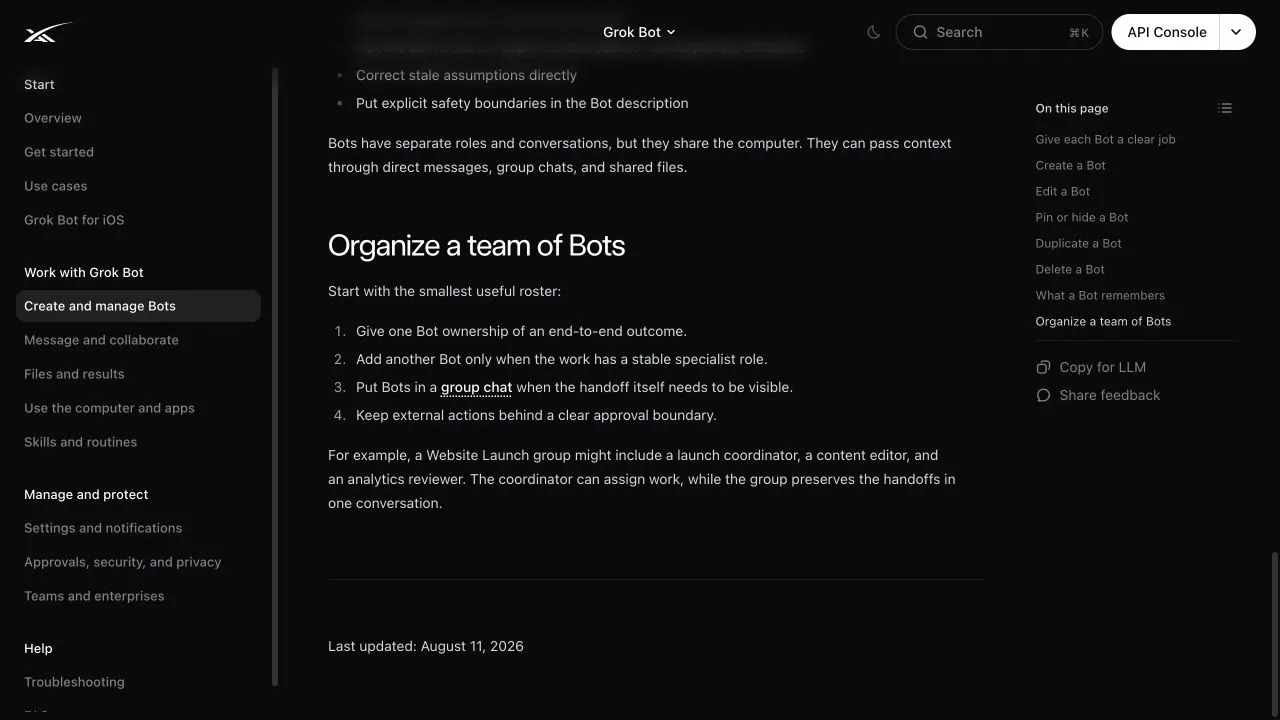
Official documentation captured from SpaceXAI’s Create and manage Bots guide on August 12, 2026. This is a public documentation page, not a private workspace.
One shared computer changes the design
All of your Bots use one persistent cloud computer assigned to your user account. They share files, browser sessions, command-line credentials, and app logins. Each Bot gets its own screen, so several Bots can work in parallel, but those screens are not separate security boundaries.
This has two consequences:
- Handoffs are easier because one Bot can continue from files or sessions another Bot used.
- A login available to one Bot is potentially available to every Bot on your account.
Do not create a “finance Bot” and assume its bank login is isolated from the rest of the roster. If different jobs require different trust boundaries, use separate service accounts with narrow permissions where the source service supports them.
When a new Bot earns a place
SpaceXAI recommends a separate Bot when the work has a distinct goal, tool set, working style, approval boundary, or recurring schedule.
Use this test before creating one:
- Does this job produce a recognizable deliverable?
- Will the same role exist next month?
- Does it use a stable set of sources or tools?
- Can you state what it may do without approval?
- Does another Bot already own the outcome?
If the last answer is yes, improve the existing Bot first. A new Bot should remove a repeated handoff problem, not create another inbox.
A useful three-Bot starter team
For a content workflow, start with:
| Bot | Owns | Returns | Must not do |
|---|---|---|---|
| Researcher | Source collection and evidence notes | Linked research pack | Invent claims or cite unread pages |
| Writer | Draft built from the research pack | Article draft with source markers | Publish or remove uncertainty labels |
| Reviewer | Factual and editorial checks | Blocking issues and corrected draft | Approve its own unsupported claims |
The Writer does not research from scratch. The Researcher does not publish. The Reviewer does not silently rewrite the article without explaining factual corrections.
This is enough specialization to make handoffs visible without turning the project into a miniature bureaucracy.
Write each Bot’s job in operational terms
Avoid names such as “Smart Helper” or “Marketing Genius.” They do not tell the Bot what it owns.
Use this profile template:
Job: Own [specific outcome].
Sources and tools: Use [named systems or folders].
Deliverable: Return [format and location].
Quality checks: Verify [facts, links, totals, or constraints].
Approval boundary: Never [send, publish, buy, delete, or change] without my approval.
Handoff: Send the result to [named Bot or group] with [required context].
Keep durable rules in the Bot description. Put task-specific details in the message. For example, “Never send external email without approval” belongs in the description. “Draft replies for these twelve accounts” belongs in today’s message.
Pick one coordinator only when you need one
The official launch post says people inside SpaceXAI often run multiple Bots with one acting as a chief of staff. That can work when several specialists serve one ongoing operation.
Do not begin there. A coordinator adds another handoff and another place for context to drift. Add one when all three conditions are true:
- At least two specialist Bots already produce reliable work.
- You repeatedly decide who should take the next stage.
- The coordinator can use a simple routing rule.
A good coordinator assigns work, checks that a deliverable exists, and asks you about judgment calls. It should not redo every specialist’s work.
Create and organize the roster
- Choose New in the sidebar, or press
Cmd/Ctrl+N. - Select Create new agent.
- Open Bot actions, then Edit Profile.
- Set a clear name, title, description, and avatar.
- Give the Bot one real task with a defined result.
- Pin the Bots you use often.
- Hide dormant Bots instead of deleting them if you may need their history.
An account can have up to 50 Bots and group chats combined. That is a product limit, not a target.
Duplicating a Bot copies its profile, settings, enabled skills, routines, and avatar. It does not copy conversation history, learned memory, or chat attachments. Rename the duplicate and replace the scope before using it.
Practical exercise: build a supervised content team
Step 1: create the Researcher
Give it this description:
Own source collection for one article at a time. Read the supplied primary sources, save a linked evidence note in
/workspace/course-research/, and label anything uncertain. Do not draft the article or contact anyone.
Step 2: create the Writer
Turn an approved evidence note into a friendly first-time-user draft. Preserve source links and uncertainty labels. Do not add factual claims that are absent from the evidence note. Never publish.
Step 3: create the Reviewer
Check the draft against the evidence note and linked sources. Return factual problems, missing beginner explanations, and unsafe instructions. Do not mark a claim verified unless you opened its source. Never publish.
Step 4: run one article through the team
Give the Researcher two official pages. Move its evidence note to the Writer. Then send the draft to the Reviewer. Keep yourself as the final approval step.
Success criteria
- Every stage has one owner.
- Each handoff names the file or result being transferred.
- The Writer uses only the approved evidence pack.
- The Reviewer reports blocking issues clearly.
- No Bot publishes, sends, purchases, or deletes anything.
- You can reconstruct the process from the conversations and shared files.
What to watch for
| Symptom | What it usually means | Correction |
|---|---|---|
| Two Bots create competing drafts | Ownership overlaps | Give one Bot the draft and one the review |
| A Bot sends every small choice to you | Its decision boundary is too narrow | List ordinary decisions it may make alone |
| A Bot acts externally without a clear stop | The approval boundary is missing | Put the boundary in its persistent description |
| Context leaks between roles | Shared files or logins are broader than expected | Remove sensitive files and use scoped accounts |
| The roster keeps growing | New Bots are substituting for better instructions | Merge roles that do not have stable deliverables |
What the source video adds
At 00:30, Alex Finn describes Grok Bot as a team of individually named agents. At 09:07, he recaps multiple named agents as one of the product’s main differences.
Those observations match the current launch page and documentation. The official sources add the details the video does not cover: a Bot is a durable named agent, the account limit includes Bots and group chats, and every Bot on one user account shares the same computer.