Projects & coding · Tutorial 08
Gas Town: Give Every Coding Agent Its Own Workspace
Run several coding agents without putting them in the same checkout: track work, create separate Git worktrees, monitor progress, and recover safely.
0 of 1 complete
Reference guide · Read when needed · View the route
Source-checked and updated: August 17, 2026, against the official Gas Town repository, release documentation, and command reference. Record your installed gt version because distribution channels can lag.
Gas Town solves a painfully ordinary multi-agent problem: two coding agents should not be editing the same checkout at the same time.
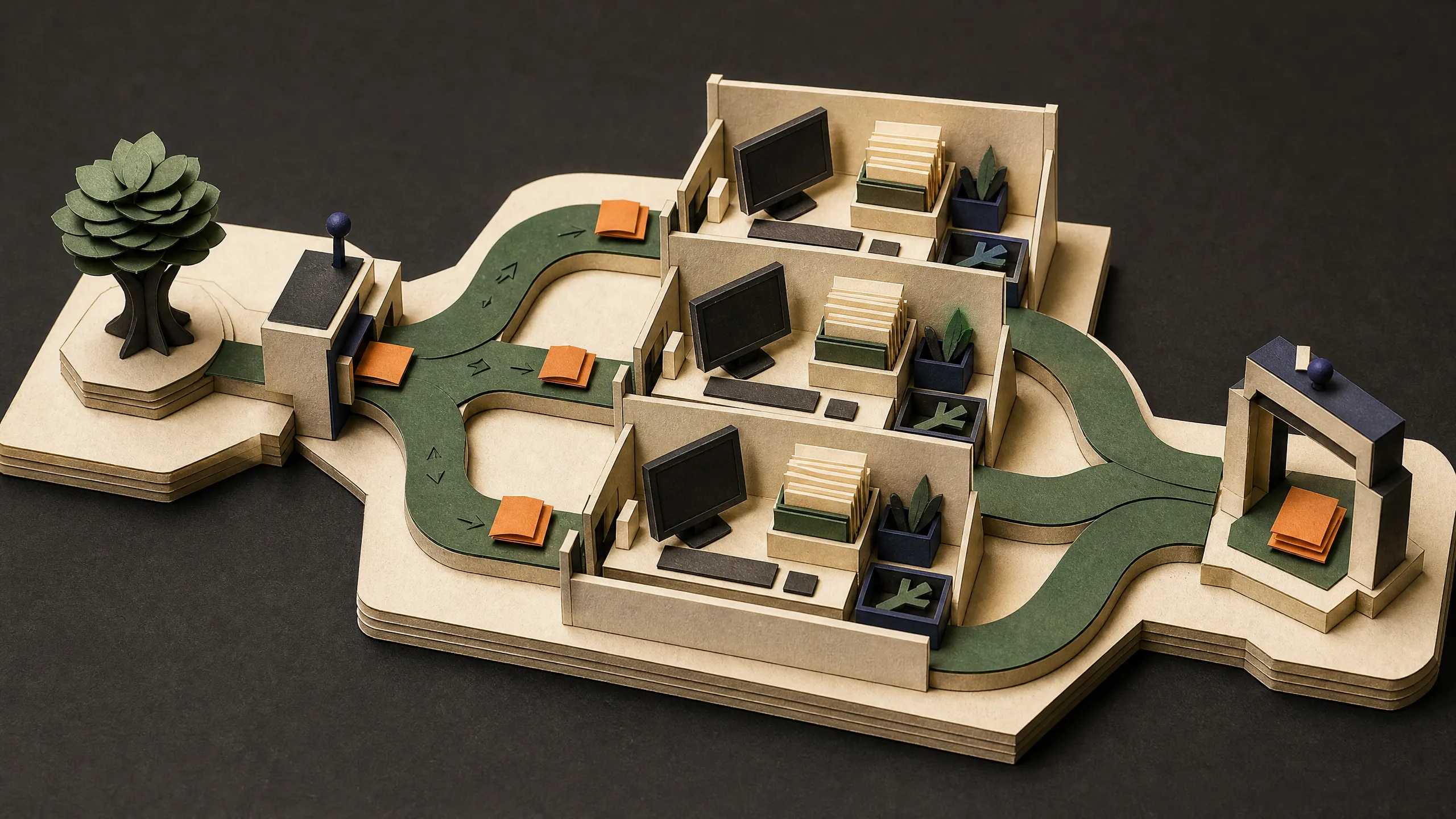
Our team uses it as the workspace layer beneath a multi-agent system. A stronger model or orchestrator can decide what work should happen; Gas Town turns each unit of work into a tracked assignment and gives each worker, called a polecat, its own Git worktree and branch. Workers can run in parallel without trampling the same working directory, and their results meet later at a review and merge step.
That is the useful claim. It is also the boundary of the claim. A separate Git worktree is not a security sandbox. Native polecats normally run as processes under the same operating-system user, so they may still be able to read the same credentials, call the network, or reach other paths your user can reach.
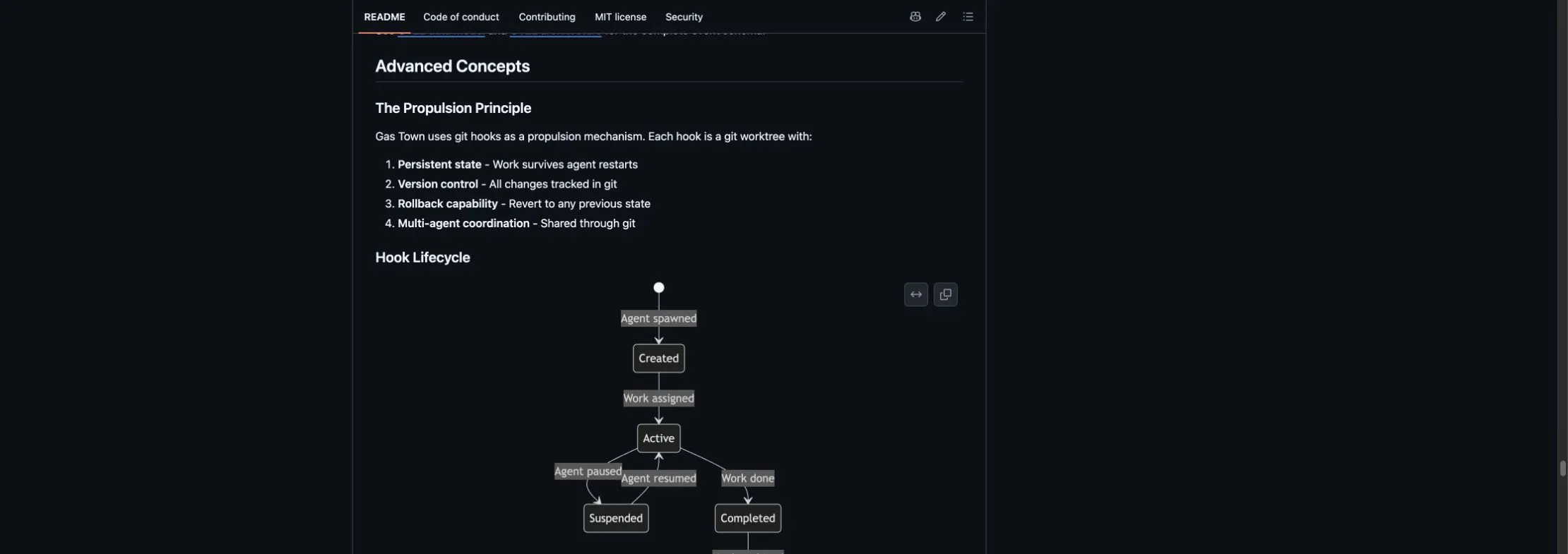
Figure 1: Gas Town’s official README captured August 17, 2026. It describes persistent Git-backed hooks and their lifecycle; this is public documentation, not evidence of a private team run.
What Gas Town actually adds
The official project is Gas Town, with the gt command. It is a multi-agent workspace manager and orchestration system for coding runtimes including Claude Code, Codex, Gemini, and others.
The vocabulary is unusual, but the pieces map to familiar jobs:
| Gas Town term | Plain-English meaning | Why it matters |
|---|---|---|
| Town / HQ | The top-level Gas Town directory, normally ~/gt | Holds configuration and cross-project coordination state |
| Rig | One Git project managed by Gas Town | Keeps project workers and tracking together |
| Mayor | The coordinator agent | Breaks down and routes larger goals |
| Bead | A durable unit of work | Gives an assignment an ID and state outside the model’s chat memory |
| Convoy | A group of related beads | Shows progress across a larger result |
| Polecat | A worker agent | Performs one assigned piece of work |
| Hook | The worker’s pinned work queue | Tells the worker what it owns |
| Refinery | The merge-queue role | Tests and integrates completed branches |
| Witness | A per-rig monitor | Watches workers and helps recover stalled sessions |
You do not need to memorize all of that before starting. The minimum useful mental model is:
goal → tracked tasks → separate worktrees → tests/review → mergeWhy the separate-worktree model works
A Git worktree is another checked-out directory connected to the same repository. Each polecat can have its own directory and feature branch. Agent A can change the API while Agent B updates the docs without either one switching the other’s branch or overwriting the other’s uncommitted files.
The worktree survives normal model-session cycling during the assignment. Gas Town keeps task state in Beads and handoff mechanisms, so a fresh model context can recover the job instead of treating the chat transcript as the only memory.
When the polecat finishes, gt done pushes its branch and submits merge evidence. The live session retires; the Refinery and Witness own the remaining merge and cleanup path.
This design reduces three common failures:
- Shared-checkout collisions: one agent changes branches, resets files, or formats over another agent’s edits.
- Invisible ownership: nobody knows which agent owns a failing task.
- Chat-only state: a crash or context reset erases the plan because it never left the model conversation.
It does not remove logical merge conflicts. If two workers change the same behavior in incompatible ways, Git and the review process still have to resolve that disagreement.
Before you install
Use a disposable repository for the first run. Do not start with your production monorepo, your SSH home directory, or a checkout containing uncommitted work.
You need Git and an agent runtime. Full-stack mode also uses tmux, Dolt, and Beads. The live prerequisites change, so check the official installation guide before copying version numbers into automation.
On macOS, the recommended path is Homebrew:
brew install gastownOn Linux or Windows, follow the current official guide for Dolt, Go, Beads, and gt. For the full tmux-backed experience on Windows, use WSL. Do not use go install for gt on macOS; the Gas Town docs warn that the unsigned binary may be killed by Gatekeeper.
Verify the tools before creating a town:
command -v gt
gt version
bd version
dolt version
git --version
tmux -V
Write down the gt version. Gas Town is moving quickly, and its Homebrew, npm, release, and main documentation can briefly disagree.
Install a town and add a test project
Set a real Git identity before asking Gas Town to initialize the HQ repository:
git config --global user.name "Your Name"
git config --global user.email "you@example.com"
Create the town, start its services, and run diagnostics:
gt install ~/gt --shell --git
cd ~/gt
gt up
gt doctor --fix
gt status
If your installed release does not recognize the combined --git form, use the release’s documented split path:
gt install ~/gt --shell
cd ~/gt
gt git-init
gt up
gt doctor --fix
Do not keep trying random flags. Run gt install --help and follow the syntax shipped by the version you recorded.
Now add a disposable Git repository as a rig:
gt rig add practice_repo https://github.com/you/practice-repo.git --prefix pr
gt rig list
gt rig status practice_repo
Rig names may contain letters, digits, and underscores. Use practice_repo, not practice-repo.
For your own hands-on work, create a persistent crew workspace:
gt crew add yourname --rig practice_repoCrew workspaces are long-lived. Polecat workspaces are created for assignments and later retired by the cleanup path.
Configure the worker runtime
List the runtime presets that your installed build knows about:
gt config agent listTo use Codex for one assignment, pass the built-in alias at sling time:
gt sling <bead-id> practice_repo --agent codexGas Town also supports custom agent aliases. Only add one after its underlying CLI works by itself:
gt config agent set codex_low "codex --thinking low"
gt config default-agent codex_low
Use the exact flags supported by your runtime. An alias does not make an unsupported model or CLI integration real.
In our stack, the planning model and workspace layer have different jobs: the orchestrator decides how to decompose and route work; Gas Town keeps worker assignments, branches, and lifecycles separate. This tutorial does not pretend Gas Town ships a built-in Grok runtime—the Herdr multi-agent guide covers our orchestration layer separately.
Run one task end to end
Start with a task whose completion is easy to prove, such as adding a health endpoint and its test. Create the bead from the rig’s canonical clone:
cd ~/gt/practice_repo/mayor/rig
bd create "Add a health endpoint with one passing test"
Copy the bead ID printed by bd. It will look similar to pr-abc12. From the town root, create a convoy and sling the bead:
cd ~/gt
gt convoy create "Practice health endpoint" pr-abc12 --human
gt sling pr-abc12 practice_repo --agent codex
Then inspect the run from outside the worker:
gt convoy list
gt convoy status <convoy-id>
gt agents
gt rig status practice_repo
The exact random polecat name is not important. What matters is that the task has an owner, the owner has a distinct worktree and branch, and the convoy exposes its state.
Confirm the filesystem separation with Git itself:
git --git-dir="$HOME/gt/practice_repo/.repo.git" worktree listRun a second harmless task and repeat the command. You should see different working directories and branches for the two polecats.
Make the task finish correctly
Inside a polecat session, completion is not “I wrote some files.” The worker should:
- Read the bead and acceptance criteria.
- Inspect the repository’s own instructions.
- Make a bounded change on its assigned branch.
- Run the relevant tests or verification command.
- Commit the result with no unrelated files.
- Run
gt doneto push the branch and submit it to the integration path.
gt done retires the live session after leaving durable branch and merge metadata. The Refinery can then test and merge the work. If a merge conflict occurs, the official design routes it into conflict-resolution work; it does not silently prove both implementations are compatible.
Watch the convoy rather than asking every worker for a conversational status update:
gt convoy status <convoy-id>
gt feed
Use gt feed --problems when you care only about stuck or unhealthy activity.
The production pattern we recommend
The machinery scales better when tasks are genuinely independent. “Build the whole app” is not a parallel plan. A safer production convoy might split into:
| Bead | Owns | Proof required |
|---|---|---|
| API behavior | Endpoint and unit tests | Targeted test command passes |
| Documentation | User-facing setup and examples | Links and commands checked against the final API |
| Regression review | Diff and existing behavior | Relevant regression suite passes; blocking findings reported |
Put dependencies between tasks that cannot safely run at the same time. Give every bead a deliverable and a verification command. Keep a human approval boundary for deployments, credential changes, destructive migrations, purchases, external messages, and publishing.
Cap concurrency before a large convoy exhausts model budgets or provider limits:
gt config set scheduler.max_polecats 3
gt scheduler status
Three reliable workers with clear ownership usually beat ten workers contending for the same files, API allowance, and reviewer attention.
For production, also use:
- a dedicated test repository before onboarding a valuable rig;
- narrow, revocable Git credentials;
- model-provider budgets and rate limits;
- required tests and review before merge;
- remote branches or pull requests as durable evidence;
- host backups for town/Beads state that Git alone does not protect;
- a documented owner for stalled jobs and destructive cleanup.
Failure handling without destroying work
When a worker appears stuck, inspect before restarting:
gt agents
gt rig status practice_repo
gt convoy status <convoy-id>
gt feed --problems
gt polecat status practice_repo/<polecat-name>
gt doctor --verbose
The Witness is designed to monitor polecats and recover stalled sessions. A model-session restart is not automatically a lost task: the worktree, branch, bead, and handoff state are separate from one context window.
Before destructive cleanup, ask Gas Town whether there is recoverable state:
gt polecat check-recovery practice_repo/<polecat-name>Only after you have inspected the branch, commits, uncommitted changes, and recovery result should you consider:
gt polecat nuke practice_repo/<polecat-name>nuke kills the session and deletes the worktree and branch. It is not a routine “try turning it off and on again” command.
For stale workers, start with detection:
gt polecat stale practice_repoDo not add --cleanup until each candidate is understood. If work needs reassignment without destruction, use the supported unsling/unhook path for your installed release and confirm that the bead returns to an open state.
Stop safely at the end of the day
The least surprising town-wide stop is:
gt downThe official cleanup reference says gt down stops infrastructure but does not necessarily stop every polecat. To stop polecat sessions as well:
gt down --polecatsUse gt down --all only when you intend the broader cleanup and verification path. Avoid gt down --nuke: it kills the entire tmux server, including non-Gas-Town tmux sessions.
Do not delete ~/gt as ordinary cleanup. It contains the town’s state and working directories. Use the documented gt uninstall path only after preserving work and confirming the exact target.
Choose the right isolation level
There are three different boundaries, and they solve different problems:
| Setup | What it separates | What it does not automatically separate |
|---|---|---|
| Native polecat worktrees | Working directories and Git branches | Host files, OS user, credentials, network, processes |
| Official Docker Compose town | The Gas Town environment from much of the host | Polecats from one another inside the same container; the bound /gt workspace; outbound network |
| Per-polecat containers/VMs with a control-plane proxy | Worker process/filesystem environments, depending on container mounts and policy | Anything you deliberately mount or allow; network egress unless separately restricted |
The official Docker configuration runs as a non-root user, drops Linux capabilities, and enables no-new-privileges. That is a stronger boundary than a native process. It also bind-mounts the HQ at /gt and persists the agent home, so treat those mounts as shared sensitive surfaces.
If you need genuinely untrusted workers, use per-worker containers or virtual machines, give each one minimal credentials, restrict mounts and egress, and review the official gt-proxy-server design. Its mTLS, command allowlist, and branch scoping protect the Gas Town control plane; the proxy itself does not police arbitrary files mounted into a container or block outbound network access.
Never run a native gt process and the Docker town against the same HQ directory. The official Docker guide warns that competing Dolt servers and daemons can clobber the workspace.
Why we keep Gas Town in the stack
Gas Town is useful to us because it turns “run more agents” into a visible engineering system:
- each unit of work has an ID and owner;
- each worker gets a separate checkout and branch;
- state can survive a model-session restart;
- a convoy shows progress across the result;
- integration happens through an explicit merge path;
- stalled work has inspection and recovery commands.
The value is not that every worker becomes trustworthy. The value is that parallel work becomes easier to attribute, inspect, recover, and integrate.
Gas Town questions
Is Gas Town a model?
No. It is an orchestration and workspace layer that launches supported coding-agent runtimes. The model still supplies the reasoning and code generation.
Does each polecat get a separate repository?
It gets a separate Git working directory/worktree and branch connected to the rig’s repository. That prevents shared-checkout collisions without duplicating every Git object.
Can one polecat read another polecat’s files?
In the native default, potentially yes. They usually run under the same OS account. Worktree separation is an organizational and Git boundary, not an access-control boundary.
Does Gas Town prevent bad code from merging?
It provides a merge queue and verification path, but the result is only as strong as your tests, review rules, task definitions, and credentials. Keep human approval for high-impact operations.
Should a beginner start with the Mayor?
Use the Mayor for a larger goal after you understand one bead, one polecat, one branch, and one verified merge. Learning the manual path first makes the orchestration easier to debug.